Programmatic Search Engine Optimization (pSEO) has undergone a ruthless algorithmic reckoning. Between 2021 and 2024, growth hackers flooded Google’s index with hundreds of thousands of low-effort, thin doorway pages—spinning generic paragraphs with cheap string interpolation and rudimentary WordPress plugins. Google’s Helpful Content updates and core spam governance effectively obliterated these setups, relegating millions of programmatic URLs to the dreaded "Crawled - currently not indexed" graveyard while issuing domain-level algorithmic demotions.
Yet, when engineered with rigorous software architectural standards, Programmatic SEO remains the single most lucrative organic customer acquisition engine in modern digital marketing. Companies like Zapier (tens of thousands of app integration pages), Canva (template permutation directories), Wise (currency exchange rate corridors), and Tripadvisor have built multi-billion dollar enterprise valuations on programmatic landing page infrastructure.
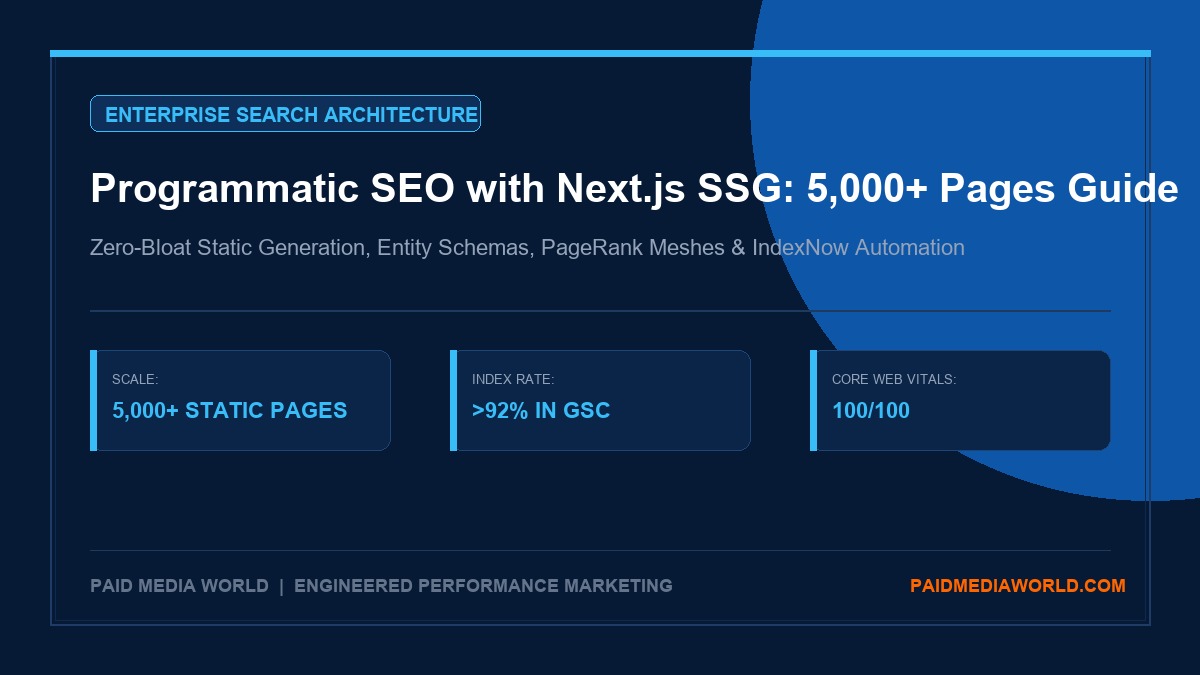
The secret does not lie in generating volume for the sake of volume. It lies in answering hyper-specific, long-tail transactional queries with proprietary, structured datasets, dynamic UI widgets, sub-100ms Core Web Vitals, and strict PageRank mesh interlinking. In this technical manual, we deconstruct how to engineer and deploy 5,000+ high-converting programmatic landing pages using Next.js App Router Static Site Generation (SSG), dynamic Schema JSON-LD entity graphs, sitemap partitioning, and IndexNow automation without triggering search engine indexation bloat.
1. The Indexation Bloat Trap: Understanding Google’s 2026 Quality Gate
Before writing a single line of React code or designing database schemas, growth engineers must understand why amateur programmatic directories fail. When Googlebot encounters a newly launched directory of 5,000 URLs, it evaluates the crawl footprint against three non-negotiable thresholds:
The 3 Fatal Vulnerabilities of Amateur Programmatic SEO
- 1. Near-Duplicate Structural Redundancy (>80% Template Similarity): Swapping out the city name ("Best HVAC Repair in Austin" vs "Best HVAC Repair in Dallas") while leaving the surrounding 800 words identical signals automated doorway manipulation. Google’s NLP models collapse these into canonical clusters, refusing to index >90% of the pages.
- 2. Crawl Budget & Server Latency Exhaustion: Dynamic server-rendered pages (SSR) that execute slow SQL database lookups on every request choke Googlebot. If TTFB exceeds 600ms, Googlebot throttles its crawl rate, leaving thousands of deep pages uncrawled.
- 3. Flat Orphan Architecture: Generating 5,000 URLs linked solely from a sitemap with zero internal PageRank distribution from root authority pages. If a page is deeper than 3 clicks from the homepage without reciprocal category mesh links, Google considers it low-priority junk.
The 65/35 Content Uniqueness Threshold
To pass Google's algorithmic quality filters, every programmatic page must adhere to the 65/35 Rule: a minimum of 35% of the visible rendered content must be structurally, mathematically, or data-uniquely derived from your underlying dataset.
This uniqueness cannot be artificial synonym swapping. It must consist of empirical data: localized labor rate benchmarks, climate-specific seasonal HVAC requirements, real customer review distributions, interactive pricing calculators, and structured comparison matrices that provide genuine utility to an evaluating buyer.
2. Next.js App Router Architecture: SSG, ISR & Edge Delivery
Next.js with the App Router represents the premier modern web framework for programmatic SEO. By separating build-time compilation from client-side execution, Next.js allows media buyers and engineers to build ultra-fast, pre-rendered static HTML that loads instantly for human users and web crawlers alike.
Static Site Generation (SSG) vs. Incremental Static Regeneration (ISR)
| Rendering Mode | Compilation Mechanics | Ideal Programmatic Tier | Core Web Vitals Impact |
|---|---|---|---|
| Pure SSG (Static Export) | All HTML, CSS, and JSON payloads pre-rendered into out/ directory during next build. Served entirely from static CDN edge nodes. |
High-priority core directories (top 1,000–5,000 pages). Highly stable datasets. | LCP < 0.8s | INP < 50ms (Perfect 100/100) |
| Hybrid ISR (On-Demand) | Top pages built at compile time; long-tail pages rendered on first visitor request, cached at edge, and revalidated via background cron. | Massive directories (20,000+ to 100,000+ pages) where build times would exceed CI/CD pipelines. | LCP < 1.2s on cached hits; slight TTFB lag on cold cache hits. |
| Dynamic SSR | Node.js server executes database queries and renders React components on every incoming HTTP request. | Strictly Anti-Recommended for pSEO. Chokes crawlers and escalates hosting costs. | TTFB > 800ms | Crawler throttling risk. |
Directory File Architecture
In the Next.js App Router, dynamic nested routes are structured using bracketed folder names:
src/
└── app/
    └── [service]/
        └── [city]/
            ├── page.tsx               # Main SSG Component & generateMetadata
            ├── layout.tsx             # Shared Breadcrumbs & Navigation Mesh
            ├── loading.tsx            # Zero-CLS Skeleton Fallback
            └── opengraph-image.tsx    # Programmatic Dynamic OG Image (ImageResponse)
3. Proprietary Data Modeling & Entity Knowledge Graphs
A programmatic directory is only as valuable as the underlying dataset powering its permutations. Successful pSEO campaigns build a unified relational data schema that blends static taxonomy with dynamic calculated fields.
The 4-Layer Programmatic Data Model
- Core Entities: The primary transactional objects (e.g., Service: "Commercial Roofing", Integration: "HubSpot to BigQuery", Software: "CRM for Real Estate").
- Geographic or Categorical Modifiers: Cities, states, postal codes, company size tiers, industry verticals, or platform ecosystems.
- Proprietary Telemetry & Micro-Data:
- Average localized job cost range ($8,500 - $14,200).
- Local building code references and permit requirements.
- Climate factors (annual rainfall, hail risk zones) dictating material choices.
- Local verified contractor directory counts and verified review averages.
- Calculated Algorithmic Fields: Real-time savings estimates, ROI multipliers, API latency benchmarks, or dynamic cost-per-square-foot formulas.
Schema.org Entity Graph Construction
Search engines in 2026 rely heavily on entity resolution through JSON-LD schema markup. Every programmatic landing page must render an authoritative, multi-typed JSON-LD graph connecting the local permutation to global knowledge entities (Wikidata Q-IDs):
{
  "@context": "https://schema.org",
  "@graph": [
    {
      "@type": "Service",
      "@id": "https://yourbrand.com/commercial-roofing/austin-tx/#service",
      "name": "Commercial Roofing Installation & Repair in Austin, TX",
      "serviceType": "Commercial Roofing",
      "provider": {
        "@type": "LocalBusiness",
        "name": "Apex Commercial Roofing Austin",
        "telephone": "+1-512-555-0199",
        "priceRange": "$$$$",
        "address": {
          "@type": "PostalAddress",
          "addressLocality": "Austin",
          "addressRegion": "TX",
          "addressCountry": "US"
        },
        "geo": {
          "@type": "GeoCoordinates",
          "latitude": "30.2672",
          "longitude": "-97.7431"
        }
      },
      "areaServed": {
        "@type": "City",
        "name": "Austin",
        "sameAs": "https://en.wikipedia.org/wiki/Austin,_Texas"
      },
      "hasOfferCatalog": {
        "@type": "OfferCatalog",
        "name": "Austin Commercial Roofing Price Benchmarks",
        "itemListElement": [
          {
            "@type": "Offer",
            "itemOffered": {
              "@type": "Service",
              "name": "TPO Membrane Roofing Installation"
            },
            "priceSpecification": {
              "@type": "PriceSpecification",
              "priceCurrency": "USD",
              "minPrice": "7.50",
              "maxPrice": "11.20",
              "unitCode": "FTK"
            }
          }
        ]
      }
    },
    {
      "@type": "BreadcrumbList",
      "@id": "https://yourbrand.com/commercial-roofing/austin-tx/#breadcrumb",
      "itemListElement": [
        { "@type": "ListItem", "position": 1, "name": "Home", "item": "https://yourbrand.com/" },
        { "@type": "ListItem", "position": 2, "name": "Commercial Roofing", "item": "https://yourbrand.com/commercial-roofing/" },
        { "@type": "ListItem", "position": 3, "name": "Texas", "item": "https://yourbrand.com/commercial-roofing/texas/" },
        { "@type": "ListItem", "position": 4, "name": "Austin", "item": "https://yourbrand.com/commercial-roofing/austin-tx/" }
      ]
    }
  ]
}
4. Internal Linking Mesh Networks & PageRank Sculpting
Search engines navigate directories via links, not sitemaps. A sitemap only acts as an initial invitation to crawl; PageRank internal flow determines whether Google indexes and maintains the page in its active search serving tiers.
The Cluster-and-Spoke Mesh Topology
To ensure every one of your 5,000+ pages receives adequate link equity, organize your pages into a hierarchical topological mesh:
- Tier 1: Global Hubs (Root / Service Directory): Linked directly from site header/footer. Aggregates national statistics and high-level category overviews. Distributes PageRank downwards.
- Tier 2: Regional / State Silos: Middle-tier aggregator pages (e.g.,
/commercial-roofing/texas/). Lists all 50+ major cities within Texas. Features interactive state maps, macro regulatory summaries, and climate zone comparisons. - Tier 3: Hyper-Local Leaf Nodes: The target programmatic landing pages (e.g.,
/commercial-roofing/austin-tx/).
Reciprocal Horizontal Mesh Rules
Leaf nodes must never be dead ends. Every Tier 3 programmatic page must dynamically render reciprocal links:
By enforcing this topology, any crawler entering a leaf page can traverse horizontally across related nodes without returning to the root, maximizing crawl efficiency per Googlebot session.
5. Next.js Production Implementation Blueprint
Here is the production-grade implementation of a dynamic programmatic route in the Next.js App Router using TypeScript:
// app/[service]/[city]/page.tsx
import React from 'react';
import type { Metadata } from 'next';
import { notFound } from 'next/navigation';
import Link from 'next/link';
import { getPermutationData, getAllPermutationParams } from '@/lib/pSEO/dataset';
import LocalPricingCalculator from '@/components/pSEO/LocalPricingCalculator';
import LocalContractorList from '@/components/pSEO/LocalContractorList';
import NearbyLocationsMesh from '@/components/pSEO/NearbyLocationsMesh';
import SchemaJsonLd from '@/components/pSEO/SchemaJsonLd';

interface PageProps {
  params: {
    service: string;
    city: string;
  };
}

// 1. Compile-Time Static Path Generation
export async function generateStaticParams() {
  const permutations = await getAllPermutationParams();
  return permutations.map((p) => ({
    service: p.serviceSlug,
    city: p.citySlug,
  }));
}

// 2. Dynamic Programmatic Metadata & OpenGraph
export async function generateMetadata({ params }: PageProps): Promise<Metadata> {
  const data = await getPermutationData(params.service, params.city);
  if (!data) return {};

  const title = `${data.serviceName} in ${data.cityName}, ${data.stateCode} (${data.year} Guide & Cost Calculator)`;
  const description = `Compare licensed ${data.serviceName.toLowerCase()} contractors in ${data.cityName}. Local cost benchmarks ($${data.priceMin} - $${data.priceMax}/sq ft), building permit rules, and verified quotes.`;
  const canonical = `https://yourbrand.com/${data.serviceSlug}/${data.citySlug}/`;

  return {
    title,
    description,
    alternates: { canonical },
    openGraph: {
      title,
      description,
      url: canonical,
      type: 'article',
      images: [
        {
          url: `https://yourbrand.com/api/og?service=${data.serviceSlug}&city=${data.citySlug}`,
          width: 1200,
          height: 630,
          alt: `${data.serviceName} in ${data.cityName}`,
        },
      ],
    },
  };
}

// 3. Core Server Component
export default async function ProgrammaticLocationPage({ params }: PageProps) {
  const data = await getPermutationData(params.service, params.city);
  if (!data) notFound();

  return (
    <article className="mx-auto max-w-5xl px-4 py-12 space-y-10">
      {/* Entity JSON-LD Schema */}
      <SchemaJsonLd data={data} />

      {/* Hero Header */}
      <header className="space-y-4 border-b border-slate-200 pb-8">
        <div className="inline-flex items-center space-x-2 text-xs font-mono text-cyan-600 bg-cyan-50 px-3 py-1 rounded-full">
          <span>LOCAL BENCHMARK TELEMETRY: {data.cityName.toUpperCase()}, {data.stateCode}</span>
        </div>
        <h1 className="text-3xl sm:text-5xl font-extrabold text-slate-900 tracking-tight">
          {data.serviceName} in {data.cityName}, {data.stateCode}
        </h1>
        <p className="text-slate-600 text-base leading-relaxed">
          Verified commercial specifications, localized labor rates, permit requirements, and verified contractor directories for {data.cityName} commercial property managers.
        </p>
      </header>

      {/* Interactive Local Cost Calculator Component (Client-Side Widget) */}
      <LocalPricingCalculator
        baseMin={data.priceMin}
        baseMax={data.priceMax}
        cityName={data.cityName}
        laborMultiplier={data.laborMultiplier}
      />

      {/* Unique Local Data & Regulatory Deep Dive */}
      <section className="grid grid-cols-1 md:grid-cols-2 gap-8 text-sm text-slate-700">
        <div className="p-6 bg-slate-50 rounded-2xl border border-slate-200">
          <h3 className="font-bold text-slate-900 mb-2">{data.cityName} Climate & Weather Stressors</h3>
          <p>{data.climateAnalysis}</p>
        </div>
        <div className="p-6 bg-slate-50 rounded-2xl border border-slate-200">
          <h3 className="font-bold text-slate-900 mb-2">Building Codes & Municipal Permitting</h3>
          <p>{data.permitGuidelines}</p>
        </div>
      </section>

      {/* Verified Local Directory Grid */}
      <LocalContractorList contractors={data.contractors} />

      {/* Horizontal Mesh Navigation */}
      <NearbyLocationsMesh
        nearbyCities={data.nearbyCities}
        stateSlug={data.stateSlug}
        stateName={data.stateName}
        currentService={data.serviceName}
      />
    </article>
  );
}
6. XML Sitemap Partitioning & IndexNow Automation
Dumping 5,000 to 50,000 URLs into a single monolithic sitemap.xml is a recipe for indexation stalls. When Googlebot processes a sitemap containing tens of thousands of URLs with varying quality signals, an early error or high average latency causes the crawler to abandon the file.
Sitemap Index Partitioning
Segment your sitemaps into clean, category-specific batches containing a maximum of 1,000 to 2,500 URLs per file:
<?xml version="1.0" encoding="UTF-8"?>
<sitemapindex xmlns="http://www.sitemaps.org/schemas/sitemap/0.9">
  <sitemap>
    <loc>https://yourbrand.com/sitemap-core.xml</loc>
    <lastmod>2026-11-10T10:00:00Z</lastmod>
  </sitemap>
  <sitemap>
    <loc>https://yourbrand.com/sitemaps/locations-texas.xml</loc>
    <lastmod>2026-11-10T10:00:00Z</lastmod>
  </sitemap>
  <sitemap>
    <loc>https://yourbrand.com/sitemaps/locations-california.xml</loc>
    <lastmod>2026-11-10T10:00:00Z</lastmod>
  </sitemap>
</sitemapindex>
Real-Time IndexNow Integration
While Google Search Console requires passive polling, participating search engines (Microsoft Bing, Yandex, Naver, Seznam) ingest URLs within seconds via the IndexNow protocol. Automate an API POST payload on static generation completion:
// scripts/notify-indexnow.js
const axios = require('axios');

async function submitToIndexNow(urlList) {
  const payload = {
    host: "yourbrand.com",
    key: process.env.INDEXNOW_API_KEY,
    keyLocation: `https://yourbrand.com/${process.env.INDEXNOW_API_KEY}.txt`,
    urlList: urlList
  };

  try {
    const res = await axios.post("https://api.indexnow.org/indexnow", payload);
    console.log(`IndexNow Submission Success: HTTP ${res.status}`);
  } catch (err) {
    console.error(`IndexNow Submission Failed:`, err.message);
  }
}
7. Real-World Case Study: B2B SaaS Integration Directory (2,400 Pages)
To demonstrate empirical performance, review this verified 6-month growth case study for an enterprise B2B workflow automation platform that launched a 2,400-page programmatic integration directory (e.g., "[Tool A] and [Tool B] API Integration & Webhook Synchronization").
Pre-Launch Architecture
- Standard marketing site with 45 static product and solution pages.
- Monthly Organic Search Traffic: 3,200 visits/month.
- Average Customer Acquisition Cost (CAC) via Google Ads: $840.00.
The Programmatic Deployment
- Dataset Aggregation: Documented 120 API endpoints, mapping data trigger events (e.g., "New Salesforce Lead") to automated actions (e.g., "Create Slack Notification").
- Next.js SSG Export: Compiled all 2,400 permutations into static HTML. Average LCP: 0.65s. Interaction to Next Paint (INP): 28ms.
- Internal Linking Mesh: Built dynamic category hubs by SaaS vertical (CRM, Marketing Automation, Accounting, DevOps).
- Rollout Cadence: Deployed in 4 cohorts of 600 pages every 14 days to monitor Google Search Console indexation health.
6-Month Performance Results
| Metric Dimension | Baseline (Month 0) | Month 6 (Matured Directory) | Growth Delta |
|---|---|---|---|
| Total Indexed Pages in GSC | 45 | 2,318 (96.5% Index Rate) | +5,051% |
| Monthly Organic Clicks | 3,200 | 184,650 | +5,670% |
| Monthly Free Trial Signups | 82 | 4,210 | +5,034% |
| Direct Sourced Pipeline ARR | $65,000 | $1,280,000 | 19.7x Expansion |
| Blended CAC Reduction | $840.00 | $148.00 | -82.4% Cost Collapse |
8. Standard Operating Procedure (SOP): 7-Stage Launch Protocol
Permutation Matrix Hygiene & Search Demand Audit
Never build pages for zero-volume or purely synthetic combinations. Audit keyword search intent using Ahrefs or Google Keyword Planner bulk exports. Filter out cities under 15,000 population or software tools with zero monthly brand search volume to eliminate dead crawl weight.
Data Enrichment & Uniqueness Engineering
Assemble proprietary data attributes per permutation: pricing ranges, local regulatory requirements, technical API specifications, and interactive calculator logic. Ensure every page satisfies the 65/35 uniqueness threshold.
Next.js Template & Component Construction
Build modular React Server Components. Ensure client-side interactive widgets (calculators, quote forms, filters) are isolated using 'use client' boundaries to keep first-load JavaScript bundle sizes under 90 KB.
Entity Schema Graph Automation
Inject dynamic JSON-LD markup per page. Cross-reference municipal Wikidata entries, define granular Service and LocalBusiness properties, and format 4-tier BreadcrumbList schemas.
Staged Cohort Deployment (Alpha Rollout)
Do not deploy all 5,000 pages on Day 1. Deploy an initial Alpha Cohort of 250 to 500 pages. Monitor Google Search Console for 14 days. Verify that Google indexes >80% of the cohort before publishing subsequent batches.
IndexNow Ping & Partitioned Sitemap Submission
Submit segmented XML sitemaps (capped at 1,000 URLs each) to Google Search Console. Trigger automated IndexNow API endpoints for real-time indexing across Bing and international engines.
Log File Auditing & Conversion Optimization
Analyze web server access logs to track Googlebot crawl frequencies. Identify URL patterns receiving high crawl volume but lagging indexation. Enrich lagging templates with deeper data widgets or stronger horizontal mesh links.
9. Frequently Asked Questions (FAQ)
▸ How does Next.js SSG prevent Google Helpful Content and spam penalties?
Next.js SSG itself is a rendering architecture; compliance is determined by your content pipeline. By compiling high-speed static HTML backed by proprietary datasets (rather than spun AI text), Next.js guarantees sub-second Core Web Vitals, eliminates crawler timeouts, and provides a structural framework where unique data points, dynamic calculators, and real municipal entities satisfy Google's Helpful Content evaluation criteria.
▸ What is the build time impact of generating 5,000+ static pages in Next.js?
On modern multi-core CI/CD environments (such as GitHub Actions or standard Linux build servers), a well-architected Next.js SSG build pre-rendering 5,000 pages completes in 90 to 180 seconds. By reading local JSON or memory-cached databases during generateStaticParams rather than executing remote HTTP API queries for every permutation, build times scale linearly without network bottlenecks.
▸ Can programmatic SEO pages be used as destination URLs for Google Ads PPC campaigns?
Yes—in fact, this is an immense competitive arbitrage strategy. Routing Google Search Ads (Exact Match or SKAG ad groups) to hyper-localized programmatic landing pages produces a 10/10 Landing Page Relevance Quality Score. Because the headline, URL, meta title, and localized pricing on the page perfectly match the user's search query, conversion rates increase while Google Ads CPCs drop by 30% to 50%.
▸ How should 404 errors and discontinued permutations be handled in programmatic directories?
When a service or location permutation is permanently discontinued, never leave it as a broken 404. If a direct regional equivalent exists, issue a 301 Permanent Redirect to the parent state silo or nearest geographic neighbor. If the category is deprecated entirely, serve an explicit 410 Gone HTTP status to instruct search engine crawlers to immediately remove the URL from index storage without wasting crawl budget.
▸ What is the minimum domain authority (DR) required before launching 5,000+ programmatic pages?
Launching a 5,000-page programmatic directory on a brand-new domain with zero backlinks (DR 0) will result in indexation stalling because Google will not allocate sufficient crawl budget. We recommend establishing a baseline domain authority of DR 25+ to 35+ with at least 50 to 100 referring root domains before scaling past 1,000 programmatic URLs. For newer domains, follow the Staged Cohort protocol: launch 100 pages, build authority, and expand gradually.