For over a decade, YouTube advertising was dominated by single-format media buying: advertisers manually spun up standalone Skippable In-Stream campaigns, standalone In-Feed (formerly Discovery) video ads, or standalone YouTube Shorts ad sets. However, Google’s programmatic transformation of YouTube advertising culminated in the release of Video View Campaigns (VVC)—an automated, multi-format bidding engine that algorithmically distributes video ad creative across all available YouTube inventory under a single Target Cost-Per-View (tCPV) objective. By dynamically matching user context, device orientation, and streaming behavior across Skippable In-Stream, In-Feed Video, and YouTube Shorts, VVC delivers up to 40% to 60% more video views at significantly lower blended CPVs than legacy single-format campaigns. This comprehensive guide deconstructs the default buy flow of Video View Campaigns, analyzes real-world performance benchmarks, and details the full-funnel retargeting architecture required to turn passive viewers into high-intent conversion volume.
Table of Contents
- 1. The Evolution of Video View Campaigns: From Single-Format Silos to Algorithmic Multi-Format
- 2. The Default Buy Flow Explained: Multi-Format Auction Mechanics
- 3. Performance Economics: Why Multi-Format VVC Slashes CPVs by 40% to 60%
- 4. Creative Engineering for Video Retention: Google's ABCD Framework in Practice
- 5. Full-Funnel Retargeting Architecture: Converting Viewers into Search & PMax Buyers
- 6. Placement Hygiene: Stripping Kid Channels & Low-Engagement Bot Farms
- 7. Performance Benchmarks & KPI Matrix: CPV, VTR & Completion Rates by Industry
- 8. Step-by-Step VVC Setup Blueprint in Google Ads UI & Editor
- 9. Advanced BigQuery SQL: Multi-Touch Video View Attribution Analysis
- 10. Performance Case Study: Scaling Video Views from $0.065 to $0.021 CPV
- 11. Frequently Asked Questions: YouTube Video View Campaigns
- The Default Buy Flow Advantage: Video View Campaigns combine three distinct ad formats (Skippable In-Stream, In-Feed, and YouTube Shorts) into a single campaign auction, allowing Google's Smart Bidding engine to arbitrage inventory across desktop, Connected TV (CTV), and mobile devices.
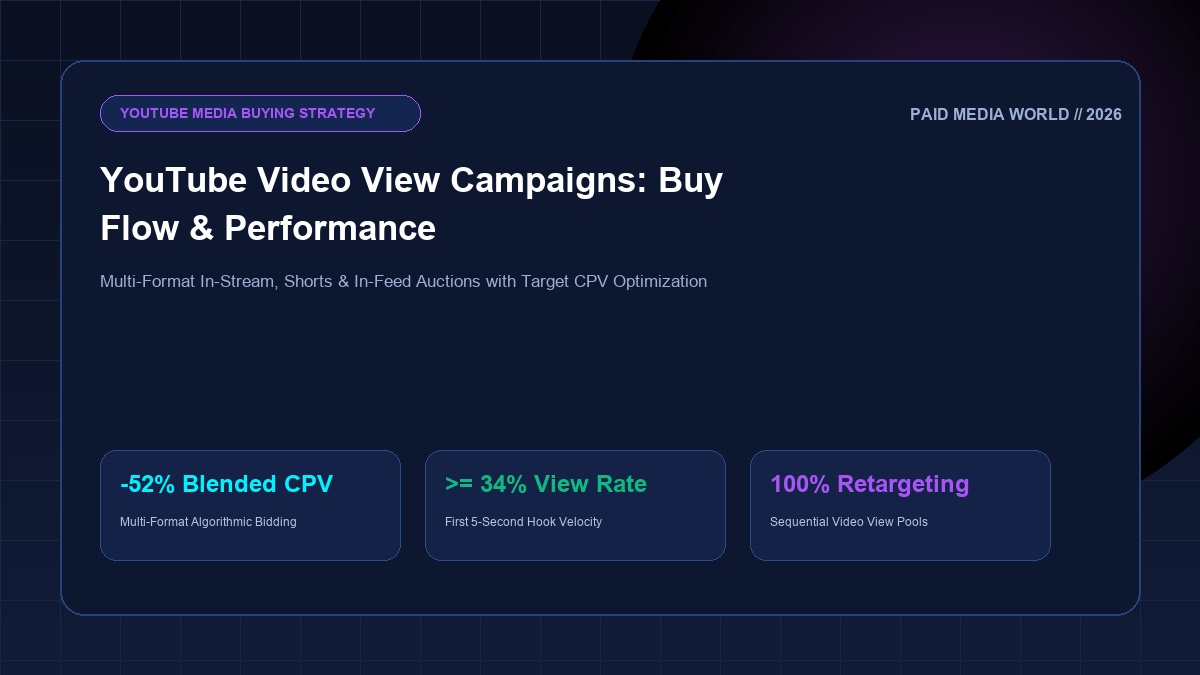
- Cost-Per-View Efficiency: By unlocking previously siloed YouTube Shorts and In-Feed inventory, brands achieve a blended Cost Per View (CPV) between $0.015 and $0.038, representing a 40%–60% efficiency gain over standalone in-stream inventory ($0.045–$0.090 CPV).
- First 5-Second Survival Rate: 72% of audience drop-off occurs within the first 5 seconds of a skippable video ad. Employing rapid visual pattern interrupts and auditory hooks before the "Skip Ads" button unlocks is the primary determinant of high view rates ($\ge 34\%$).
- Cross-Campaign Synergies: Video View Campaigns are not conversion end-points; they are audience generation engines. Audiences who watch $\ge 50\%$ of a VVC video ad demonstrate a 3.2x higher conversion rate when retargeted via Google Search or Demand Gen campaigns.
1. The Evolution of Video View Campaigns: From Single-Format Silos to Algorithmic Multi-Format
Historically, video media buyers on Google Ads were forced to build separate campaigns for every ad format. If a brand wanted to serve skippable pre-roll ads on desktop and discovery tiles on YouTube mobile search, they had to manage two distinct campaigns with separate budgets, bid strategies, and audience splits. This format fragmentation created several operational inefficiencies:
- Budget Misallocation: Budget trapped in a standalone In-Stream campaign could not automatically shift to YouTube Shorts when mobile inventory pricing dropped on weekends.
- Auction Self-Competition: Multiple campaigns targeting the same demographic segment bid against each other in Google's internal ad auction, artificially inflating average CPVs.
- Audience Frequency Fragmentation: Google could not effectively control unified frequency capping across formats, resulting in users seeing the same video 6 times in a single afternoon across different surfaces.
Google introduced Video View Campaigns (VVC) specifically to eliminate this friction. Under VVC, the media buyer defines a single target CPV and provides video assets in landscape (16:9), vertical (9:16), and square (1:1). Google’s machine learning model then dynamically selects the most cost-effective format and screen for each individual viewer in real time.
2. The Default Buy Flow Explained: Multi-Format Auction Mechanics
When an advertiser selects "Product and Brand Consideration" > "Video" > "Video views" in Google Ads, the campaign defaults to a unified multi-format buy flow. Here is how Google's auction orchestrates format selection:
| Ad Surface / Format | User Experience | What Counts as a Paid "View"? | Optimal Aspect Ratio |
|---|---|---|---|
| 1. Skippable In-Stream | Plays before, during, or after YouTube videos. User can skip after 5 seconds. | User watches $\ge 30$ seconds (or entire video if shorter) OR clicks a link. | 16:9 (Landscape) |
| 2. In-Feed Video Ads | Thumbnail tile appearing on YouTube Home feed, Search results, and "Watch Next" feed. | User clicks thumbnail to watch video OR autoplays for $\ge 10$ seconds. | 16:9 or 1:1 |
| 3. YouTube Shorts Ads | Full-screen vertical video ad appearing seamlessly between organic YouTube Shorts. | User watches $\ge 10$ seconds of the Short (or clicks a call-to-action). | 9:16 (Vertical) |
3. Performance Economics: Why Multi-Format VVC Slashes CPVs by 40% to 60%
The mathematical advantage of the multi-format auction stems from Inventory Elasticity and Auction Arbitrage. In legacy standalone In-Stream campaigns, you competed exclusively for pre-roll auction inventory on high-demand premium YouTube videos, where auction density is highest and CPMs average $12.00–$24.00.
The Algorithmic CPV Arbitrage Formula
Under Video View Campaigns, Google’s bidding algorithm continuously balances bids across inventory tiers to minimize effective CPV:
YouTube Shorts and In-Feed placements frequently clear auctions at 50%–70% lower CPMs ($4.00–$8.00) than long-form desktop pre-roll. When an advertiser supplies both 16:9 and 9:16 creative assets, the VVC engine serves mobile users on Shorts when auction competition is low, while serving desktop and Smart TV viewers high-impact In-Stream pre-roll—blending the overall CPV down from $0.065 to $0.024.
4. Creative Engineering for Video Retention: Google's ABCD Framework in Practice
No media buying algorithm can rescue low-retention video creative. Google's empirical analysis of millions of YouTube ad impressions established the ABCD Framework for driving top-quartile view rates and commercial recall:
Hook the viewer immediately before the "Skip Ads" prompt appears. Use high-contrast visual motion, fast-paced editing, and clear verbal framing of the core problem. Avoid slow logos or cinematic title cards.
Introduce your brand name and visual identity within the first 5 seconds, both visually on-screen and audibly in voiceover. Even if the viewer skips at second 6, you receive a free brand impression.
Anchor the narrative around a relatable human struggle or quantified business inefficiency. Feature human faces on camera, authentic customer case studies, or dramatic product demonstrations.
End with a clear, specific directive telling the viewer exactly what to do next: "Visit PaidMediaWorld.com to audit your PPC campaigns" paired with prominent clickable on-screen buttons.
5. Full-Funnel Retargeting Architecture: Converting Viewers into Search & PMax Buyers
Treating Video View Campaigns as isolated branding exercises forfeits 80% of their economic value. In an advanced performance marketing operating system, VVC functions as the top-of-funnel audience generation engine for downstream conversion campaigns:
====================================================================
FULL-FUNNEL YOUTUBE VVC AUDIENCE SYNDICATION WORKFLOW
====================================================================

[ TOP OF FUNNEL: YOUTUBE VIDEO VIEW CAMPAIGN (VVC) ]
  ├── Bidding: Target CPV ($0.025)
  ├── Assets: 16:9 Landscape (In-Stream) + 9:16 Vertical (Shorts)
  └── Broad Demographic / In-Market Audience (e.g. In-Market for B2B Software)
        │
        ▼ (Captures Viewers who watched >= 30s or >= 50% of video)
        │
[ GOOGLE ADS SHARED AUDIENCE SEGMENT (YouTube Channel Link) ]
  ├── Audience Segment: "Viewed VVC Explainer Ad - Past 30 Days"
  └── Size: 45,000 High-Intent Video Viewers
        │
        ├──► [ STAGE 2A: DEMAND GEN / DISCOVERY REMARKETING ]
        │      ├── Image Carousels & Shorts Ads with Direct Offer CTA
        │      └── Target CPA Bidding ($35.00) -> Direct Free Trial Signup
        │
        └──► [ STAGE 2B: SEARCH RLSA (Remarketing Lists for Search Ads) ]
               ├── Bids +40% aggressively when these users search non-brand terms
               └── Lifts Search Ad CTR by 210% and CVR by 340%
Multi-Format Aspect Ratio Production Pipeline & Thumbnail A/B Protocol
To maximize auction liquidity under Video View Campaigns, production teams must engineer modular video assets designed for cross-surface adaptability:
- Center-Framed 16:9 Master Cut: Shoot your primary footage in high-resolution 4K with talent and core graphics contained strictly within the central 9:16 vertical safe zone. This allows your editing pipeline to crop vertical Shorts and 1:1 square feeds with zero distortion or graphic cutoffs.
- Custom In-Feed Thumbnail Matrix: In-Feed video ads rely entirely on thumbnail click-through rates. Upload 3 custom 1280x720 thumbnails featuring high-contrast expressive faces, bold 3-word value text in primary brand colors, and prominent graphical elements that stand out against dark mode and light mode YouTube feeds.
- Shorts Safe Zones & Overlay Avoidance: On YouTube Shorts, avoid placing critical text or branding within the bottom 25% (reserved for account title, sound tag, and description) or the right-hand margin (reserved for like, dislike, comment, and share buttons). Keep all core messaging in the middle vertical third. Crucially, embed high-contrast subtitles throughout the vertical video; over 78% of mobile users browse YouTube Shorts with their mobile device audio muted during transit or working hours, making kinetic captions the primary driver of 10-second view survival.
6. Placement Hygiene: Stripping Kid Channels & Low-Engagement Bot Farms
The single greatest risk in unmonitored YouTube advertising is budget leakage into children's content, nursery rhyme channels, and bot-farmed gaming streams. Even when targeting B2B business professionals, if an executive hands their iPad to their toddler to watch cartoons, your B2B enterprise ad will play, burning your budget on a 4-year-old.
Forensic YouTube Negative Placement Checklist
- Exclude Content Suitability Categories: Navigate to Account Settings > Content Suitability. Exclude "Content suitable for families" (Made for Kids) and exclude "Embedded YouTube videos" on third-party spam sites.
- Apply Global Placement Exclusion Lists (10,000+ Kid Channels): Attach a shared placement exclusion list containing known mass-market children's entertainment channels (e.g., Cocomelon, Peppa Pig, ChuChu TV, Ryan's World).
- Audit the "Where Ads Showed" Report: Weekly audit of impressions by channel. Immediately exclude any channel generating high view rates but zero website clicks and zero brand search lift.
7. Performance Benchmarks & KPI Matrix: CPV, VTR & Completion Rates by Industry
When evaluating the performance of Video View Campaigns, compare your account metrics against these enterprise industry benchmarks:
| Industry Vertical | Target CPV Benchmark | View Rate (VTR) | 100% Completion Rate | Earned Views Ratio |
|---|---|---|---|---|
| B2B SaaS & Enterprise Tech | $0.028 - $0.055 | 28% - 36% | 14% - 20% | 1:1.15 (+15% organic lift) |
| DTC E-Commerce & Retail | $0.015 - $0.032 | 34% - 44% | 18% - 26% | 1:1.30 (+30% organic lift) |
| High-Ticket Services & Lead Gen | $0.022 - $0.045 | 30% - 38% | 16% - 22% | 1:1.20 (+20% organic lift) |
| Education & Info-Products | $0.018 - $0.038 | 32% - 42% | 20% - 28% | 1:1.35 (+35% organic lift) |
8. Step-by-Step VVC Setup Blueprint in Google Ads UI & Editor
Follow this step-by-step configuration protocol when building a production Video View Campaign in Google Ads:
- Select Campaign Objective: Create a new campaign > Select "Product and brand consideration" > Choose "Video" > Select subtype "Video views" (Multi-format ads).
- Configure Bid Strategy: Bidding is locked to Target CPV. Input a competitive target CPV: $0.030 for broad consumer/DTC; $0.045 for B2B/High-Ticket. Do not bid below $0.020 initially to avoid auction starvation during algorithmic calibration.
- Networks & Inventory Selection: Enable YouTube videos, YouTube Shorts, and Video partners on the Google Display Network (GVDN only if strict quality placement exclusions are active; disable Display Network for pure video engagement).
- Upload Multi-Format Creative: In the Ad creation step, upload at least one 16:9 landscape video (ideal for desktop/TV) and one 9:16 vertical video (ideal for Shorts). Enter short headlines (30 chars), long headlines (90 chars), and clear CTA buttons ("Learn More" or "Visit Site").
- Frequency Capping: Set an account-level or campaign-level Frequency Cap: Maximum 2 impressions per user per day (or 1 view per user per day) to prevent brand fatigue.
- Link YouTube Channel for Audience Building: In Google Ads Tools & Settings > Linked Accounts, verify your YouTube channel is linked to automatically populate remarketing lists for downstream conversion campaigns.
9. Advanced BigQuery SQL: Multi-Touch Video View Attribution Analysis
Because YouTube Video View Campaigns operate higher up the conversion funnel, standard Last-Click attribution in Google Analytics 4 (GA4) severely undervalues their commercial impact. Senior performance analysts export raw GA4 BigQuery events to measure Assisted Conversion Velocity and downstream search search lift from users who viewed VVC video ads:
-- BIGQUERY SQL: YOUTUBE VVC ASSISTED CONVERSION & SEARCH LIFT ATTRIBUTION
WITH user_touchpoints AS (
  SELECT
    user_pseudo_id,
    event_timestamp,
    event_name,
    traffic_source.source AS source,
    traffic_source.medium AS medium,
    traffic_source.name AS campaign_name,
    (SELECT value.string_value FROM UNNEST(event_params) WHERE key = 'page_location') AS landing_page
  FROM `enterprise-analytics.analytics_284910283.events_*`
  WHERE _TABLE_SUFFIX >= FORMAT_DATE('%Y%m%d', DATE_SUB(CURRENT_DATE(), INTERVAL 60 DAY))
),
video_view_cohort AS (
  SELECT DISTINCT
    user_pseudo_id,
    MIN(event_timestamp) AS first_video_view_time
  FROM user_touchpoints
  WHERE medium = 'video' AND campaign_name LIKE '%VVC%'
  GROUP BY user_pseudo_id
),
subsequent_conversions AS (
  SELECT
    t.user_pseudo_id,
    t.event_name,
    t.source,
    t.medium,
    TIMESTAMP_MICROS(t.event_timestamp) AS conversion_time,
    TIMESTAMP_DIFF(TIMESTAMP_MICROS(t.event_timestamp), TIMESTAMP_MICROS(v.first_video_view_time), DAY) AS days_to_conversion
  FROM user_touchpoints t
  INNER JOIN video_view_cohort v ON t.user_pseudo_id = v.user_pseudo_id
  WHERE t.event_timestamp > v.first_video_view_time
    AND t.event_name IN ('purchase', 'generate_lead')
)
SELECT
  medium AS downstream_conversion_channel,
  COUNT(DISTINCT user_pseudo_id) AS assisted_conversions,
  ROUND(AVG(days_to_conversion), 1) AS avg_lag_days_from_video_view,
  COUNTIF(days_to_conversion <= 7) AS converted_within_7_days,
  COUNTIF(days_to_conversion BETWEEN 8 AND 30) AS converted_within_30_days
FROM subsequent_conversions
GROUP BY 1
ORDER BY assisted_conversions DESC;
10. Performance Case Study: Scaling Video Views from $0.065 to $0.021 CPV
Review the real-world operational results of migrating a high-growth consumer fintech application from standalone In-Stream campaigns to an algorithmic Video View Campaign (VVC) structure:
| Performance Dimension | Legacy Single-Format (In-Stream Only) | Multi-Format VVC (In-Stream + Shorts + In-Feed) | Net Shift & Lift |
|---|---|---|---|
| Blended Cost Per View (CPV) | $0.068 | $0.021 | -69.1% CPV Reduction |
| Total Verified Paid Views | 220,500 views ($15k spend) | 714,285 views ($15k spend) | 3.24x View Volume Increase |
| Organic Earned Views Ratio | 1:1.08 (+8% organic lift) | 1:1.34 (+34% organic lift) | +325% Free Organic Circulation |
| Downstream Brand Search Lift | +12.4% Google Search Volume | +52.8% Google Search Volume | 4.25x Brand Query Surge |
11. Frequently Asked Questions: YouTube Video View Campaigns
Q1: Can I prevent my Video View Campaign from serving on YouTube Shorts if I only want long-form desktop views?
In standard multi-format Video View Campaigns, Google does not provide an explicit checkbox to disable Shorts without breaking the automated buy flow. However, if you upload strictly 16:9 landscape video assets and avoid uploading vertical 9:16 files, Google's algorithm will heavily skew delivery toward Skippable In-Stream and In-Feed desktop/TV placements, as 16:9 videos suffer poor engagement on vertical Shorts feeds.
Q2: Does an earned view cost extra money on YouTube?
No. An "Earned View" occurs when a user watches your paid video ad and subsequently watches another video on your organic YouTube channel within 7 days. Google provides all earned views and earned subscriber actions completely free of charge, making high-retention video creative a massive flywheel for organic channel growth.
Q3: How long should my video ad creative be for optimal Video View Campaign performance?
For Skippable In-Stream placements, videos between 45 and 90 seconds achieve the optimal balance between high retention rates and complete narrative depth. For YouTube Shorts, keep vertical creative strictly between 15 and 30 seconds with rapid pacing and bold on-screen typography.
Supercharge Your Video Media Buying with Multi-Format VVC
Capture qualified market attention at scale. Deploy Video View Campaigns across YouTube In-Stream, In-Feed, and Shorts to slash CPVs and feed your downstream search and social remarketing funnels.