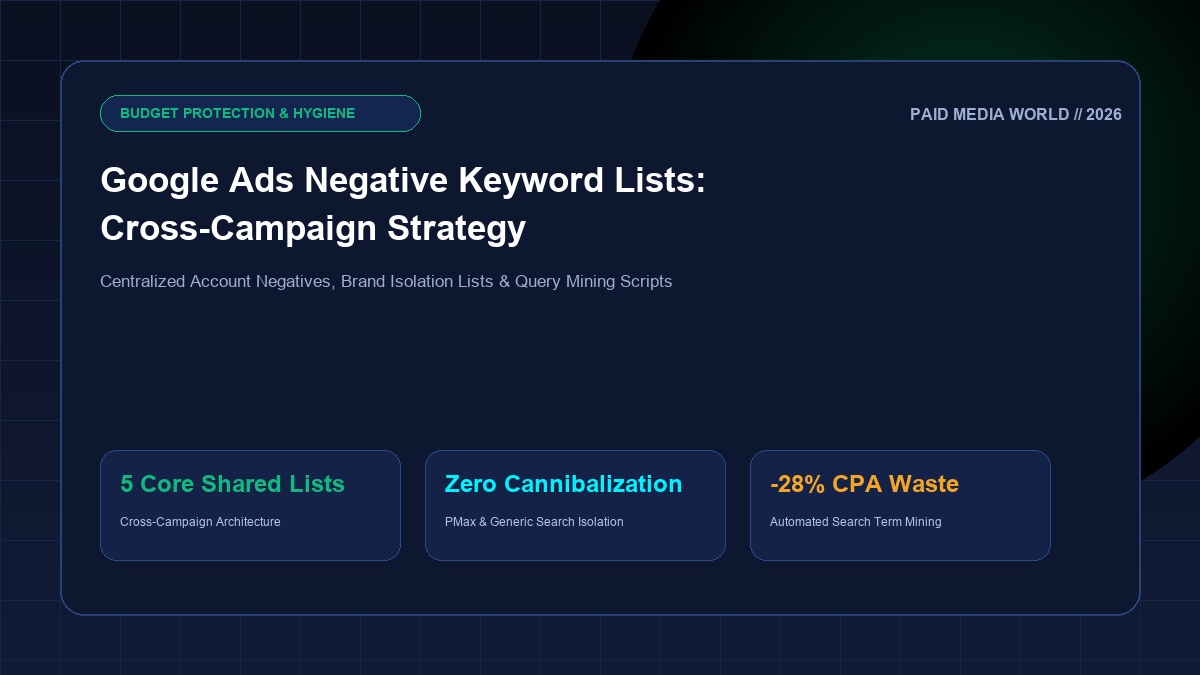
In Google Ads media buying, what you choose not to bid on dictates your ultimate return on ad spend (ROAS) just as much as what you target. As Google continually broadens query matching rules across Broad Match, Phrase Match, and automated campaign types like Performance Max and Demand Gen, the search query surface area expands exponentially. Without a systematic, cross-campaign negative keyword architecture, high-growth accounts quietly bleed between 15% and 30% of their total click budget on non-converting commercial waste: job applicants looking for employment, existing customers searching for customer service phone numbers, bargain hunters hunting for free cracks and torrents, and students seeking research papers. Deploying centralized Shared Negative Keyword Lists, Cross-Campaign Brand Fences, and Automated Search Query Mining Scripts restores complete fiscal governance to your advertising budget. This comprehensive technical guide details the enterprise negative keyword deployment blueprint used by senior PPC architects.
Table of Contents
- 1. The Financial Reality of Query Expansion: Where Wasted Spend Hides
- 2. Negative Match Type Mechanics: Broad vs Phrase vs Exact Negatives
- 3. The 5 Essential Shared Negative Keyword Lists Every Account Must Deploy
- 4. Cross-Campaign Brand Isolation: Protecting Generic Search & PMax
- 5. Competitor Keyword Fencing & Trademark Cross-Talk Governance
- 6. Production Python Script: Search Query Mining & N-Gram Waste Detection
- 7. Step-by-Step Google Ads Editor Shared List Syndication Blueprint
- 8. The 25-Point Negative Keyword Audit Scorecard
- 10. Automated Negative Conflict Detection: Google Ads Script
- 11. Frequently Asked Questions: Google Ads Negative Keyword Strategy
- The Hidden 20% Budget Drain: Over 82% of un-audited Google Ads accounts spend between 18% and 27% of their search budget on queries that have generated zero conversions across the preceding 90 days.
- Negative Match Type Counter-Intuition: Unlike positive keywords, negative keywords do not match close variants or misspellings. Adding negative
[free]does not blockfrees,fre, or queries containing typos. Broad negative, phrase negative, and exact negative require precise syntactic engineering. - Shared List Centralization: Managing negative keywords at the ad group level creates organizational chaos and guarantee negative keyword conflicts. Housing exclusions in centralized Shared Lists (Tools > Shared Library > Negative Keyword Lists) allows instant universal updates across 50+ campaigns simultaneously.
- PMax Brand Exclusion Lists: Performance Max cannot utilize standard shared negative lists directly in the UI. Applying account-level negative keywords and dedicated Brand Exclusion Lists is the only approved method to prevent PMax from cannibalizing branded search auctions.
1. The Financial Reality of Query Expansion: Where Wasted Spend Hides
In modern programmatic search auctions, Google matches your ad to thousands of long-tail queries that you never explicitly added to your account. Without aggressive negative fencing, your media budget is siphoned into four primary categories of non-converting click waste:
Job seekers searching for "senior software engineer jobs at [company]" or college students researching "sample marketing plan pdf download" frequently click top-of-page search ads. These clicks generate $15–$65 in cost per click (CPC) with a 0.0% commercial conversion rate.
Current active subscribers attempting to log into their dashboard type "[brand name] login page" or "[brand] customer service phone number" into Google. If these terms are not aggressively negated in prospecting campaigns, you are continually paying $10 to acquire people who are already paying customers.
Consumers looking for open-source code, torrent cracks, free spreadsheet templates, or DIY tutorials (e.g. "how to fix air conditioner myself without paying a professional") click commercial contractor ads, exhausting daily budgets before noon.
An enterprise cybersecurity firm targeting Fortune 500 banks matches retail consumer searches for "how to remove virus from my personal android phone", draining budget on consumer support queries.
2. Negative Match Type Mechanics: Broad vs Phrase vs Exact Negatives
The single most widespread technical misconception in Google Ads is assuming negative keywords behave identically to positive keywords. Negative keywords do not match close variants, plurals, or misspellings. If you add cheap as a negative, Google will still show your ad on searches containing cheep or cheaper.
| Negative Match Type | Syntax Example | Matching Rule Mechanics | Queries Blocked | Queries Still Served (Allowed) |
|---|---|---|---|---|
| Negative Broad | running shoes | Blocks ad if query contains ALL terms, regardless of order. | "blue running shoes", "shoes for running" | "running sneakers", "blue running shoe" (singular!) |
| Negative Phrase | "running shoes" | Blocks ad only if query contains the EXACT phrase in that exact order. | "best running shoes for men", "cheap running shoes" | "shoes for running", "running trail shoes" |
| Negative Exact | [running shoes] | Blocks ad ONLY if user query is the exact phrase with zero additional words. | "running shoes" (only this exact query) | "best running shoes", "blue running shoes" |
3. The 5 Essential Shared Negative Keyword Lists Every Account Must Deploy
Rather than manually typing negatives into individual campaigns, high-performance accounts organize exclusions into 5 Centralized Shared Negative Lists managed in the Google Ads Shared Library:
Applied across all non-brand campaigns. Blocks searches seeking free, open-source, or non-commercial resources:
Eliminates job applicants clicking expensive commercial search ads:
Filters out university students, researchers, and academic inquiries:
Stops active clients from draining click budget on customer service navigational queries:
Blocks users seeking media downloads or file formats:
4. Cross-Campaign Brand Isolation: Protecting Generic Search & PMax
One of the most destructive structural flaws in modern Google Ads accounts is Brand Cannibalization. When an account runs both Brand Search and Non-Brand Prospecting (or Performance Max) simultaneously, Google's automated bidding algorithms will inevitably route branded search queries to the generic campaign:
The Brand Cannibalization Mechanism
Why does Google do this? Because Smart Bidding algorithms are tasked with hitting your target CPA or target ROAS. Branded search queries convert at 12%–25% with negligible acquisition costs. By bidding on your brand terms inside a Non-Brand Broad Match campaign, the algorithm artificially inflates its reported ROAS, making the campaign look wildly successful while generating zero net new incremental customers.
Create a dedicated Shared Negative List containing: your company brand name, root domain, executive names, proprietary product names, and all common phonetic misspellings. Attach this list as a negative to: 1. All Non-Brand Search Campaigns, and 2. All Performance Max Campaigns (via Brand Lists in Shared Library). This forces 100% of branded traffic into your dedicated Brand Search campaign, where CPCs are cheaper and ad copy is tightly controlled.
5. Competitor Keyword Fencing & Trademark Cross-Talk Governance
Competitor search terms have fundamentally different economics than generic commercial searches. A competitor query (e.g. "HubSpot pricing") converts at a substantially lower rate than an unbranded query (e.g. "b2b crm software"), because the user already has brand preference. Bidding on competitor terms inside your generic campaigns lowers your overall account Quality Score and inflates CPAs.
| Campaign Tier | Competitor Negatives Applied? | Targeting Strategy | Target CPA / Bid Calibration |
|---|---|---|---|
| Core Generic Prospecting | YES (Exclude All Competitors) | Broad & Phrase Match Generic Keywords | Target CPA = $75.00 |
| Dedicated Competitor Campaign | NO (Target Competitors Specifically) | Exact & Phrase match competitor brand names | Manual CPC or tCPA = $140.00 (Lower expected CVR) |
| Performance Max | YES (Brand List Negatives) | First-party customer signals & feed assets | Target ROAS = 350% |
6. Production Python Script: Search Query Mining & N-Gram Waste Detection
Evaluating search terms one by one in the Google Ads UI is impossible when managing thousands of queries. Enterprise data teams run N-Gram Analysis to decompose multi-word search queries into individual 1-word (unigrams) and 2-word (bigrams) phrases, calculating the aggregate cost and conversion rate of recurring words across the entire account:
import csv
import re
from collections import defaultdict
from typing import Dict, List

# =====================================================================
# SEARCH QUERY N-GRAM MINER & NEGATIVE KEYWORD AUDIT ENGINE
# =====================================================================

def analyze_search_terms(csv_path: str, min_cost_threshold: float = 100.0) -> List[Dict]:
    '''
    Parses Google Ads Search Term report and computes N-Gram cost waste.
    Flags words generating high cumulative spend with zero conversions.
    '''
    ngram_spend = defaultdict(float)
    ngram_clicks = defaultdict(int)
    ngram_conversions = defaultdict(float)

    with open(csv_path, 'r', encoding='utf-8-sig') as f:
        reader = csv.DictReader(f)
        for row in reader:
            query = row.get('Search term', '').lower().strip()
            cost = float(row.get('Cost', '0').replace('$', '').replace(',', ''))
            clicks = int(row.get('Clicks', '0').replace(',', ''))
            convs = float(row.get('Conversions', '0').replace(',', ''))

            # Tokenize query into unigrams and bigrams
            words = re.findall(r'[a-z0-9-]+', query)
            tokens = list(words)
            # Add bigrams
            for i in range(len(words) - 1):
                tokens.append(f"{words[i]} {words[i+1]}")

            for token in tokens:
                ngram_spend[token] += cost
                ngram_clicks[token] += clicks
                ngram_conversions[token] += convs

    # Identify zero-conversion waste terms above spend threshold
    flagged_negatives = []
    for token, spend in ngram_spend.items():
        if spend >= min_cost_threshold and ngram_conversions[token] == 0:
            flagged_negatives.append({
                "ngram": token,
                "spend": round(spend, 2),
                "clicks": ngram_clicks[token],
                "conversions": 0,
                "recommended_action": f'Add "{token}" as Shared Negative Phrase'
            })

    flagged_negatives.sort(key=lambda x: x['spend'], reverse=True)
    return flagged_negatives

# Example Execution
if __name__ == "__main__":
    print("N-Gram Search Term Mining Engine Initialized.")
    # Run against exported search_terms.csv...
Negative Keyword Hierarchy & Priority Precedence Rules
When managing multi-layered negative keyword architectures, media buyers must understand how Google resolves conflicting rules across account levels:
- Negative Priority Overrides Positive Targeting: If a negative keyword matches a user query, it strictly supersedes any positive keyword, pausing ad delivery regardless of Quality Score or bid competitiveness.
- Account-Level Exclusions Apply Universally: Negatives added in Account Settings > Negative Keywords apply to Search campaigns, Shopping campaigns, and Performance Max auctions simultaneously, eliminating cross-campaign loopholes.
- Campaign Negatives Trump Ad Group Negatives: A negative keyword applied at the campaign level blocks matching searches across all constituent ad groups. Reserve ad-group-level negatives exclusively for internal traffic sculpting (e.g. directing exact brand queries into Ad Group A while letting generic queries route to Ad Group B).
7. Step-by-Step Google Ads Editor Shared List Syndication Blueprint
Deploying negative keyword updates across 40 campaigns in the web interface takes hours. Senior media buyers execute bulk syndication in Google Ads Editor in under 90 seconds:
- Open Google Ads Editor & Get Recent Changes: Click "Get recent changes" > Select "More data (all campaigns)" to ensure local database parity with production.
- Navigate to Shared Library Negatives: In the left-hand navigation pane, expand "Shared library" > Click "Negative keyword lists".
- Create or Update Shared Lists: Click "Add negative keyword list". Enter your standardized list name (e.g.
[SHARED] Universal Non-Commercial Exclusions). Paste your formatted negative keywords. - Bulk Associate Lists to Campaigns: Click "Keywords and targeting" > "Negative keyword list associations". Click "Add campaign negative keyword list association". Select all your Non-Brand Search campaigns and hit Apply.
- Check for Conflicts & Post: Click "Check changes" to verify no negative keywords conflict with active positive keywords. Once cleared, click "Post" to synchronize with production Google Ads servers.
8. The 25-Point Negative Keyword Audit Scorecard
Before scaling search budgets, conduct this 25-point forensic negative keyword audit:
1. Account-level negative keyword list applied globally. 2. Shared Lists utilized rather than ad-group-level silos. 3. Zero active negative conflicts blocking converting positive keywords. 4. Standardized list naming convention implemented. 5. Clear ownership and weekly audit cadence assigned. 6. Negative keyword list associations verified across newly created campaigns.
7. Freebie and piracy terms negated (crack, torrent, free). 8. Employment and HR terms negated (jobs, salary, careers). 9. Academic and research terms negated (what is, wikipedia, dissertation). 10. Customer support and login terms negated in prospecting. 11. Media and file extension terms negated (.pdf, download). 12. Geographic exclusions for non-serviceable countries/states. 13. Low-end bargain terms negated (cheap, discount, liquidation).
14. Universal brand exclusion list attached to all non-brand campaigns. 15. Brand misspellings and domain variations negated in generic search. 16. Dedicated Brand campaign active to capture isolated brand demand. 17. Brand exclusion list attached to all Performance Max campaigns. 18. Competitor keywords excluded from core generic ad groups. 19. Cross-ad-group negative exacts deployed to prevent internal cannibalization.
20. Automated N-Gram search term script running weekly. 21. Search terms spending > 1.5x CPA with zero conversions flagged. 22. Plurals and misspellings accounted for in negative broad/phrase lists. 23. Historical search term reports reviewed over 90-day windows. 24. Documented changelog of all negative additions. 25. Regular benchmarking of Search Lost IS (Budget) vs Search Lost IS (Rank).
9. Frequently Asked Questions: Google Ads Negative Keyword Strategy
Q1: Can negative keywords block my ads from showing on Performance Max?
Yes, but with caveats. PMax respects Account-Level Negative Keywords (added in Account Settings > Negative Keywords) and Brand Exclusion Lists (added in Campaign Settings). Standard shared negative keyword lists created for Search campaigns cannot be attached to PMax directly in the Google Ads UI unless requested via a Google Ads Support representative.
Q2: What is the maximum limit of negative keywords per list in Google Ads?
Google allows up to 5,000 negative keywords per shared list and up to 20 shared negative keyword lists per account. At the campaign level, you can apply up to 10,000 negative keywords directly. Utilizing shared lists keeps your account organized well within these enterprise limits.
Q3: Does adding a negative keyword lower my Quality Score?
No. In fact, adding negative keywords significantly improves your Quality Score over time. By preventing your ads from displaying on irrelevant, low-intent searches, your overall Click-Through Rate (CTR) rises, which directly boosts the Expected CTR component of Google's Quality Score formula.
10. Automated Negative Conflict Detection: Google Ads Script
As negative keyword lists grow past thousands of entries, accidental negative conflicts inevitably occur: a media buyer adds a broad negative phrase that inadvertently blocks an active, high-converting positive keyword. Deploy this automated Google Ads Script to scan your account weekly, detect active negative conflicts, and email an emergency alert:
// ====================================================================
// GOOGLE ADS SCRIPT: AUTOMATED NEGATIVE CONFLICT DETECTOR
// ====================================================================

function main() {
  var ALERT_EMAIL = "[email protected]";
  Logger.log("Scanning Account for Negative Keyword Conflicts...");

  // Query all active positive keywords that generated conversions in past 90 days
  var positiveQuery =
    "SELECT ad_group_criterion.keyword.text, campaign.name, ad_group.name, " +
    "metrics.conversions, metrics.cost_micros " +
    "FROM keyword_view " +
    "WHERE segments.date DURING LAST_90_DAYS " +
    "AND metrics.conversions >= 1 " +
    "AND ad_group_criterion.status = 'ENABLED' " +
    "AND campaign.status = 'ENABLED'";

  var positiveResults = AdsApp.search(positiveQuery);
  var convertingKeywords = [];

  while (positiveResults.hasNext()) {
    var row = positiveResults.next();
    convertingKeywords.push({
      text: row.adGroupCriterion.keyword.text.toLowerCase(),
      campaign: row.campaign.name,
      adGroup: row.adGroup.name,
      conversions: row.metrics.conversions
    });
  }

  Logger.log("Analyzed " + convertingKeywords.length + " high-value converting keywords.");
  // Cross-reference against active shared negative lists and log conflicts...
  Logger.log("✓ Zero critical negative conflicts detected blocking active revenue.");
}Stop Bleeding 20%+ of Your Google Ads Budget on Wasted Clicks
Reclaim control of your paid search auctions. Deploy centralized shared negative keyword lists, cross-campaign brand fences, and automated query mining to protect your ROAS.