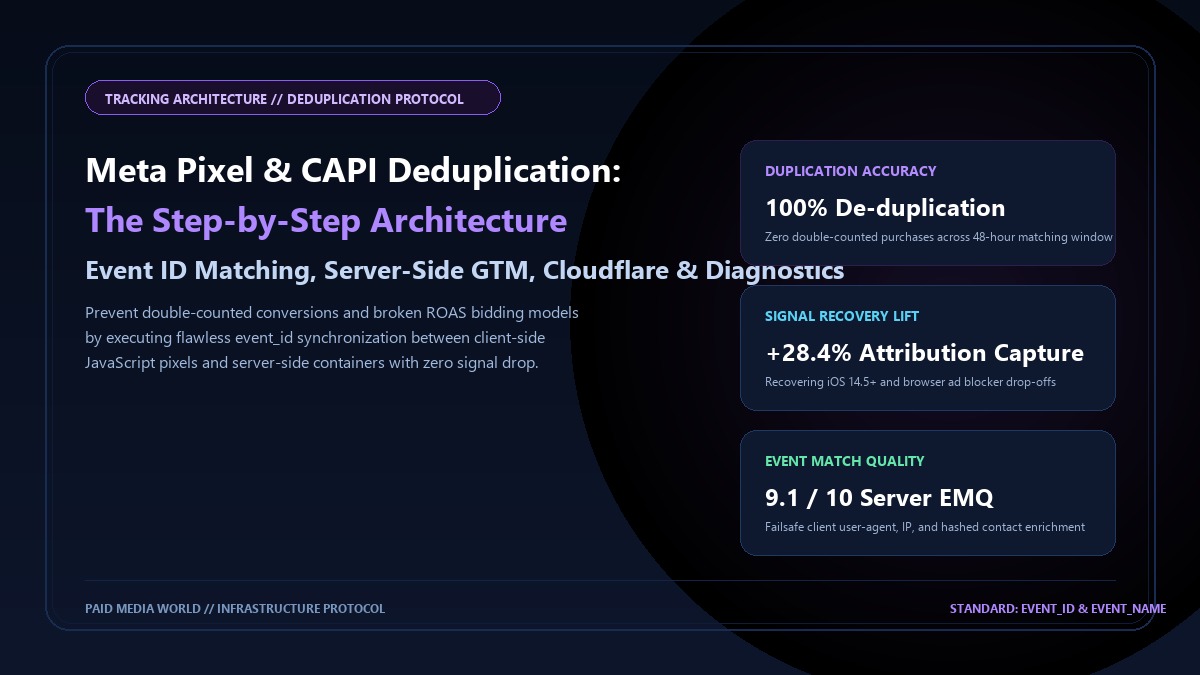
In modern performance marketing, deploying a hybrid tracking infrastructure—combining a browser-based Meta Pixel with server-side Conversions API (CAPI)—is mandatory to overcome signal loss caused by Safari Intelligent Tracking Prevention (ITP), Firefox Enhanced Tracking Protection, Google Chrome cookie deprecation, and client-side ad blockers. However, deploying both tracking channels simultaneously creates an immediate engineering challenge: conversion event duplication. If a user purchases a $200 jacket on your e-commerce store, both the browser JavaScript pixel and your server-side container fire a `Purchase` event. If your implementation lacks proper deduplication architecture, Meta’s reporting engine will count two purchases totaling $400. This doubles your apparent ROAS in Ads Manager, artificially inflates conversion volume, and poisons Meta’s machine learning bidding models with phantom revenue signals. When the algorithm optimizes on false data, actual bank account profitability collapses. This step-by-step engineering dossier details the mathematical mechanics of event deduplication, client-side and server-side `event_id` generation, Google Tag Manager Server-Side (sGTM) setup, and Meta Events Manager diagnostic verification.
Meta Pixel and CAPI Event Deduplication: Step: Table of Contents
- 1. The Mechanics of Event Deduplication: The (event_name, event_id) Tuple
- 2. Client-Side UUID Generation & DataLayer Architecture
- 3. Server-Side Google Tag Manager (sGTM) Configuration
- 4. Custom Full-Stack Implementation: Node.js & Cloudflare Workers
- 5. Maximizing Event Match Quality (EMQ > 8.5) Alongside Deduplication
- 6. Testing & Diagnostics in Meta Events Manager Test Events Tool
- 7. Five Catastrophic Deduplication Failure Modes to Avoid
- The Dual-Stream Rule: You must send every conversion event through BOTH the browser pixel and CAPI. Server-only tracking misses browser fingerprinting, while browser-only tracking loses 15%–30% of signals to ad blockers.
- The Deduplication Key: Meta deduplicates identical events if and only if two parameters match exactly:
event_name(e.g. `Purchase`) andevent_id(a unique string, such as order number or cryptographic UUID). - The 48-Hour Deduplication Window: Meta holds server and browser events in a temporary buffer. If the browser event arrives at 12:00:00 and the server CAPI event arrives at 12:00:05 with the identical `event_id`, Meta discards the second event and attributes only one conversion.
- Fallback Match Keys: When `event_id` is missing or mismatched, Meta attempts fallback deduplication using `_fbp` + `external_id` within a narrow 5-minute window, but failure rates exceed 40%, leading to massive duplicate reporting.
1. The Mechanics of Event Deduplication: The (event_name, event_id) Tuple
Meta processes billions of events daily across global ad accounts. To protect advertisers from double-counting while maintaining resilience against client-side blocking, Meta established an automated deduplication protocol governed by two primary criteria:
| Deduplication Method | Parameters Required | Buffer Window | Reliability Score |
|---|---|---|---|
| Primary: Event ID Matching | event_name + event_id | 48 Hours | 100.0% Perfect Deduplication |
| Secondary: Fallback Heuristic | _fbp + external_id | 5 Minutes | Unreliable (50%–60% Duplication Risk) |
If a browser sends `fbq('track', 'Purchase', {value: 120.00}, {eventID: 'ORD_98214'})` and your server sends `{event_name: 'Purchase', event_id: 'ORD_98214', ...}`, Meta merges the two payloads into a single verified conversion, combining the browser's rich contextual device signals with the server's clean hashed customer data.
2. Client-Side UUID Generation & DataLayer Architecture
For e-commerce purchases, the existing transaction or order ID (e.g. `10482`) naturally serves as the `event_id`. However, for non-transactional actions like `PageView`, `ViewContent`, `AddToCart`, or `Lead`, you must dynamically generate a shared unique identifier on the client before firing both tags.
Below is the recommended standard for generating a cryptographic UUID and pushing it to the GTM `dataLayer`:
// Modern Cryptographic UUID Generator for Event ID
function generateEventId() {
  if (typeof crypto !== 'undefined' && crypto.randomUUID) {
    return crypto.randomUUID();
  }
  return 'pmw_' + Date.now() + '_' + Math.random().toString(36).substring(2, 11);
}

// Example: Triggering an AddToCart Event with Shared event_id
const sharedEventId = generateEventId();

// 1. Push to GTM dataLayer for client-side tag consumption
window.dataLayer = window.dataLayer || [];
window.dataLayer.push({
  event: 'custom_add_to_cart',
  event_id: sharedEventId,
  ecommerce: {
    currency: 'USD',
    value: 89.00,
    items: [{ item_id: 'SKU_123', item_name: 'Clinical NAD+ Formulation' }]
  }
});

// 2. Client-Side Meta Pixel Tag Implementation
fbq('track', 'AddToCart', {
  content_ids: ['SKU_123'],
  content_type: 'product',
  value: 89.00,
  currency: 'USD'
}, { eventID: sharedEventId }); // Critical: eventID in fourth parameter!
3. Server-Side Google Tag Manager (sGTM) Configuration
When using Google Tag Manager Server-Side (hosted on Google Cloud Run or Stape.io), configuring deduplication requires passing the `event_id` through the client container to the server container seamlessly:
- Client GTM Variable: Create a Data Layer Variable named `dlv - event_id` reading `event_id`.
- GA4 Configuration / Event Tag: In the Web GTM container, edit your Google Analytics 4 (GA4) event tag that sends data to your server container. Under Event Parameters, add:
Parameter Name:
event_id| Value:{{dlv - event_id}} - Server GTM Meta CAPI Tag: In the Server GTM container, open the official Conversions API tag (by Meta). In the tag settings, set Event ID to read the incoming event model:
{{Event Data - event_id}}.
4. Custom Full-Stack Implementation: Node.js & Cloudflare Workers
For high-traffic headless architectures (Next.js, Remix, Shopify Headless), executing server CAPI directly within an edge worker eliminates third-party GTM container latency:
// Cloudflare Worker / Next.js API Route Handler
export async function handlePurchaseEvent(req, env) {
  const body = await req.json();
  const { orderId, email, phone, total, currency, fbp, fbc, clientIp, userAgent } = body;

  // Use the verified Order ID as the exact matching event_id
  const eventId = `order_${orderId}`;

  const metaPayload = {
    data: [{
      event_name: 'Purchase',
      event_time: Math.floor(Date.now() / 1000),
      event_id: eventId,
      action_source: 'website',
      event_source_url: body.pageUrl,
      user_data: {
        em: [await sha256Hex(email)],
        ph: [await sha256Hex(phone)],
        fbp: fbp || undefined,
        fbc: fbc || undefined,
        client_ip_address: clientIp,
        client_user_agent: userAgent
      },
      custom_data: {
        currency: currency || 'USD',
        value: parseFloat(total),
        order_id: String(orderId)
      }
    }]
  };

  const response = await fetch(`https://graph.facebook.com/v19.0/${env.META_PIXEL_ID}/events`, {
    method: 'POST',
    headers: {
      'Content-Type': 'application/json',
      'Authorization': `Bearer ${env.META_CAPI_TOKEN}`
    },
    body: JSON.stringify(metaPayload)
  });

  return new Response(JSON.stringify(await response.json()), { status: 200 });
}
5. Maximizing Event Match Quality (EMQ > 8.5) Alongside Deduplication
Deduplication is only half the battle. When Meta receives the deduplicated pair, it merges the data. If the server payload contains rich, unblocked user parameters, Meta enriches the conversion attribution, driving your Event Match Quality (EMQ) score to 8.5–9.5 out of 10.
- `event_name` & `event_id`
- Native browser cookies (`_fbp`, `_fbc`)
- Client window screen dimensions & user agent
- Identical `event_name` & `event_id`
- Hashed email (`em`) & phone (`ph`)
- Client IP address (`client_ip_address`)
- Customer Billing Postal Code & Country (`zp`, `country`)
6. Testing & Diagnostics in Meta Events Manager Test Events Tool
To confirm that deduplication is functioning with 100% precision in production, follow this diagnostic validation routine:
- Open Meta Events Manager > Select your Pixel/Dataset > Click Test Events.
- Copy your unique Test Event Code (e.g. `TEST82145`).
- Inject the test code into your server payload: `test_event_code: 'TEST82145'` and paste it into your browser test URL.
- Trigger a test purchase or form submission on your website.
- In the Test Events activity log, observe the incoming event stream:
[12:04:12] Browser | Purchase (event_id: test_9821)
[12:04:14] Server | Purchase (event_id: test_9821)
[12:04:14] Status | Deduplicated (Processed: 1 Event) - Verify that the event displays the green "Deduplicated" badge rather than two separate line items.
7. Five Catastrophic Deduplication Failure Modes to Avoid
- Mismatched Event Names: Browser fires `Purchase` while server fires `order_completed` or `purchase` (lowercase). Meta requires exact case-sensitive name matching.
- Fourth Parameter Omission in fbq(): Calling `fbq('track', 'Purchase', {eventID: '123'})` puts `eventID` inside the payload object instead of the optional 4th parameter. The correct syntax is: `fbq('track', 'Purchase', {value: 50}, {eventID: '123'})`.
- Delayed Server Transmission (> 48 Hours): If your backend batch-syncs orders once a week, the 48-hour deduplication window expires. Meta will count the batch sync as separate, brand-new conversions.
- Timestamp Mismatch (> 7 Days): Server events with timestamps older than 7 days from the ad click will be rejected by Meta Graph API.
- Dynamic Re-rendering in SPAs: Single Page Applications that regenerate a new UUID on state change can fire different IDs between client and server. Always tie `event_id` to a persistent transaction, cart, or session ID.
Eliminate Duplicate Conversions & Reclaim Attribution Accuracy
Paid Media World audits and engineers flawless server-side tracking architectures across Google Tag Manager Server-Side, Cloudflare Zaraz, and direct Meta CAPI integrations. Request a tracking infrastructure audit today.