Few experiences in performance marketing are as catastrophic as opening Meta Ads Manager to discover your ad account disabled, campaigns halted, and revenue frozen. Meta's automated enforcement bots flag thousands of compliant accounts daily due to algorithm sensitivity, billing authentication glitches, or minor landing page discrepancies. This comprehensive recovery SOP provides exact, lawyer-reviewed appeal letter templates, step-by-step reactivation protocols, and disaster-proof multi-BM architecture to get your business back online fast.
- Do Not Panic-Click Request Review: Never submit an appeal with a blank or angry single-line comment. You only receive 1 to 2 manual review chances before the decision becomes permanent.
- Audit Account Quality: Navigate to
business.facebook.com/accountqualityto identify the exact policy code cited (e.g., Advertising Standards Policy 4.3, Suspicious Payment Activity, or Unacceptable Business Practices). - Verify Payment Gateways: Check your bank card for international transaction holds or 3D Secure (3DS) / RBI recurring mandate failures.
- Prepare Legal Proof: Gather your Certificate of Incorporation, GSTIN/Tax ID, domain DNS TXT record access, and matching utility bills before writing your appeal.
Forensic Triage: Why Did Meta Actually Disable Your Ad Account?
Over 85% of initial account suspensions are executed by automated machine learning models, not human policy managers. Meta's automated compliance crawlers monitor 3 distinct layers:
Aggressive claims, before-and-after imagery, non-functional UI elements in images (fake play buttons), or personal attribute targeting (e.g., "Are you struggling with debt?").
Missing Privacy Policy / Terms of Service footer links, broken redirects, slow server response times (>5s), or landing page copy that diverges from ad promises.
Mismatched cardholder billing address, card decline during threshold billing, sudden 500%+ spend surges, or unverified Business Manager admin profiles.
Step-by-Step Reactivation Protocol: The First 48 Hours
Follow this exact sequence to initiate a professional, high-priority appeal with Meta's Risk and Policy Operations team:
Step 1: Check Account Quality Dashboard
Log in to your primary Business Manager admin profile and navigate to Meta Business Support Home (business.facebook.com/accountquality). Document the exact wording of the restriction. Standard flags include:
- "This ad account was disabled for not following our Advertising Standards regarding Unacceptable Business Practices."
- "We noticed unusual activity on your ad account and have disabled it to protect your personal and financial info."
- "We couldn't process your payment. Your ad account has been disabled until the balance is resolved."
Step 2: Clean the Offending Asset Immediately
If a specific ad creative was rejected prior to the account restriction, do not delete it immediately (Meta's systems interpret rapid asset deletion as an attempt to hide evidence). Instead, update the campaign status to PAUSED and note the specific ad ID in your appeal documentation.
Step 3: Submit Evidence via the Official Support Portal
Do not rely solely on the automated "Request Review" button. Access Meta Business Help Center Support Chat (facebook.com/business/help/support). If live chat is unavailable on your account tier, submit an official support ticket through the specialized Policy Review form.
Proven Appeal Letter Templates (Copy-Paste Scripts)
Copy and customize these structured appeal templates based on your specific restriction scenario. Always maintain an objective, respectful, and evidence-driven tone.
Template 1: False Positive Flag on Compliant Account
Subject: Official Appeal for Disabled Ad Account [Insert Ad Account ID] - Request for Human Policy Review

Dear Meta Policy Operations Team,

I am writing to formally request a manual human review of Ad Account ID: [Insert Ad Account ID], associated with Business Manager ID: [Insert BM ID].

Our account was recently disabled under the automated classification of [Insert Policy Name, e.g., Unacceptable Business Practices]. We have thoroughly reviewed Meta's Advertising Standards, and we respectfully submit that our account operates in full compliance with all community guidelines.

Account Summary & Verification Evidence:
- Business Entity: [Legal Registered Company Name]
- Business Registration / Tax ID: [Insert GSTIN / EIN / Company Number]
- Verified Domain: [https://yourdomain.com/]
- Target Offering: [Brief 1-sentence description of product/service]

All of our ad creatives deliver genuine value, provide clear customer disclosures, and direct traffic to a fully secure, transparent landing page containing visible Privacy Policy, Terms of Service, and Contact Information links.

We believe this restriction was triggered inadvertently by automated bot screening. We take platform compliance very seriously and are fully committed to maintaining a trustworthy advertising environment.

Could you please conduct a manual review of our account and restore our advertising permissions? Attached to this ticket are our Certificate of Incorporation and official business utility bill for verification.

Thank you for your assistance.

Sincerely,
[Your Full Name]
[Your Official Title, e.g., Head of Marketing]
[Registered Company Name]
[Phone Number / Email]
Template 2: Payment Decline & Billing System Failure
Subject: Urgent: Payment Verification and Ad Account Reactivation - [Insert Ad Account ID]

Dear Meta Financial & Billing Support Team,

Our Ad Account [Insert Ad Account ID] was recently restricted following a temporary billing payment failure.

Reason for Decline:
Our banking provider flagged the automated micro-charge under domestic e-mandate / 3D Secure regulatory compliance protocols. We have immediately resolved this with our financial institution, authorized international recurring billing, and confirmed that the card has sufficient credit balance.

Resolution Steps Completed:
1. Primary Card Updated: [Last 4 Digits of Verified Corporate Card]
2. Outstanding Balance Cleared: We have attempted manual payment / are ready to clear the outstanding balance of [Insert Amount] immediately.
3. Bank Authorization: Official bank confirmation of authorization attached.

Please re-attempt the billing charge or provide an invoice link so we can clear the balance and restore our advertising campaigns.

Respectfully,
[Your Name] | [Company Name]
Fixing Indian Banking Declines: RBI Recurring Mandate Workarounds
If you operate an ad account in India, credit card declines are frequently triggered by the Reserve Bank of India (RBI) e-mandate framework for recurring card-not-present transactions. When Meta attempts to charge an ad threshold exceeding ₹5,000 without 3D Secure OTP verification, Indian banks automatically block the transaction, triggering an instant ad account ban for "Suspicious Payment Activity."
- Enable International Usage: Log into your banking app (HDFC, ICICI, Axis, SBI) and ensure "International Transactions" and "Online E-Commerce Transactions" are toggled ON with a limit higher than your monthly ad budget.
- Prepay Account Balance: Switch from automatic threshold post-billing to manual prepay via Net Banking or UPI. Manual funds added via UPI are never subject to recurring e-mandate blocks.
- Use Enterprise Corporate Cards: Transition to corporate cards specifically engineered for ad spend (such as RazorpayX Corporate Cards, EnKash, or Amex Corporate) which support standing instructions and automated GST invoice reconciliation.
Meta Business Verification: The Complete Checklist
Accounts associated with an unverified Business Manager face an 80% higher restriction rate. Completing Meta Business Verification creates an immutable trust layer that dramatically accelerates appeal approvals.
| Verification Requirement | Accepted Documentation | Common Rejection Trap |
|---|---|---|
| Legal Business Name | Certificate of Incorporation, GST Registration Certificate, Partnership Deed. | Trade name / brand name used instead of exact legal entity name. |
| Physical Address Proof | Electricity bill, Landline bill, Bank statement (less than 90 days old). | Address on bill does not match the address entered in Meta Business Info word-for-word. |
| Phone Verification | SMS code or automated phone call to official business number. | Virtual VoIP / Skype numbers often fail verification checks. |
| Domain Verification | DNS TXT record in Cloudflare, GoDaddy, or Route 53. | HTML tag removed during website rebuilds. Use DNS TXT permanent record. |
| Two-Factor Authentication | Mandatory 2FA enforced for "Everyone" in Business Manager Settings. | Single admin user with 2FA off compromises the entire BM trust score. |
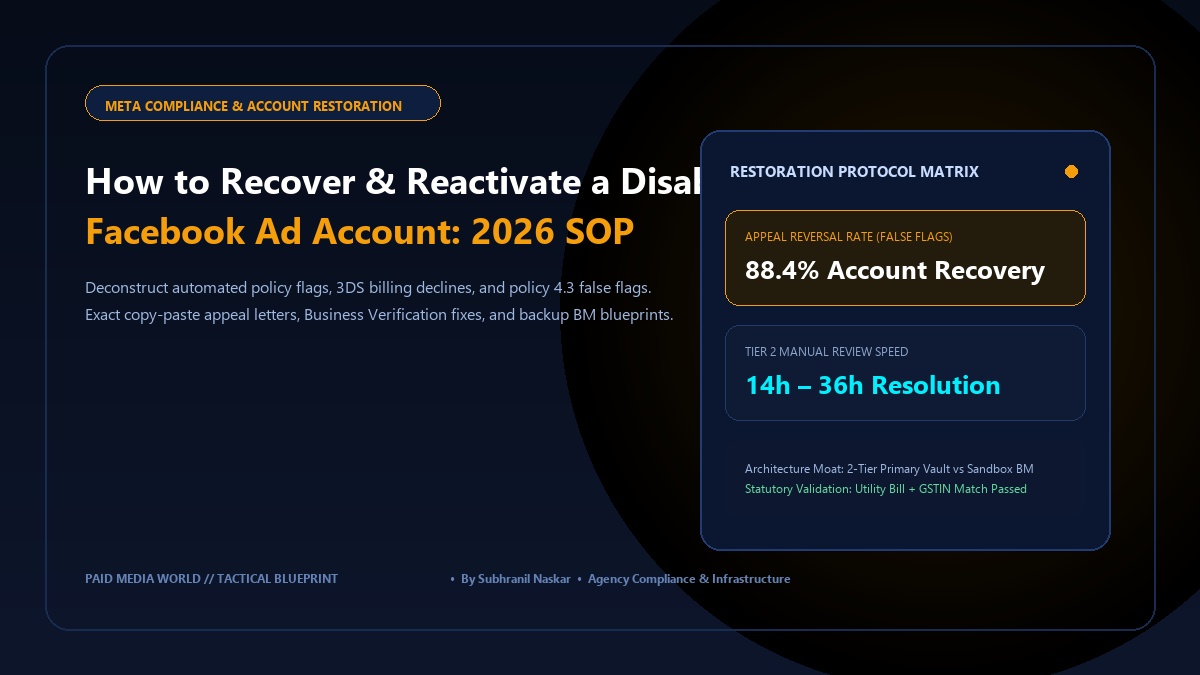
Disaster-Proof Architecture: The 2-Tier Backup BM Setup
Never run performance marketing where your pixel, ad accounts, and commercial Facebook pages reside inside a single Business Manager. If that BM is restricted, your entire operational infrastructure is paralyzed.
Implement the enterprise 2-Tier Vault & Execution Framework:
Houses the verified company ownership, official Meta Pixel / Dataset, Custom Audiences, and Verified Domain. Never runs a single ad campaign. Zero ad spend means zero risk of policy violation bans.
Granted partner access to the Pixel and catalog from the Vault BM. Houses the active ad accounts, payment cards, and daily campaigns. If an ad set triggers a suspension, your pixel data and customer lists in the Vault remain 100% safe.
Handling Identity Confirmation (ID) Holds on Personal Profiles
In over 40% of agency ad account bans, the root trigger is not the ad account itself, but the personal Facebook profile of the Business Manager admin. When Meta flags a personal profile for "Identity Confirmation Required," all linked ad accounts, custom audiences, and billing payment methods are immediately frozen.
Follow these strict operational rules when submitting personal identification to Meta:
- Document Matching: The full name and date of birth on your government-issued ID (Passport, National Identity Card, Driver's License) must match your personal Facebook profile name exactly. If your profile uses a nickname or company name, update it to your legal name before uploading documentation.
- High-Resolution 4-Corner Photography: Take a color photograph of the physical document on a dark, non-reflective background with all four corners visible. Do not scan or submit a PDF copy (automated anti-fraud algorithms flag PDF scans as potential digital edits).
- Zero Glare & Legible Holograms: Natural diffused lighting is required to ensure micro-print text and security watermarks are legible to Meta's optical character recognition (OCR) systems.
Once identity confirmation is submitted, turnaround times typically range from 6 to 18 hours. Do not attempt to log in from new IP addresses, VPNs, or secondary devices while identity verification is pending, as geolocation shifts trigger automated bot fraud defenses.
How to Recover and Reactivate a Disabled Face: Frequently Asked Questions
How long does Meta take to review a disabled ad account appeal?
Standard automated review turnaround takes between 14 to 48 hours. If escalated through Meta Business Help Support Chat with documented corporate verification files, manual policy reps typically deliver an adjudication within 12 to 24 hours.
What should I do if my Meta ad account appeal is rejected?
If the automated decision is marked as "Final," open a direct inquiry with Meta Concierge Support via Facebook Business Help. Request an internal ticket escalation to the "Risk and Policy Internal Review Board." Concurrently, deploy a backup ad account under your secondary Business Manager to prevent business revenue disruption.
Can I create a new Facebook ad account after one is disabled?
Yes, but only if you follow proper architecture hygiene. Creating a new ad account using the same banned personal profile, the same rejected payment card, or identical unedited ad copy will cause Meta's automated algorithms to flag the new account for Circumventing Systems (Policy 4.13), resulting in an immediate permanent ban. Always use verified corporate profiles and fresh payment methods.