Even the most meticulously built Google Ads accounts can suffer catastrophic budget drain in a matter of hours. A broken landing page returning HTTP 404 errors, an unintentional negative keyword conflict blocking your highest-converting exact match term, or an algorithmic smart bidding glitch spending 300% of your daily cap before noon can burn thousands of dollars before human strategists even log into the platform. In modern programmatic search advertising, relying on manual account checks is organizational malpractice. This master technical guide delivers 5 production-ready Google Ads JavaScript scripts designed to safeguard your ad spend automatically 24/7/365.
- The Speed Advantage: Google Ads Scripts execute directly on Google servers using standard JavaScript and the Google Ads API, reacting to account anomalies in minutes rather than waiting for scheduled human reviews.
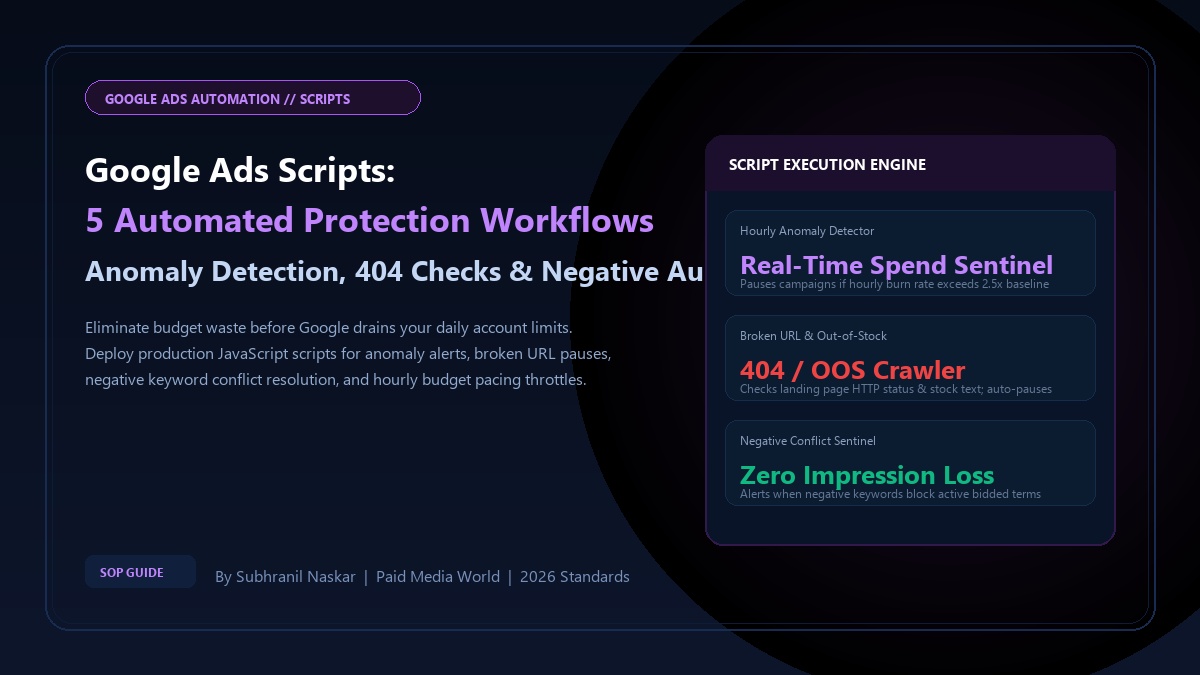
- Budget Sentinel Architecture: Deploy hourly spend rate monitors to automatically throttle or pause campaigns if spending velocity exceeds 2.5x historical baselines.
- Landing Page Resilience: Automatically crawl final URLs across all active ads and sitelinks, instantly pausing ads that return HTTP 4xx/5xx status codes or "Out of Stock" DOM strings.
- Negative Collision Sentinel: Eliminate accidental negative keyword conflicts where account or campaign-level negatives inadvertently block bidded exact match keywords.
What are Google Ads Scripts?
Definition (AEO Direct Answer):
Google Ads Scripts are server-side JavaScript applications that execute within the Google Ads environment to programmatically audit, modify, and report on campaign assets, bidding rules, and search query data. By interfacing directly with the Google Ads API, scripts automate complex workflow guardrails, anomaly detection, and cross-account data logging without external server infrastructure.
Google Ads Scripts operate within Google's cloud infrastructure, providing access to the AdsApp object. They can run on automated schedules—hourly, daily, weekly, or on the first of the month. Below are the five foundational budget protection scripts that every high-spend agency and enterprise marketing team should implement immediately.
Script 1: Hourly Spend Anomaly Sentinel
Google Smart Bidding is permitted to spend up to 200% of your daily budget on days with high search interest. However, algorithmic bidding bugs or sudden surges in low-quality bot traffic can exhaust your daily allowance within hours. This script checks hourly spend against a configurable multiplier and sends an emergency email alert if spend velocity is dangerously abnormal:
/**
 * Script 1: Hourly Spend Anomaly Sentinel
 * Execution: Hourly (e.g., Every hour at :05)
 * Author: Subhranil Naskar | Paid Media World (2026)
 */
function main() {
  const EMAIL_ALERT = "[email protected]";
  const HOURLY_SPEND_LIMIT = 250.00; // Trigger alert if any single hour exceeds $250

  const currentHour = new Date().getHours();
  const query = "SELECT campaign.name, campaign.id, metrics.cost_micros " +
                "FROM campaign " +
                "WHERE campaign.status = 'ENABLED' " +
                "AND segments.date = TODAY";

  const report = AdsApp.search(query);
  let highSpendAlerts = [];

  while (report.hasNext()) {
    const row = report.next();
    const campaignName = row.campaign.name;
    const todayCost = (row.metrics.costMicros / 1000000);
    const hourlyVelocity = currentHour > 0 ? (todayCost / currentHour) : todayCost;

    if (hourlyVelocity > HOURLY_SPEND_LIMIT) {
      highSpendAlerts.push(campaignName + ": Averaging $" + hourlyVelocity.toFixed(2) + "/hr (Today Total: $" + todayCost.toFixed(2) + ")");
    }
  }

  if (highSpendAlerts.length > 0) {
    MailApp.sendEmail(
      EMAIL_ALERT,
      "CRITICAL: Google Ads Spend Anomaly Detected!",
      "The following campaigns are burning budget above threshold limits:

" + highSpendAlerts.join("
") +
      "

Please review your bidding strategies and search terms immediately."
    );
    Logger.log("Spend anomaly alert dispatched for " + highSpendAlerts.length + " campaigns.");
  } else {
    Logger.log("Hourly spend velocity within normal parameters.");
  }
}
Script 2: Broken Landing Page & Out-of-Stock URL Checker
Sending paid traffic to a broken URL (HTTP 404, 500, or 503) or a product page where the item is out of stock is the fastest way to destroy conversion rates while paying full auction CPCs. This script crawls destination URLs across all enabled ads, checks the HTTP response code, and inspects the HTML for out-of-stock indicators:
/**
 * Script 2: Broken Landing Page & Out-of-Stock Crawler
 * Execution: Daily (e.g., 04:00 AM)
 * Author: Subhranil Naskar | Paid Media World (2026)
 */
function main() {
  const EMAIL_ALERT = "[email protected]";
  const OOS_STRINGS = ["out of stock", "sold out", "item unavailable", "currently unavailable"];

  const adIterator = AdsApp.ads()
    .withCondition("Status = ENABLED")
    .withCondition("CampaignStatus = ENABLED")
    .withCondition("AdGroupStatus = ENABLED")
    .get();

  let brokenUrls = [];

  while (adIterator.hasNext()) {
    const ad = adIterator.next();
    const url = ad.urls().getFinalUrl();
    if (!url) continue;

    try {
      const response = UrlFetchApp.fetch(url, { muteHttpExceptions: true });
      const statusCode = response.getResponseCode();
      const content = response.getContentText().toLowerCase();

      if (statusCode >= 400) {
        brokenUrls.push("HTTP " + statusCode + " Error: " + url + " in Ad Group: " + ad.getAdGroup().getName());
        // ad.pause(); // Uncomment to automatically pause the affected ad
      } else {
        for (let i = 0; i < OOS_STRINGS.length; i++) {
          if (content.indexOf(OOS_STRINGS[i]) !== -1) {
            brokenUrls.push("Out of Stock Detected ('" + OOS_STRINGS[i] + "'): " + url);
            break;
          }
        }
      }
    } catch (e) {
      brokenUrls.push("Failed to fetch URL (" + e.message + "): " + url);
    }
  }

  if (brokenUrls.length > 0) {
    MailApp.sendEmail(
      EMAIL_ALERT,
      "WARNING: Google Ads Broken URLs / Out-of-Stock Detected",
      "The following active ads are driving traffic to defective destinations:

" + brokenUrls.join("
")
    );
    Logger.log("Found " + brokenUrls.length + " destination URL errors.");
  } else {
    Logger.log("All active landing pages verified healthy (HTTP 200).");
  }
}
Script 3: Negative Keyword Conflict Sentinel
As accounts grow, performance teams add hundreds of negative keywords across account lists, campaign lists, and ad groups. Frequently, a broad negative keyword added to block a non-converting query unintentionally blocks an active, high-converting exact match bidded keyword. This script detects negative conflicts and alerts you before traffic stalls:
/**
 * Script 3: Negative Keyword Conflict Sentinel
 * Execution: Weekly (e.g., Monday 06:00 AM)
 * Author: Subhranil Naskar | Paid Media World (2026)
 */
function main() {
  const EMAIL_ALERT = "[email protected]";
  let conflicts = [];

  // 1. Gather all active positive exact keywords
  const positiveKeywords = [];
  const kwIterator = AdsApp.keywords()
    .withCondition("Status = ENABLED")
    .withCondition("CampaignStatus = ENABLED")
    .withCondition("AdGroupStatus = ENABLED")
    .get();

  while (kwIterator.hasNext()) {
    const kw = kwIterator.next();
    positiveKeywords.push({
      text: kw.getText().toLowerCase().replace(/[\[\]"]/g, ''),
      campaign: kw.getCampaign().getName(),
      adGroup: kw.getAdGroup().getName()
    });
  }

  // 2. Inspect negative lists
  const negativeListIter = AdsApp.negativeKeywordLists().get();
  while (negativeListIter.hasNext()) {
    const list = negativeListIter.next();
    const negIter = list.negativeKeywords().get();
    while (negIter.hasNext()) {
      const negText = negIter.next().getText().toLowerCase().replace(/[\[\]"]/g, '');
      positiveKeywords.forEach(function(pos) {
        if (pos.text.indexOf(negText) !== -1 || negText.indexOf(pos.text) !== -1) {
          conflicts.push("Conflict in list '" + list.getName() + "': Negative '" + negText + "' may block bidded keyword '" + pos.text + "' in " + pos.campaign);
        }
      });
    }
  }

  if (conflicts.length > 0) {
    MailApp.sendEmail(EMAIL_ALERT, "ALERT: Negative Keyword Conflicts Found", conflicts.slice(0, 50).join("
"));
    Logger.log("Found " + conflicts.length + " potential negative conflicts.");
  } else {
    Logger.log("Zero negative keyword conflicts detected.");
  }
}
Script 4: Performance Max Search Term Exporter to Google Sheets
Google Performance Max conceals search terms inside opaque "Search Categories." This script leverages the Google Ads API search_term_view or asset_group_top_combination_view to automatically export query clusters and conversion metrics into a centralized Google Spreadsheet for weekly negative screening:
/**
 * Script 4: PMax Search Insights & Query Logger
 * Execution: Weekly (e.g., Sunday Midnight)
 * Author: Subhranil Naskar | Paid Media World (2026)
 */
function main() {
  const SPREADSHEET_URL = "https://docs.google.com/spreadsheets/d/YOUR_SHEET_ID/edit";
  const sheet = SpreadsheetApp.openByUrl(SPREADSHEET_URL).getActiveSheet();

  // Clear existing data and set headers
  sheet.clear();
  sheet.appendRow(["Campaign Name", "Search Term / Category", "Impressions", "Clicks", "Conversions", "Cost ($)"]);

  const query = "SELECT campaign.name, search_term_view.search_term, metrics.impressions, metrics.clicks, metrics.conversions, metrics.cost_micros " +
                "FROM search_term_view " +
                "WHERE segments.date DURING LAST_30_DAYS " +
                "ORDER BY metrics.cost_micros DESC " +
                "LIMIT 500";

  const rows = AdsApp.search(query);
  let count = 0;

  while (rows.hasNext()) {
    const row = rows.next();
    sheet.appendRow([
      row.campaign.name,
      row.searchTermView.searchTerm,
      row.metrics.impressions,
      row.metrics.clicks,
      row.metrics.conversions,
      (row.metrics.costMicros / 1000000).toFixed(2)
    ]);
    count++;
  }

  Logger.log("Successfully logged " + count + " search terms to Google Sheet.");
}
Script 5: Emergency Daily Account Spend Cap Throttle
During flash sales, unexpected bidding spikes, or automated bid loop errors, accounts can exhaust monthly budgets in days. This safety script calculates total account spend across all enabled campaigns today. If total spend crosses your hard account safety cap (e.g., \$2,500), it pauses all campaigns and sends an emergency SMS/email webhook:
/**
 * Script 5: Hard Account Spend Cap Emergency Throttle
 * Execution: Hourly at :15 and :45
 * Author: Subhranil Naskar | Paid Media World (2026)
 */
function main() {
  const HARD_ACCOUNT_CAP = 2500.00; // Maximum allowed account spend per day
  const EMAIL_ALERT = "[email protected]";

  const query = "SELECT metrics.cost_micros FROM customer WHERE segments.date = TODAY";
  const report = AdsApp.search(query);
  let todayTotalSpend = 0;

  if (report.hasNext()) {
    todayTotalSpend = report.next().metrics.costMicros / 1000000;
  }

  Logger.log("Today Total Account Spend: $" + todayTotalSpend.toFixed(2) + " / Cap: $" + HARD_ACCOUNT_CAP);

  if (todayTotalSpend >= HARD_ACCOUNT_CAP) {
    Logger.log("HARD CAP REACHED! Pausing all enabled campaigns immediately...");
    const campaignIterator = AdsApp.campaigns().withCondition("Status = ENABLED").get();
    let pausedNames = [];

    while (campaignIterator.hasNext()) {
      const camp = campaignIterator.next();
      camp.pause();
      pausedNames.push(camp.getName());
    }

    MailApp.sendEmail(
      EMAIL_ALERT,
      "EMERGENCY: Account Daily Spend Cap Reached - All Campaigns Paused",
      "Account spend reached $" + todayTotalSpend.toFixed(2) + " (Cap: $" + HARD_ACCOUNT_CAP + ").

" +
      "The following campaigns have been safely paused:
" + pausedNames.join("
")
    );
  }
}
Integrate automated scripts with query mining tools and value-based bidding architectures:
- Paid Media World Keyword Match Type Tool — Clean and wrap negative lists before deploying.
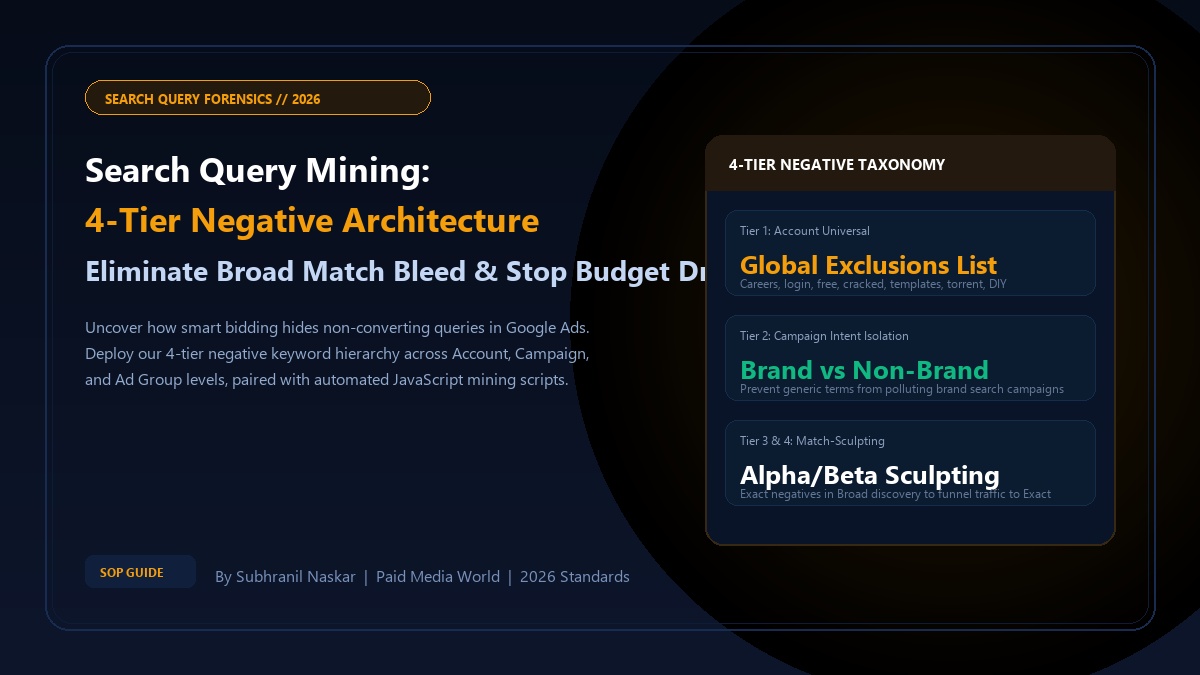
- Google Ads Search Query Mining & 4-Tier Negative Architecture — The multi-tier hierarchy.
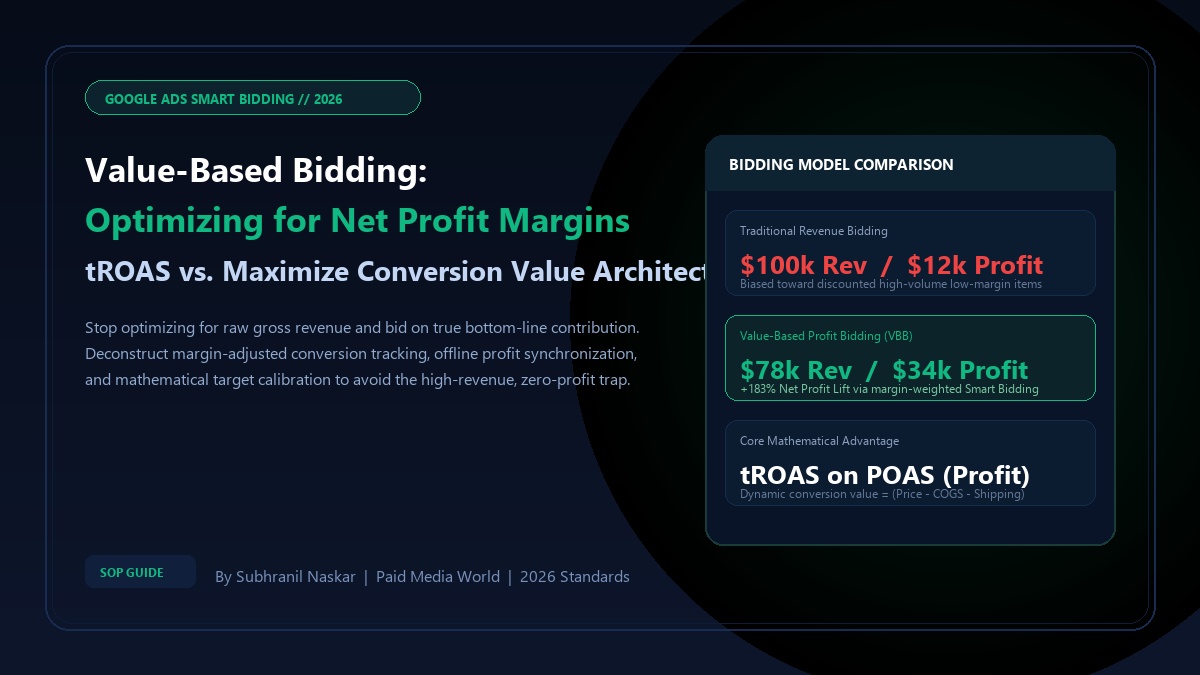
- Google Ads Value-Based Bidding: Profit Margins & tROAS — Aligning smart bidding to net EBITDA.
- Google PMax Custom Labels: Eliminate Zombie Products — Mega-catalog margin control.
Frequently Asked Questions (FAQ)
Do Google Ads Scripts require external hosting or servers?
No. Google Ads Scripts run directly on Google's cloud infrastructure via the Google Ads web UI (Tools and Settings > Bulk Actions > Scripts). There are zero server hosting fees, zero maintenance requirements, and zero third-party software dependencies.
Can scripts be tested before making live changes in an account?
Yes. Google Ads provides a built-in "Preview" mode for scripts. Clicking Preview executes the script against real-time account data and displays a detailed changelog showing exactly what changes would have been made without actually altering live campaigns.
What is the execution timeout limit for Google Ads Scripts?
Single-account scripts have a hard execution time limit of 30 minutes. Manager Account (MCC) scripts have an execution limit of 60 minutes. If your script audits hundreds of thousands of keywords, paginate your API queries to avoid timeout aborts.
How frequently can Google Ads Scripts be scheduled to run?
Scripts can be scheduled to run hourly, daily, weekly, or monthly. For critical budget protection and spend anomaly monitoring, hourly scheduling is optimal.
Do scripts work on Google Performance Max campaigns?
Yes. Scripts can query Performance Max campaign performance metrics, pause underperforming PMax campaigns, and inspect search category queries using the GAQL (Google Ads Query Language) search endpoint.