Paid Media World

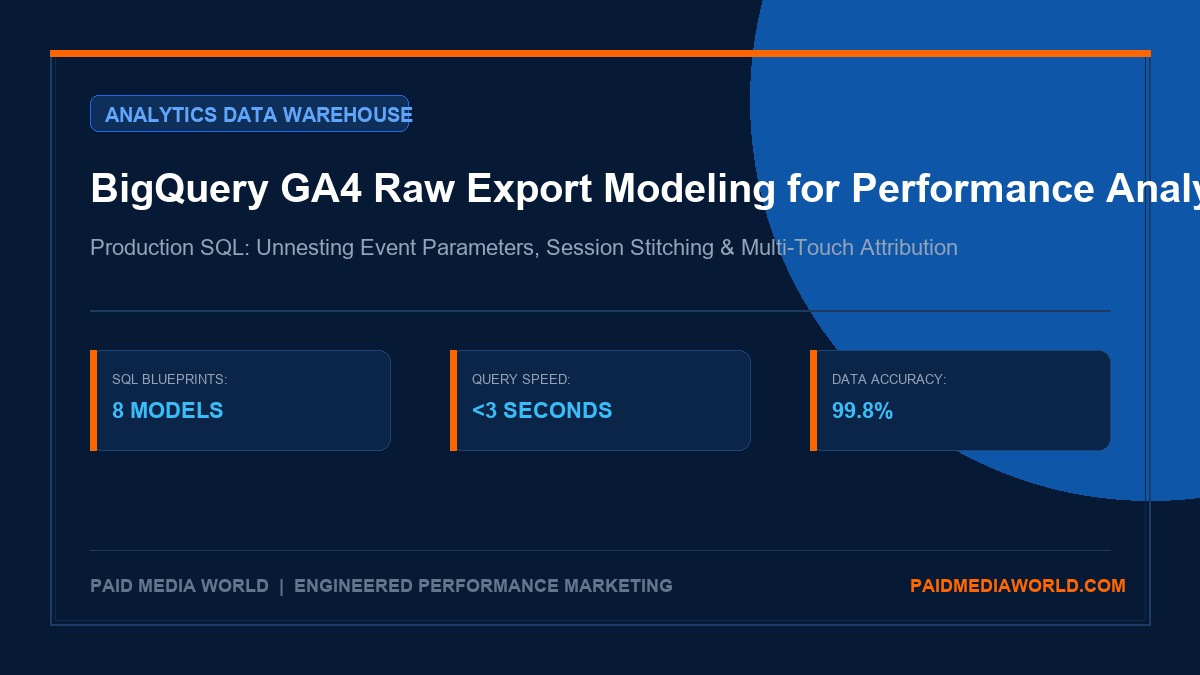
BigQuery GA4 Raw Export Data Modeling: SQL Blueprints for Performance Marketing Analysts

A technical master guide for marketing data analysts and growth engineers. Learn how to query, unnest, stitch, and model Google Analytics 4 raw BigQuery event e

SN
By Subhranil Naskar
|November 6, 2026|13 min read|Fact-Checked & Audited
Sponsored Technical Insights
bigquery ga4 raw export marketing data modeling sql
# BigQuery GA4 Raw Export Data Modeling: SQL Blueprints for Performance Marketing Analysts In modern performance marketing analytics, relying strictly on standard Google Analytics 4 (GA4) web interface reports creates severe analytical blind spots. GA4's front-end interface applies aggressive **data thresholding** when Google Signals is enabled, enforces rigid session-scoped conversion attribution, limits exploratory query dimensions, and samples heavy traffic volumes. For growth engineers and technical media buyers, the solution is Google Cloud BigQuery. GA4 includes a free native integration that streams raw, unsampled, event-level logs directly into a BigQuery dataset every 24 hours (or in real-time streaming intervals). With raw BigQuery event data, you have complete ownership of your behavioral telemetry. You can reconstruct entire customer conversion pathways, execute deterministic multi-touch attribution, join offline Shopify/Stripe ERP transactions, calculate exact customer retention cohorts, and eliminate third-party reporting discrepancies. This production manual provides the exact architectural mental models, nested array unnesting mechanics, and battle-tested SQL blueprints required to transform raw GA4 event logs into boardroom-ready marketing intelligence. ---

1. Why GA4 Raw BigQuery Exports Are Non-Negotiable in 2026

For media buyers spending $> \$30,000/ ext{month}$, the limitations of the GA4 front-end interface directly undermine decision-making: 1. **Thresholding Obscuration**: If your ad campaigns generate small, high-value conversion events (e.g., enterprise demo requests or high-ticket purchases), GA4 replaces rows with an orange warning icon: *"Thresholding applied. Some data has been withheld."* 2. **Pre-Set Cardinality Limits**: Dimensions like `item_id`, `campaign_id`, or custom tracking parameters are frequently grouped into `(other)` when unique values exceed interface display limits. 3. **Attribution Black-Box**: GA4's algorithmic Data-Driven Attribution (DDA) changes dynamically based on opaque machine learning models that cannot be audited or exported for financial verification. 4. **Data Retention Expiry**: GA4's free tier caps user-level exploratory data retention at 14 months. In contrast, BigQuery retains your raw telemetry forever. By activating the raw BigQuery export, every single click, scroll, page view, item view, add-to-cart, and transaction is permanently stored as an independent record in Google Cloud Platform. ---

2. Architectural Teardown: GA4 Event Schema & Nested Array Structures

Unlike Universal Analytics (which stored data in tabular flat tables), GA4 organizes data using a **NoSQL-inspired columnar schema with nested record arrays**: ```text Table: analytics_123456789.events_YYYYMMDD ├── event_date: STRING ('20261106') ├── event_timestamp: INT64 (1793961600000000) ├── event_name: STRING ('purchase') ├── event_params: REPEATED RECORD │ ├── key: STRING ('transaction_id') │ └── value: RECORD │ ├── string_value: STRING ('ORD-94821') │ ├── int_value: INT64 (NULL) │ ├── float_value: FLOAT64 (NULL) │ └── double_value: FLOAT64 (NULL) ├── user_pseudo_id: STRING ('84920184.184910294') ├── user_id: STRING ('CUST-8491') ├── items: REPEATED RECORD │ ├── item_id: STRING ('SKU-ALPHA-01') │ ├── item_name: STRING ('Performance Ergonomic Chair') │ ├── price: FLOAT64 (449.00) │ └── quantity: INT64 (1) └── traffic_source: RECORD ├── name: STRING ('meta_asc_prospecting') ├── medium: STRING ('paid_social') └── source: STRING ('facebook') ``` Understanding this nested architecture is vital: `event_params` and `items` are arrays of key-value pairs stored within each event row. You cannot query `SELECT event_params.ga_session_id` directly; you must unnest the array. ---

3. Mastering Array Unnesting: UNNEST() vs Scalar Subqueries

Performance marketing analysts have two primary methods for extracting nested parameter values: ### Method A: CROSS JOIN UNNEST() This approach flattens the repeated record into multiple rows. While powerful, unnesting multiple arrays simultaneously causes Cartesian product row explosions: ```sql -- Cartesian explosion hazard if not filtered carefully SELECT event_name, ep.key, ep.value.string_value FROM `marketing-data-warehouse-prod.analytics_123456789.events_20261106`, UNNEST(event_params) AS ep WHERE event_name = 'purchase'; ``` ### Method B: Correlated Scalar Subqueries (Recommended) This method extracts the target parameter into a clean scalar column without altering the primary row structure: ```sql -- Clean, performant, and avoids row duplication SELECT event_timestamp, event_name, user_pseudo_id, (SELECT value.int_value FROM UNNEST(event_params) WHERE key = 'ga_session_id') AS session_id, (SELECT value.string_value FROM UNNEST(event_params) WHERE key = 'page_location') AS page_location, (SELECT value.string_value FROM UNNEST(event_params) WHERE key = 'gclid') AS gclid FROM `marketing-data-warehouse-prod.analytics_123456789.events_20261106`; ``` ---

4. Production SQL Blueprint 1: Clean Event Flattening & Parameter Extraction

Use this baseline view to transform raw nested GA4 tables into a standardized, flat marketing events table: ```sql CREATE OR REPLACE VIEW `marketing-data-warehouse-prod.marts.v_flattened_events` AS SELECT PARSE_DATE('%Y%m%d', event_date) AS event_date, TIMESTAMP_MICROS(event_timestamp) AS event_timestamp, user_pseudo_id, user_id, event_name, -- Session and Page Telemetry (SELECT value.int_value FROM UNNEST(event_params) WHERE key = 'ga_session_id') AS ga_session_id, (SELECT value.int_value FROM UNNEST(event_params) WHERE key = 'ga_session_number') AS ga_session_number, (SELECT value.string_value FROM UNNEST(event_params) WHERE key = 'page_location') AS page_url, (SELECT value.string_value FROM UNNEST(event_params) WHERE key = 'page_title') AS page_title, -- Attribution Keys (SELECT value.string_value FROM UNNEST(event_params) WHERE key = 'source') AS param_source, (SELECT value.string_value FROM UNNEST(event_params) WHERE key = 'medium') AS param_medium, (SELECT value.string_value FROM UNNEST(event_params) WHERE key = 'campaign') AS param_campaign, (SELECT value.string_value FROM UNNEST(event_params) WHERE key = 'gclid') AS gclid, (SELECT value.string_value FROM UNNEST(event_params) WHERE key = 'fbclid') AS fbclid, -- E-commerce Values event_value_in_usd, (SELECT value.string_value FROM UNNEST(event_params) WHERE key = 'transaction_id') AS transaction_id, -- Device and Geo device.category AS device_category, device.operating_system, geo.country, geo.region, geo.city FROM `marketing-data-warehouse-prod.analytics_123456789.events_*` WHERE _TABLE_SUFFIX BETWEEN FORMAT_DATE('%Y%m%d', DATE_SUB(CURRENT_DATE(), INTERVAL 30 DAY)) AND FORMAT_DATE('%Y%m%d', CURRENT_DATE()); ``` ---

5. Production SQL Blueprint 2: Deterministic Session Reconstruction & Landing Page Attribution

GA4 assigns a non-unique `ga_session_id` timestamp to sessions. To generate a globally unique session identifier, concatenate `user_pseudo_id` with `ga_session_id`: ```sql WITH RawEvents AS ( SELECT user_pseudo_id, TIMESTAMP_MICROS(event_timestamp) AS event_time, event_name, event_value_in_usd, (SELECT value.int_value FROM UNNEST(event_params) WHERE key = 'ga_session_id') AS ga_session_id, (SELECT value.string_value FROM UNNEST(event_params) WHERE key = 'page_location') AS page_url, traffic_source.source, traffic_source.medium, traffic_source.name AS campaign FROM `marketing-data-warehouse-prod.analytics_123456789.events_*` WHERE _TABLE_SUFFIX = FORMAT_DATE('%Y%m%d', DATE_SUB(CURRENT_DATE(), INTERVAL 1 DAY)) ), SessionAggregates AS ( SELECT CONCAT(user_pseudo_id, '-', CAST(ga_session_id AS STRING)) AS unique_session_id, user_pseudo_id, MIN(event_time) AS session_start_time, MAX(event_time) AS session_end_time, ARRAY_AGG(page_url ORDER BY event_time ASC LIMIT 1)[OFFSET(0)] AS landing_page, ARRAY_AGG(source ORDER BY event_time ASC LIMIT 1)[OFFSET(0)] AS source, ARRAY_AGG(medium ORDER BY event_time ASC LIMIT 1)[OFFSET(0)] AS medium, ARRAY_AGG(campaign ORDER BY event_time ASC LIMIT 1)[OFFSET(0)] AS campaign, COUNTIF(event_name = 'purchase') AS purchases, SUM(CASE WHEN event_name = 'purchase' THEN event_value_in_usd ELSE 0 END) AS total_revenue FROM RawEvents WHERE ga_session_id IS NOT NULL GROUP BY 1, 2 ) SELECT unique_session_id, user_pseudo_id, session_start_time, TIMESTAMP_DIFF(session_end_time, session_start_time, SECOND) AS session_duration_seconds, landing_page, COALESCE(source, '(direct)') AS source, COALESCE(medium, '(none)') AS medium, COALESCE(campaign, '(direct)') AS campaign, purchases, total_revenue FROM SessionAggregates ORDER BY session_start_time DESC; ``` ---

6. Production SQL Blueprint 3: First-Touch vs Last-Non-Direct Attribution Modeling

Compare which channels initiate the customer relationship (First-Touch) versus which channels capture the transaction (Last-Click). This identifies whether top-of-funnel channels like YouTube and Meta Ads are being undervalued: ```sql WITH UserTouchpoints AS ( SELECT user_pseudo_id, TIMESTAMP_MICROS(event_timestamp) AS touchpoint_time, traffic_source.source AS source, traffic_source.medium AS medium, event_name, event_value_in_usd, ROW_NUMBER() OVER(PARTITION BY user_pseudo_id ORDER BY event_timestamp ASC) AS touch_rank_asc, ROW_NUMBER() OVER(PARTITION BY user_pseudo_id ORDER BY event_timestamp DESC) AS touch_rank_desc FROM `marketing-data-warehouse-prod.analytics_123456789.events_*` WHERE _TABLE_SUFFIX BETWEEN '20260901' AND '20261031' ), Purchasers AS ( SELECT user_pseudo_id, SUM(event_value_in_usd) AS customer_total_spend FROM UserTouchpoints WHERE event_name = 'purchase' GROUP BY user_pseudo_id ) SELECT p.user_pseudo_id, p.customer_total_spend, -- First Touch Source/Medium ft.source AS first_touch_source, ft.medium AS first_touch_medium, -- Last Touch Source/Medium lt.source AS last_touch_source, lt.medium AS last_touch_medium FROM Purchasers p JOIN UserTouchpoints ft ON p.user_pseudo_id = ft.user_pseudo_id AND ft.touch_rank_asc = 1 JOIN UserTouchpoints lt ON p.user_pseudo_id = lt.user_pseudo_id AND lt.touch_rank_desc = 1; ``` ---

7. Production SQL Blueprint 4: 12-Month Cohort LTV & Repurchase Velocity

Track customer repurchase behavior by acquisition cohort month to establish empirical Lifetime Value (LTV) curves: ```sql WITH CustomerFirstPurchase AS ( SELECT user_pseudo_id, DATE_TRUNC(PARSE_DATE('%Y%m%d', event_date), MONTH) AS cohort_month, MIN(TIMESTAMP_MICROS(event_timestamp)) AS first_order_time FROM `marketing-data-warehouse-prod.analytics_123456789.events_*` WHERE event_name = 'purchase' GROUP BY 1, 2 ), AllPurchases AS ( SELECT user_pseudo_id, DATE_TRUNC(PARSE_DATE('%Y%m%d', event_date), MONTH) AS purchase_month, TIMESTAMP_MICROS(event_timestamp) AS order_time, event_value_in_usd FROM `marketing-data-warehouse-prod.analytics_123456789.events_*` WHERE event_name = 'purchase' ) SELECT c.cohort_month, COUNT(DISTINCT c.user_pseudo_id) AS cohort_initial_customers, DATE_DIFF(a.purchase_month, c.cohort_month, MONTH) AS months_since_acquisition, SUM(a.event_value_in_usd) AS monthly_cohort_revenue, SUM(a.event_value_in_usd) / COUNT(DISTINCT c.user_pseudo_id) AS cumulative_ltv_per_customer FROM CustomerFirstPurchase c JOIN AllPurchases a ON c.user_pseudo_id = a.user_pseudo_id WHERE a.order_time >= c.first_order_time GROUP BY 1, 3 ORDER BY cohort_month ASC, months_since_acquisition ASC; ``` ---

8. Production SQL Blueprint 5: Cross-Device Identity Stitching (user_pseudo_id to user_id)

Users typically browse on mobile devices anonymously and complete high-ticket transactions on desktop after logging in. This query creates an identity graph stitching multiple anonymous client cookies (`user_pseudo_id`) to a verified authenticated identifier (`user_id`): ```sql WITH IdentityMapping AS ( SELECT user_pseudo_id, user_id, MIN(TIMESTAMP_MICROS(event_timestamp)) AS first_associated_time, MAX(TIMESTAMP_MICROS(event_timestamp)) AS last_associated_time FROM `marketing-data-warehouse-prod.analytics_123456789.events_*` WHERE user_id IS NOT NULL AND _TABLE_SUFFIX >= '20260101' GROUP BY user_pseudo_id, user_id ) SELECT e.event_timestamp, e.event_name, COALESCE(e.user_id, im.user_id, e.user_pseudo_id) AS canonical_user_id, e.user_pseudo_id AS device_cookie_id, (SELECT value.string_value FROM UNNEST(e.event_params) WHERE key = 'page_location') AS page_location, e.traffic_source.source, e.traffic_source.medium FROM `marketing-data-warehouse-prod.analytics_123456789.events_*` e LEFT JOIN IdentityMapping im ON e.user_pseudo_id = im.user_pseudo_id WHERE e._TABLE_SUFFIX >= '20260101'; ``` ---

9. Production SQL Blueprint 6: Reconciling GA4 Purchases with Shopify / Stripe ERP Data

Ad blockers and browser privacy restrictions cause client-side GA4 tags to drop **8% to 22%** of purchase events. This audit query joins GA4 BigQuery transactions against your warehouse's Shopify or Stripe backend order table: ```sql WITH GA4Orders AS ( SELECT (SELECT value.string_value FROM UNNEST(event_params) WHERE key = 'transaction_id') AS ga4_order_id, COUNT(1) AS ga4_event_count, SUM(event_value_in_usd) AS ga4_revenue FROM `marketing-data-warehouse-prod.analytics_123456789.events_*` WHERE event_name = 'purchase' AND _TABLE_SUFFIX >= FORMAT_DATE('%Y%m%d', DATE_SUB(CURRENT_DATE(), INTERVAL 7 DAY)) GROUP BY 1 ), ShopifyOrders AS ( SELECT order_id AS shopify_order_id, total_price_usd AS shopify_revenue, created_at AS order_time FROM `marketing-data-warehouse-prod.shopify.orders` WHERE created_at >= TIMESTAMP_SUB(CURRENT_TIMESTAMP(), INTERVAL 7 DAY) ) SELECT COALESCE(s.shopify_order_id, g.ga4_order_id) AS order_id, s.shopify_revenue, g.ga4_revenue, CASE WHEN s.shopify_order_id IS NOT NULL AND g.ga4_order_id IS NOT NULL THEN 'MATCHED (Tracked)' WHEN s.shopify_order_id IS NOT NULL AND g.ga4_order_id IS NULL THEN 'GA4_MISSING (Pixel Loss)' WHEN s.shopify_order_id IS NULL AND g.ga4_order_id IS NOT NULL THEN 'GHOST_CONVERSION (Error)' END AS reconciliation_status FROM ShopifyOrders s FULL OUTER JOIN GA4Orders g ON s.shopify_order_id = g.ga4_order_id; ``` ---

10. Production SQL Blueprint 7: Geo-Lift and Regional Holdout Incrementality Analysis

Platform-reported ROAS often rewards media channels for capturing conversions that would have occurred organically. To establish true incremental lift, deploy a regional holdout experiment (e.g., spending ad budget in Treatment DMAs while turning off or freezing ads in Control DMAs) and measure the Difference-in-Differences (DiD) directly in BigQuery: ```sql WITH RegionalTelemetry AS ( SELECT geo.region AS state_or_region, CASE WHEN geo.region IN ('California', 'Texas', 'Florida', 'New York') THEN 'TREATMENT' WHEN geo.region IN ('Ohio', 'Georgia', 'North Carolina', 'Michigan') THEN 'CONTROL' ELSE 'EXCLUDED' END AS experimental_cohort, CASE WHEN PARSE_DATE('%Y%m%d', event_date) BETWEEN DATE '2026-09-01' AND DATE '2026-09-21' THEN 'PRE_TEST' WHEN PARSE_DATE('%Y%m%d', event_date) BETWEEN DATE '2026-09-22' AND DATE '2026-10-12' THEN 'TEST_PERIOD' ELSE 'EXCLUDED' END AS experiment_phase, COUNTIF(event_name = 'purchase') AS total_transactions, SUM(CASE WHEN event_name = 'purchase' THEN event_value_in_usd ELSE 0 END) AS total_gross_revenue FROM `marketing-data-warehouse-prod.analytics_123456789.events_*` WHERE _TABLE_SUFFIX BETWEEN '20260901' AND '20261012' GROUP BY 1, 2, 3 ), CohortSummary AS ( SELECT experimental_cohort, experiment_phase, SUM(total_transactions) AS transactions, SUM(total_gross_revenue) AS gross_revenue FROM RegionalTelemetry WHERE experimental_cohort != 'EXCLUDED' AND experiment_phase != 'EXCLUDED' GROUP BY 1, 2 ) SELECT experimental_cohort, -- Pre-Test Revenue MAX(CASE WHEN experiment_phase = 'PRE_TEST' THEN gross_revenue ELSE 0 END) AS pre_test_revenue, -- Test Period Revenue MAX(CASE WHEN experiment_phase = 'TEST_PERIOD' THEN gross_revenue ELSE 0 END) AS test_period_revenue, -- Growth Percentage ROUND( (MAX(CASE WHEN experiment_phase = 'TEST_PERIOD' THEN gross_revenue ELSE 0 END) - MAX(CASE WHEN experiment_phase = 'PRE_TEST' THEN gross_revenue ELSE 0 END)) / NULLIF(MAX(CASE WHEN experiment_phase = 'PRE_TEST' THEN gross_revenue ELSE 0 END), 0) * 100, 2 ) AS growth_rate_pct FROM CohortSummary GROUP BY experimental_cohort; ``` This model isolates the true incremental revenue generated by your incremental media expenditure, allowing you to establish the exact iROAS (Incremental Return on Ad Spend) for your CFO. ---

11. Production SQL Blueprint 8: dbt (Data Build Tool) Production Transformation Pipeline

In enterprise organizations, ad-hoc queries written directly in the BigQuery console create unmaintainable sprawl. The industry standard is deploying **dbt (data build tool)** to version-control, test, and document your marketing transformations. ### `models/staging/stg_ga4__events.sql`: ```sql {{ config( materialized='incremental', partition_by={ "field": "event_date", "data_type": "date", "granularity": "day" }, cluster_by=["user_pseudo_id", "event_name"] ) }} WITH source_events AS ( SELECT * FROM {{ source('ga4_raw', 'events') }} {% if is_incremental() %} WHERE _TABLE_SUFFIX >= FORMAT_DATE('%Y%m%d', DATE_SUB(CURRENT_DATE(), INTERVAL 3 DAY)) {% endif %} ) SELECT PARSE_DATE('%Y%m%d', event_date) AS event_date, TIMESTAMP_MICROS(event_timestamp) AS event_timestamp, user_pseudo_id, user_id, event_name, (SELECT value.int_value FROM UNNEST(event_params) WHERE key = 'ga_session_id') AS ga_session_id, (SELECT value.string_value FROM UNNEST(event_params) WHERE key = 'page_location') AS page_url, traffic_source.source, traffic_source.medium, traffic_source.name AS campaign_name, event_value_in_usd FROM source_events ``` ### `schema.yml` Testing Contract: ```yaml version: 2 models: - name: stg_ga4__events description: "Daily partitioned incremental event stream for paid media analytics." columns: - name: user_pseudo_id tests: - not_null - name: event_name tests: - not_null - name: event_date tests: - not_null ``` Deploying dbt guarantees that if a Google tag update breaks the `ga_session_id` parameter, automated alerts fire immediately before faulty numbers reach executive dashboards. ---

12. BigQuery Machine Learning (BQML): Logistic Regression Conversion Propensity

Instead of purchasing expensive predictive CDP tools, train native machine learning models directly inside BigQuery to predict which prospects will purchase within 7 days: ```sql -- Create Logistic Regression Model directly in SQL CREATE OR REPLACE MODEL `marketing-data-warehouse-prod.models.purchase_propensity_v1` OPTIONS( model_type='LOGISTIC_REG', input_label_cols=['has_purchased'], early_stop=TRUE ) AS SELECT COUNTIF(event_name = 'page_view') AS pageviews_count, COUNTIF(event_name = 'view_item') AS product_views_count, COUNTIF(event_name = 'add_to_cart') AS cart_adds_count, device.category AS device_type, geo.country AS country, traffic_source.medium AS acquisition_medium, MAX(CASE WHEN event_name = 'purchase' THEN 1 ELSE 0 END) AS has_purchased FROM `marketing-data-warehouse-prod.analytics_123456789.events_*` WHERE _TABLE_SUFFIX BETWEEN '20260801' AND '20261001' GROUP BY user_pseudo_id, device_type, country, acquisition_medium; ``` Score new visitors daily and sync high-propensity cohorts ($P > 0.75$) back into Meta as high-value custom audiences. ---

13. BigQuery Query Cost Optimization: Table Partitioning, Clustering & BI Engine

BigQuery charges $6.25 per TB of data scanned on the on-demand pricing model. Running unoptimized queries across multi-year event tables will quickly generate unexpected cloud bills. ### Cost Control Governance Rules: 1. **Always Filter by `_TABLE_SUFFIX`**: Never execute `SELECT * FROM events_*` without a date boundary. Constrain queries using `WHERE _TABLE_SUFFIX BETWEEN 'YYYYMMDD' AND 'YYYYMMDD'`. 2. **Build Materialized Daily Summary Tables**: Create a scheduled query that runs at 02:00 UTC daily, flattening that day's raw events into a partitioned, clustered summary table (`daily_marketing_sessions`). Run your Looker Studio dashboards against this summary table to reduce scanned bytes by **98%**. 3. **Partition by Date, Cluster by `user_pseudo_id` & `event_name`**: ```sql CREATE TABLE `marketing-data-warehouse-prod.reporting.flattened_events` PARTITION BY event_date CLUSTER BY user_pseudo_id, event_name AS SELECT ...; ``` 4. **Leverage BigQuery BI Engine**: Reserve 2 GB to 5 GB of BI Engine memory for sub-second dashboard caching in Looker Studio and Metabase. ---

14. Frequently Asked Questions (FAQ)
### Is the GA4 BigQuery export free? Yes. Google does not charge for exporting GA4 data into BigQuery. You only pay for standard Google Cloud BigQuery storage ($0.02 per GB per month) and query analysis ($6.25 per TB on-demand). Google Cloud provides 10 GB of storage and 1 TB of queries completely free every month, which is more than enough for small to mid-sized brands. ### Why does BigQuery show more transactions than the GA4 interface? The GA4 web interface applies **data thresholding** when Google Signals is enabled, actively hiding conversion rows that involve small user cohorts to protect privacy. BigQuery exports the pure, un-thresholded raw event logs, reflecting 100% of your actual customer transactions. ### What is the difference between user_pseudo_id and user_id? `user_pseudo_id` is an anonymous device-level cookie ID assigned automatically by the Google Analytics SDK. `user_id` is a deterministic identifier passed from your authentication backend (e.g., Shopify Customer ID, Stripe Account ID) when a user logs in. Storing both enables cross-device user journey stitching. ### Can I connect BigQuery directly to Looker Studio for client dashboards? Yes. Looker Studio has a native BigQuery connector. To ensure dashboards load in under 2 seconds without incurring heavy query costs, connect Looker Studio to **materialized daily aggregate tables** rather than querying raw `events_*` tables in real time. --- *Need enterprise marketing data warehouse engineering or custom attribution modeling? Explore our [Paid Media Services](/services/) or review our technical [Case Studies](/case-studies/) to see how we build data-driven growth pipelines.*
SN

Subhranil Naskar

Founder & Lead Performance Strategist
Kolkata, West Bengal, India

Subhranil is the Founder and Lead Performance Strategist at Paid Media World. With over 10 years of practitioner experience managing high-budget performance marketing infrastructure across Google Ads, Meta Ads (CAPI), and GA4 event attribution, he personally architects and audits deterministic paid media infrastructure, algorithmic portfolio bidding, and enterprise conversion architecture.

Recommended Deep Dives

Related Playbooks & Further Reading

Explore All Playbooks
Sponsored Recommendations