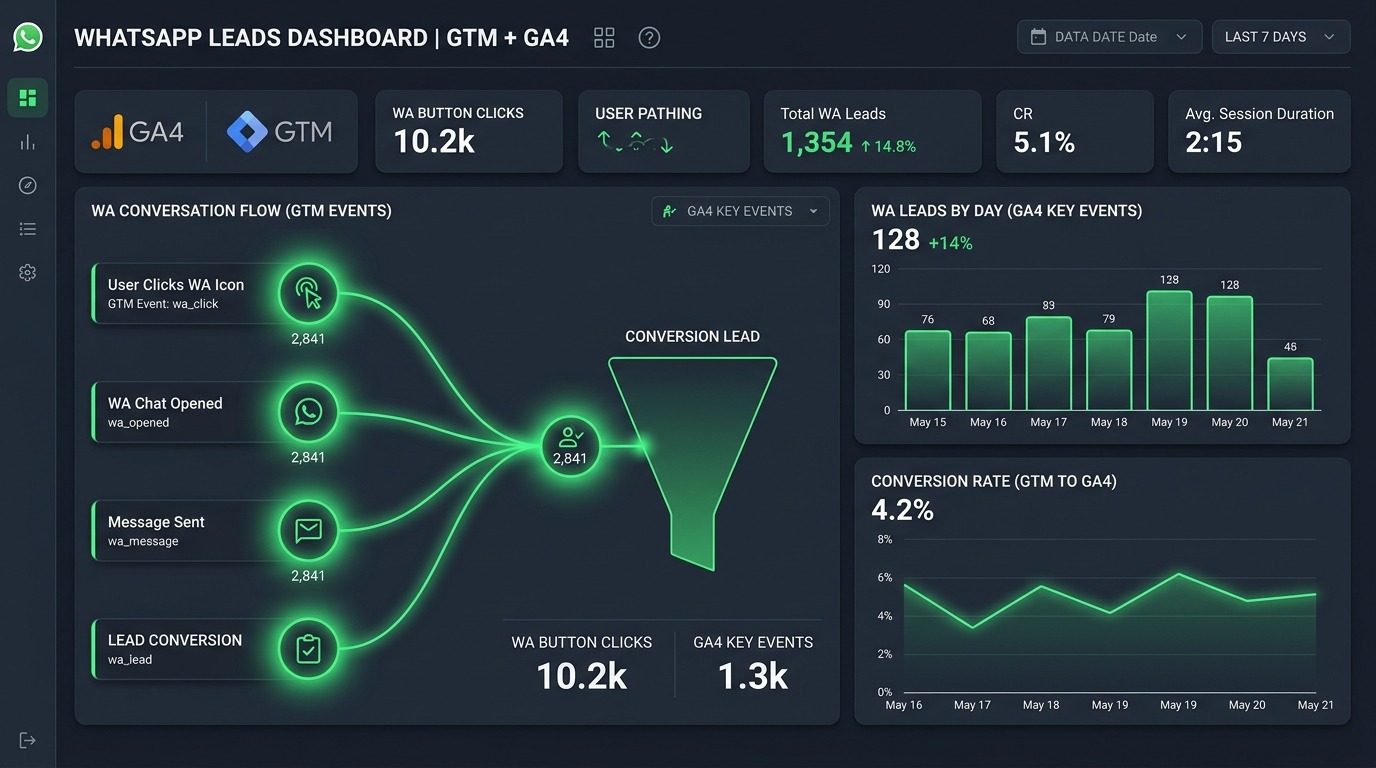
In mobile-first markets across India, Southeast Asia, Latin America, and the Middle East, WhatsApp has overtaken standard website contact forms as the primary lead generation channel. However, because conversations occur inside an external application, standard website analytics often fail to record when a click becomes a verified inquiry.
Implementing custom GTM trigger mechanics bridges this gap by passing conversational events directly into GA4 and Google Ads Smart Bidding. In this technical guide, learn how to configure automated click triggers, capture form submissions, and track WhatsApp inquiries with zero data loss.
Table of Contents
- 1. Step 1: Create the WhatsApp Click Trigger in GTM
- 2. Step 2: Build the GA4 Event Tag & Custom Parameters
- 3. Step 3: Preview & Debug in GTM Tag Assistant
- 4. Step 4: Mark Events as Key Events & Import into Google Ads
- 5. Step 5: Tracking Embedded WhatsApp Floating Widgets & Iframes
- 6. Step 6: Passing Dynamic Customer Data Layer Variables
- 7. WhatsApp GA4 Tracking Configuration Matrix
- 8. Frequently Asked Questions
1. Step 1: Create the WhatsApp Click Trigger in GTM
WhatsApp contact links typically utilize standard URL routing formats: https://wa.me/123456789` orhttps://api.whatsapp.com/send?phone=123456789`. To capture clicks on these specific outbound links across your website, build a dedicated Just Links trigger inside Google Tag Manager.
1. Enable Built-In Click Variables
Inside your GTM Container, navigate to Variables ➔ Configure. Ensure that Click URL, Click Text, Click Element, and Click Classes are checked and active.
2. Configure the “Just Links” WhatsApp Trigger
Navigate to Triggers ➔ New and configure the following parameters:
• Trigger Type: Click – Just Links
• Check Validation: Checked (Wait for Tags: 2000ms)
• This Trigger Fires On: Some Link Clicks
• Firing Condition Rules (ANY of the following):
1. Click URL contains wa.me
2. Click URL contains api.whatsapp.com
3. Click URL contains whatsapp://
2.
Step 2: Build the GA4 Event Tag & Custom Parameters
Once your trigger is established, create a GA4 Event Tag to send structured event payloads to your Google Analytics 4 property whenever a user clicks a WhatsApp button.
1. Configure the GA4 Event Tag
Navigate to Tags ➔ New ➔ Select Google Analytics: GA4 Event:
- Measurement ID: Enter your GA4 Measurement ID (e.g., `G-XXXXXXX`) or reference your `{{GA4 Measurement ID}}` constant variable.
- Event Name: Enter `generate_lead` (recommended standard GA4 e-commerce/lead event name) or `whatsapp_click`. Using `generate_lead` enables automatic modeling inside GA4 reporting.
2. Attach Custom Event Parameters
Under Event Parameters, add the following key-value pairs to pass rich context to GA4:
| Parameter Name | GTM Variable Value | Purpose |
|---|---|---|
| `link_url` | `{{Click URL}}` | Captures exact WhatsApp phone number URL |
| `click_location` | `{{Click Text}}` or Button Location | Distinguishes header vs footer vs product page buttons |
| `page_location` | `{{Page URL}}` | Identifies which page generated the inquiry |
3. Step 3: Preview & Debug in GTM Tag Assistant
Before publishing your container, test event execution in real-time:
- Click Preview in Google Tag Manager to launch GTM Tag Assistant (`tagassistant.google.com`).
- Enter your live website URL and click Connect.
- Locate a WhatsApp button on your website and click it.
- In the GTM Tag Assistant summary panel, verify that a Link Click event appears in the timeline and confirms “Tag Fired: GA4 Event – WhatsApp Click”.
- Open GA4 > Admin > DebugView and verify that the `generate_lead` event appears with your custom event parameters attached.
4. Step 4: Mark Events as Key Events & Import into Google Ads
To leverage WhatsApp lead events for automated Google Ads Target CPA or Target ROAS bidding, convert the raw event into a Key Event (formerly known as GA4 Conversions):
1. Mark as Key Event in GA4
Navigate to GA4 Admin ➔ Data display ➔ Events. Locate generate_lead (or whatsapp_click) and toggle the Mark as key event switch to ON.
2. Import Key Events into Google Ads
Log into your Google Ads account, navigate to Goals ➔ Conversions ➔ Summary ➔ New Conversion Action. Select Import ➔ Google Analytics 4 properties ➔ Web. Select generate_lead and set it as a Primary Conversion Action for bidding optimization.
Setting Up GA4 Custom Dimensions for WhatsApp Analytics Reporting
Passing custom event parameters (such as click_location, link_url, or prefilled_message) from GTM into GA4 is only the first step. To view these custom parameters inside GA4 standard reports and Exploration canvases, you must explicitly register them as Custom Dimensions inside GA4 Admin:
- Log into your Google Analytics 4 Property and open Admin ➔ Data display ➔ Custom definitions.
- Click Create custom dimension.
- Enter Dimension Name: `Click Location` | Scope: `Event` | Event Parameter: `click_location`.
- Enter Dimension Name: `WhatsApp Phone Number` | Scope: `Event` | Event Parameter: `link_url`.
- Click Save. Allow 24 hours for custom dimension data to populate in GA4 reports.
5. Step 5: Tracking Embedded WhatsApp Floating Widgets & Iframes
Third-party floating WhatsApp chat widgets (such as Elfsight, Join.chat, or Widgetett) often render inside an iframe container or fire custom JavaScript events rather than standard HTML anchor links (<a href="...">). Standard GTM Link Click triggers will not detect clicks inside an iframe.
Solution: Listen to Data Layer Custom Events
For JavaScript floating widgets, configure a Custom Event Trigger in GTM. Most chat widgets push custom events to the dataLayer when opened (e.g., whatsapp_widget_open). Create a Custom Event Trigger matching the exact string name pushed by your widget script.
6. Step 6: Passing Dynamic Customer Data Layer Variables
Enhance your reporting by pushing dynamic customer variables to GTM when a user initiates a WhatsApp chat from a specific product or service page:
window.dataLayer = window.dataLayer || [];
window.dataLayer.push({
‘event’: ‘whatsapp_lead_initiated’,
‘product_name’: ‘Commercial HVAC Consultation’,
‘lead_category’: ‘B2B Service Inquiry’,
‘estimated_value’: 2500.00
});
Integrating WhatsApp Lead Conversions into Meta Offline Conversions API
If your business runs Meta Ads (Facebook & Instagram) alongside Google Ads, tracking WhatsApp clicks in GA4 provides only partial attribution.
When a user clicks an Instagram ad and initiates a WhatsApp conversation, passing that conversion back to Meta via the Meta Offline Conversions API trains Meta’s algorithm to target users with high probability of initiating chats.
To connect GTM WhatsApp events to Meta CAPI:
- Create a Meta Pixel – Lead Tag in GTM that fires simultaneously with your GA4 Event Tag.
- Pass `event_id` and hashed user data (`em`, `ph`) to Meta CAPI via server-side GTM.
- Map Meta’s `Lead` event to your Meta ad campaigns to enable Cost Per Lead (CPL) bidding optimization.
7. WhatsApp GA4 Tracking Configuration Matrix
Review the configuration matrix below:
| Implementation Type | GTM Trigger Type | GA4 Event Name | Primary Goal Use Case |
|---|---|---|---|
| Standard HTML Link | Click – Just Links (`wa.me`) | `generate_lead` | Google Ads Smart Bidding |
| Floating JS Widget | Custom Event (`widget_click`) | `whatsapp_chat_start` | GA4 Funnel Exploration |
| Form to WhatsApp Redirect | Form Submission Trigger | `lead` | Meta CAPI Offline Conversion |
50 Marketing Calculators Hub
Calculate Break-Even ROAS, Target CPA, Blended MER, and CAC Payback periods with our deterministic growth engineering tools.
How to Track WhatsApp Form & Click Leads: Frequently Asked Questions
Why doesn’t GA4 enhanced measurement automatically track WhatsApp clicks?
GA4 enhanced measurement tracks outbound links to external domains, but classifies wa.me links under generic outbound click events without identifying them specifically as high-value lead conversions.
How do I test if my WhatsApp click trigger is firing correctly?
Use GTM Preview mode (tagassistant.google.com) and click a WhatsApp link on your live site. Inspect the GTM Debug window to confirm that your GA4 Event Tag moves from “Tags Not Fired” to “Tags Fired”.
Should I use generate_lead or a custom event name in GA4?
Using GA4’s standard generate_lead event name is recommended because Google Analytics 4 automatically maps standard events into default conversion reports and Google Ads import workflows.
Can I import WhatsApp click conversions into Google Ads?
Yes. Mark the generate_lead event as a Key Event in GA4 Admin, then import it into Google Ads under Conversions > Summary to use as a primary bidding goal.
How do I track WhatsApp clicks inside an iframe?
Standard GTM link triggers cannot listen across iframe boundaries. Implement a JavaScript postMessage listener in your parent window to catch message events emitted by the iframe form.
Will tracking WhatsApp clicks slow down my website load speed?
No. GTM tags fire asynchronously after DOM load, ensuring zero impact on user experience or Core Web Vitals performance scores.
How do I track which page generated the most WhatsApp inquiries?
Attach the page_location custom parameter to your GA4 Event Tag in GTM. In GA4, build a Custom Exploration report grouping generate_lead events by Page path.
Can I track WhatsApp clicks on mobile vs desktop separately?
Yes. GA4 automatically records user device category (Mobile, Desktop, Tablet) for every event, allowing you to segment WhatsApp conversions by device in GA4 standard reports.
What is the difference between a GA4 event and a GA4 key event?
A GA4 event logs raw interaction data (e.g., page view or click). Marking an event as a Key Event identifies it as an official conversion for attribution modeling and ad bidding.
How do I track WhatsApp Click-to-Chat ads from Meta?
Click-to-WhatsApp ads running on Facebook or Instagram are tracked natively inside Meta Ads Manager using the Meta Pixel and Conversions API Lead event.
Server-Side GTM Tracking for Outbound WhatsApp Clicks
While client-side GTM web tags capture WhatsApp link clicks in the browser, deploying server-side GTM (sGTM) provides an extra layer of tracking resilience. Client-side scripts can be blocked by ad blockers or browser privacy settings before the GA4 event HTTP request reaches Google’s servers. Routing your WhatsApp click events through a server-side GTM container ensures 100% data delivery to GA4 and ad platforms:
- Setup sGTM Client: Configure your web container to push the `generate_lead` event to your custom server container URL (e.g., `https://sgtm.yourdomain.com/g/collect`).
- Transform Payload in sGTM: In your server container, enrich the incoming request with first-party cookie data (`_ga`, `_gid`, `gclid`) before forwarding to GA4.
- Bypass Ad Blockers: Server-to-server HTTP POST requests sent to a first-party subdomain bypass client-side ad-blocking extensions, preserving conversion reporting accuracy.
Attribute WhatsApp Leads to Specific Google Ads Search Campaigns & Keywords
To determine which specific Google Ads campaign, ad group, or search keyword generated a WhatsApp lead, capture Google Click Identifier (gclid) and UTM parameters when a user lands on your site, persisting them in session storage:
// Store GCLID & Campaign Source on Page Load
const urlParams = new URLSearchParams(window.location.search);
if (urlParams.has(‘gclid’)) {
sessionStorage.setItem(‘user_gclid’, urlParams.get(‘gclid’));
sessionStorage.setItem(‘user_utm_source’, urlParams.get(‘utm_source’));
}
When the user clicks the WhatsApp button, retrieve the saved user_gclid from session storage and pass it as a custom parameter (gclid) inside your GA4 Event Tag. This establishes closed-loop attribution between offline WhatsApp conversations and paid search ad spend.
Handling Multi-Language & Multi-Location WhatsApp Number Routing
Global brands operating in multiple geographic regions often display different WhatsApp support numbers based on visitor country or language preference (e.g., +1-800... for US vs. +44-20... for UK). To distinguish inquiries by region in GA4 reports:
- Extract the destination phone number from the `{{Click URL}}` using GTM’s Regex Extract Variable.
- Map the extracted phone number to a custom dimension named `whatsapp_destination_number` in your GA4 Event Tag.
- Create custom exploration reports in GA4 to segment conversion volumes by destination phone number.
How do I extract the destination phone number from a wa.me URL in GTM?
Use a GTM RegEx Extract Variable targeting Click URL with the pattern wa\.me\/([0-9]+). This variable automatically captures the raw numeric phone number string (e.g., 14155552671).
What is the difference between client-side and server-side WhatsApp click tracking?
Client-side tracking fires from the user’s browser, which can be blocked by ad blockers. Server-side tracking routes the event through your own server domain, ensuring 100% event delivery to GA4.
How long does it take for imported WhatsApp conversions to optimize Google Ads bidding?
Once GA4 key events are imported into Google Ads as Primary Conversion Actions, Google’s Smart Bidding algorithm requires approximately 14 days or 30 conversion events to calibrate bidding models.
Can I pass custom pre-filled WhatsApp messages as GTM event variables?
Yes. If your WhatsApp URLs include pre-filled message text (?text=I%20want%20a%20quote), use a RegEx Extract Variable to capture the URL-decoded message text and pass it as a custom parameter (prefilled_message) to GA4.
Why are custom parameters missing from standard GA4 reports?
Custom event parameters sent from GTM do not appear in standard GA4 reports until they are manually registered as Custom Dimensions under GA4 Admin > Custom definitions.
Can I track WhatsApp clicks as conversions in both Google Ads and Bing Ads?
Yes. By firing a Microsoft Advertising Universal Event Tracking (UET) tag simultaneously with your GA4 Event Tag in GTM, you can import WhatsApp conversion events into Bing Ads.
How do I test GTM tags for WhatsApp links that open external desktop apps?
When clicking a WhatsApp link on a desktop computer, your browser opens the WhatsApp Web or Desktop application. Hold the Command (Mac) or Control (Windows) key while clicking the link in GTM Preview mode to open the link in a new tab without interrupting Tag Assistant debugging.
What is the difference between a click-based WhatsApp lead and a completed chat conversion?
A click-based WhatsApp lead measures when a visitor taps your website’s WhatsApp button. A completed chat conversion occurs when your sales team confirms an actual conversation in your CRM. Combining GTM link tracking with offline CRM uploads provides 100% end-to-end ROI visibility.
Automating WhatsApp Lead Data Exports to Google Sheets & CRM Dashboards
Beyond tracking lead clicks in GA4 and Google Ads, performance marketing teams often require automated reporting dashboards that log every WhatsApp lead event in real-time for sales team follow-up. By combining GTM custom event dataLayer pushes with webhooks via Make.com or Zapier, you can build an automated lead routing workflow without writing custom backend infrastructure.
To automate WhatsApp lead logging:
- Deploy a Custom Webhook Tag in GTM: Use GTM’s Custom Image or Custom HTML Tag to send an HTTP POST request containing `page_url`, `click_text`, `timestamp`, and `user_gclid` to a Make.com or Zapier webhook endpoint whenever the WhatsApp trigger fires.
- Auto-Populate CRM & Google Sheets: Configure Make.com to parse incoming webhook parameters and instantly append a new row into your sales team’s Google Sheet or HubSpot CRM queue.
- Real-Time Sales Notification: Trigger immediate Slack or Telegram alerts to your sales reps containing the lead page location and timestamp, enabling instant response times.
Automating lead data exports ensures zero lead leakage while providing sales managers with complete visibility into chat lead generation volumes.
How does cross-domain tracking affect WhatsApp link click events in GA4?
Because wa.me is an external domain operated by Meta, browser cookies cannot cross the domain boundary. However, attaching page_location and gclid parameters to your GA4 Event Tag preserves attribution data within your own GA4 property.
What is the difference between Google Ads Website Call Conversions and WhatsApp Link Conversions?
Website Call Conversions track phone calls placed via Google forwarding numbers dynamically swapped on your site. WhatsApp Link Conversions track outbound clicks to wa.me links, capturing mobile chat inquiries that prefer text communication over phone calls.
Analytics leads and digital marketing directors who systematically deploy custom GTM link click triggers eliminate tracking blind spots, optimize ad spend, and accelerate lead pipeline growth across Google Ads and Meta Ads campaigns.
How to Track WhatsApp Form & Click Leads: Strategic Summary & Conclusion
Learning how to track WhatsApp click events in GA4 using Google Tag Manager bridges the measurement gap for local service businesses and B2B lead generation brands. By converting unstructured outbound link clicks into structured generate_lead conversion events, you feed essential data to Google Ads Smart Bidding, lowering your cost per lead.
Need assistance configuring GTM, GA4 key events, or Google Ads conversion tracking for your business? Schedule a technical tracking consultation with our analytics team today.
Google Ads Offline Conversion Import (OCI) for WhatsApp Leads
Tracking button clicks in GA4 is only step one. To feed Smart Bidding algorithms with true closed-sale value, capture the Google Click ID (GCLID) and pass it through WhatsApp:
- Capture
gclidfrom the landing page URL parameters using JavaScript and store it inside a 30-day first-party browser cookie. - Dynamically append the stored GCLID into the WhatsApp pre-filled chat URL:
wa.me/PHONE?text=Hi,%20I'm%20interested.%20Ref:GCLID_VALUE. - When an SDR or WhatsApp chatbot qualifies the lead in your CRM, export the lead record and upload the GCLID + Conversion Value directly back to Google Ads via OCI.
Comparing WhatsApp Click Conversions vs. Native Lead Forms
Running direct WhatsApp traffic vs native lead generation forms changes your sales cycle dynamics. Click-to-WhatsApp ads achieve 3x faster response times and higher initial engagement, but require automated bot routing to filter out unqualified inquiries.
See our comprehensive field test benchmarks in Click-to-WhatsApp Ads vs. Native Lead Forms (2026 Benchmarks) and learn how to launch automated campaigns in our Click-to-WhatsApp Lead Generation Blueprint.