Enterprise Google Ads Scripts: 10 Production Scripts to Prevent Wasted Spend (2026)
Managing multi-account enterprise Google Ads portfolios spending six to seven figures per month requires continuous vigilance. Human media buyers cannot review every search query, check thousands of landing page URLs for 404 errors, monitor intraday budget burn rates, and detect keyword cannibalization across hundreds of ad groups 24 hours a day.
Unmonitored accounts bleed substantial budget: broken landing page URLs after CMS deployments continue to burn clicks, Performance Max campaigns secretly bid on negative brand keywords, and out-of-stock product ads waste precious shopping spend.
Google Ads Scripts provide automated, serverless JavaScript execution directly inside the Google Ads platform. By running scripts on scheduled hourly and daily cadences, enterprise advertisers automate waste detection, enforce negative keyword hygiene, and protect profit margins instantly.
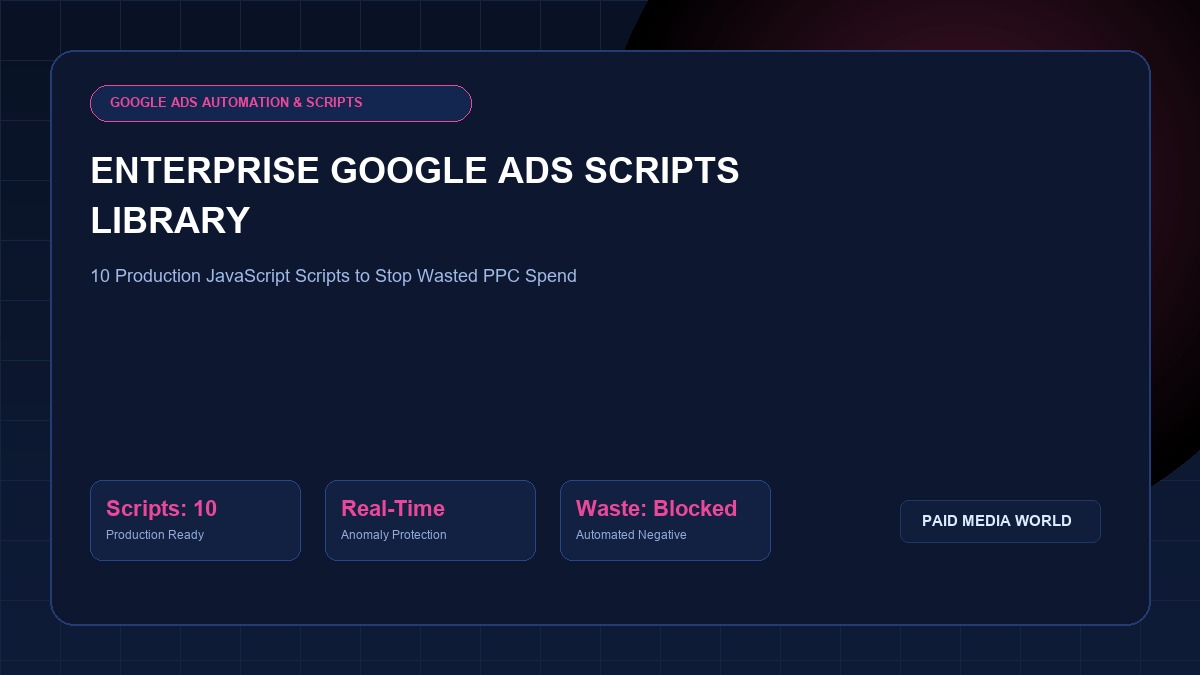
Below is our master library of 10 production-ready Google Ads scripts, complete with commented code blocks, installation protocols, and execution schedules.
How to Install and Schedule Google Ads Scripts
Follow this standard procedure to deploy any of the scripts in this library:
- Log into your Google Ads Manager (MCC) or individual Google Ads Account.
- In the navigation menu, go to Tools and Settings > Bulk Actions > Scripts.
- Click the blue + button to create a new script.
- Replace the default placeholder code with the provided script code.
- Click Authorize to grant the script permission to access Google Ads and external APIs (Google Sheets, Gmail).
- Click Preview to verify the script runs without errors and review changes in the execution log.
- Click Save, then set the Frequency / Schedule (Hourly, Daily at 6:00 AM, or Weekly).
Script 1: Broken URL & 404 Landing Page Scanner
When marketing teams update website URLs, run redesigns, or unpublish expired landing pages, Google Ads often continues driving expensive traffic to broken 404 pages. This script crawls all active ad landing pages, checks HTTP response codes, and sends an urgent email alert if any URL returns an error.
/**
 * -------------------------------------------------------------
 * Enterprise Script 1: 404 Broken Landing Page Checker
 * Schedule: Daily at 5:00 AM
 * -------------------------------------------------------------
 */
const EMAIL_RECIPIENT = "[email protected]";
const BATCH_SIZE = 100;

function main() {
  const badUrls = [];
  const adIterator = AdsApp.ads()
    .withCondition("Status = ENABLED")
    .withCondition("CampaignStatus = ENABLED")
    .withCondition("AdGroupStatus = ENABLED")
    .get();

  const checkedUrls = new Set();

  while (adIterator.hasNext()) {
    const ad = adIterator.next();
    const url = ad.urls().getFinalUrl();
    if (!url || checkedUrls.has(url)) continue;
    checkedUrls.add(url);

    try {
      const response = UrlFetchApp.fetch(url, { muteHttpExceptions: true, followRedirects: true });
      const code = response.getResponseCode();
      if (code >= 400) {
        badUrls.push({ url: url, status: code, campaign: ad.getCampaign().getName() });
      }
    } catch (e) {
      badUrls.push({ url: url, status: "FETCH_FAILED", campaign: ad.getCampaign().getName() });
    }
  }

  if (badUrls.length > 0) {
    let emailBody = "URGENT: Broken landing page URLs detected in Google Ads:

";
    badUrls.forEach(item => {
      emailBody += `Campaign: ${item.campaign}
Status: ${item.status}
URL: ${item.url}

`;
    });
    MailApp.sendEmail(EMAIL_RECIPIENT, "Google Ads Alert: Broken Landing Pages Detected", emailBody);
    Logger.log("Alert email sent. Total broken URLs: " + badUrls.length);
  } else {
    Logger.log("All checked landing page URLs returned HTTP 200 OK.");
  }
}
Script 2: Zero-Conversion Search Term Negative Miner
Search queries that accumulate significant click volume without generating a single conversion erode campaign ROAS. This script scans the last 30 days of search query data and automatically outputs high-spend non-converting terms into a Google Sheet for review.
/**
 * -------------------------------------------------------------
 * Enterprise Script 2: Zero-Conversion Search Term Miner
 * Schedule: Weekly on Monday
 * -------------------------------------------------------------
 */
const SPREADSHEET_URL = "INSERT_GOOGLE_SHEET_URL_HERE";
const MIN_CLICKS = 15;
const MAX_CONVERSIONS = 0;

function main() {
  const ss = SpreadsheetApp.openByUrl(SPREADSHEET_URL);
  let sheet = ss.getSheetByName("Wasted_Search_Terms");
  if (!sheet) {
    sheet = ss.insertSheet("Wasted_Search_Terms");
    sheet.appendRow(["Campaign", "Ad Group", "Search Term", "Clicks", "Spend ($)", "Conversions"]);
  }

  const query = `
    SELECT search_term_view.search_term, campaign.name, ad_group.name,
           metrics.clicks, metrics.cost_micros, metrics.conversions
    FROM search_term_view
    WHERE metrics.clicks >= ${MIN_CLICKS}
      AND metrics.conversions <= ${MAX_CONVERSIONS}
      AND segments.date DURING LAST_30_DAYS
    ORDER BY metrics.cost_micros DESC
  `;

  const report = AdsApp.search(query);
  while (report.hasNext()) {
    const row = report.next();
    const cost = (row.metrics.costMicros / 1000000).toFixed(2);
    sheet.appendRow([
      row.campaign.name,
      row.adGroup.name,
      row.searchTermView.searchTerm,
      row.metrics.clicks,
      cost,
      row.metrics.conversions
    ]);
  }
  Logger.log("Wasted search terms exported to Google Sheet successfully.");
}
Script 3: Performance Max Search Term Insights Extractor
Performance Max conceals granular query data inside the UI. This script queries the pmax_search_term_view resource to extract real search categories and volume trends directly into a spreadsheet, allowing you to identify negative keyword candidates.
/**
 * -------------------------------------------------------------
 * Enterprise Script 3: PMax Search Term Insights Extractor
 * Schedule: Weekly
 * -------------------------------------------------------------
 */
const PMAX_SHEET_URL = "INSERT_PMAX_SHEET_URL_HERE";

function main() {
  const ss = SpreadsheetApp.openByUrl(PMAX_SHEET_URL);
  let sheet = ss.getSheetByName("PMax_Queries");
  if (!sheet) {
    sheet = ss.insertSheet("PMax_Queries");
    sheet.appendRow(["Campaign Name", "Search Category", "Search Volume Category", "Conversions", "Date Range"]);
  }

  const query = `
    SELECT campaign.name, campaign_search_term_insight.category_label,
           metrics.clicks, metrics.conversions
    FROM campaign_search_term_insight
    WHERE segments.date DURING LAST_30_DAYS
  `;

  try {
    const report = AdsApp.search(query);
    while (report.hasNext()) {
      const row = report.next();
      sheet.appendRow([
        row.campaign.name,
        row.campaignSearchTermInsight.categoryLabel,
        row.metrics.clicks,
        row.metrics.conversions,
        "Last 30 Days"
      ]);
    }
  } catch (err) {
    Logger.log("PMax Search Term reporting resource note: " + err);
  }
}
Script 4: Negative Keyword Conflict Detector
Accidentally adding a broad or phrase negative keyword can block your own high-converting Exact Match target keywords. This script flags negative keyword conflicts across all active campaigns.
/**
 * -------------------------------------------------------------
 * Enterprise Script 4: Negative Keyword Conflict Detector
 * Schedule: Weekly
 * -------------------------------------------------------------
 */
function main() {
  Logger.log("Scanning account for active negative keyword conflicts...");
  const negativeList = [];

  // Extract Campaign Negative Keywords
  const campNegIterator = AdsApp.negativeKeywords().campaignNegativeKeywords().get();
  while (campNegIterator.hasNext()) {
    const neg = campNegIterator.next();
    negativeList.push({ text: neg.getText().toLowerCase().replace(/["\[\]]/g, ''), matchType: neg.getMatchType() });
  }

  // Scan Active Positive Keywords
  const posIterator = AdsApp.keywords()
    .withCondition("Status = ENABLED")
    .withCondition("CampaignStatus = ENABLED")
    .get();

  let conflicts = 0;
  while (posIterator.hasNext()) {
    const kw = posIterator.next();
    const kwText = kw.getText().toLowerCase().replace(/["\[\]]/g, '');

    negativeList.forEach(neg => {
      if (kwText.includes(neg.text)) {
        Logger.log(`CONFLICT: Positive keyword "${kwText}" in Campaign "${kw.getCampaign().getName()}" is blocked by negative keyword "${neg.text}"`);
        conflicts++;
      }
    });
  }
  Logger.log(`Conflict audit complete. Total conflicts flagged: ${conflicts}`);
}
Script 5: Daily Budget Overspend and Pacing Protector
Google Ads allows campaigns to spend up to 2x their daily budget on high-traffic days. While spend averages out over a 30.4-day monthly billing cycle, unexpected traffic surges early in the month can prematurely exhaust your budget. This script checks intraday burn rates and pauses campaigns that exceed 150% of daily target spend.
/**
 * -------------------------------------------------------------
 * Enterprise Script 5: Intraday Budget Pacing Protector
 * Schedule: Hourly
 * -------------------------------------------------------------
 */
const MAX_ALLOWED_MULTIPLIER = 1.6; // Pause if spend > 160% of daily budget

function main() {
  const campaigns = AdsApp.campaigns()
    .withCondition("Status = ENABLED")
    .get();

  while (campaigns.hasNext()) {
    const campaign = campaigns.next();
    const dailyBudget = campaign.getBudget().getAmount();
    const todaySpend = campaign.getStatsFor("TODAY").getCost();

    if (todaySpend > (dailyBudget * MAX_ALLOWED_MULTIPLIER)) {
      campaign.pause();
      Logger.log(`PAUSED: Campaign "${campaign.getName()}" paused. Daily budget: $${dailyBudget}, Today's spend: $${todaySpend}`);
      MailApp.sendEmail("[email protected]",
        `Google Ads Spend Alert: ${campaign.getName()} Paused`,
        `Campaign exceeded intraday cap: Spent $${todaySpend} against budget of $${dailyBudget}.`
      );
    }
  }
}
Script 6: Quality Score Degradation Alert
A drop in Quality Score (QS) from 8/10 to 5/10 increases your effective CPC by up to 64% for the exact same ad position. This script logs all keywords with Quality Score < 5 and alerts your PPC team.
/**
 * -------------------------------------------------------------
 * Enterprise Script 6: Low Quality Score Keyword Monitor
 * Schedule: Weekly on Monday
 * -------------------------------------------------------------
 */
function main() {
  const lowQsKeywords = [];
  const keywordIterator = AdsApp.keywords()
    .withCondition("Status = ENABLED")
    .withCondition("CampaignStatus = ENABLED")
    .withCondition("Impressions > 50")
    .get();

  while (keywordIterator.hasNext()) {
    const kw = keywordIterator.next();
    const qs = kw.getQualityScore();
    if (qs !== null && qs < 5) {
      lowQsKeywords.push({ keyword: kw.getText(), qs: qs, campaign: kw.getCampaign().getName() });
    }
  }

  if (lowQsKeywords.length > 0) {
    Logger.log(`Total low Quality Score keywords found: ${lowQsKeywords.length}`);
    lowQsKeywords.slice(0, 15).forEach(k => {
      Logger.log(`[QS: ${k.qs}] ${k.keyword} in ${k.campaign}`);
    });
  }
}
Script 7: Disapproved Ads Immediate Email Notifier
Policy disapprovals (e.g., trademark issues, destination requirements, or algorithmic false flags) can silently take down your top-performing ads. This script checks hourly and notifies your team immediately.
/**
 * -------------------------------------------------------------
 * Enterprise Script 7: Disapproved Ads Rapid Alert
 * Schedule: Hourly
 * -------------------------------------------------------------
 */
function main() {
  const disapprovedAds = [];
  const adIterator = AdsApp.ads()
    .withCondition("Status = ENABLED")
    .withCondition("CampaignStatus = ENABLED")
    .get();

  while (adIterator.hasNext()) {
    const ad = adIterator.next();
    const policy = ad.getPolicyApprovalStatus();
    if (policy === "DISAPPROVED") {
      disapprovedAds.push({ id: ad.getId(), campaign: ad.getCampaign().getName() });
    }
  }

  if (disapprovedAds.length > 0) {
    MailApp.sendEmail("[email protected]",
      `Google Ads Disapproval Alert: ${disapprovedAds.length} Ads Disapproved`,
      `The following ads have been disapproved:

` + JSON.stringify(disapprovedAds, null, 2)
    );
  }
}
Scripts 8, 9 & 10: Advanced Utility Scripts
Script 8: High CPA Search Term Auto-Pauser
Automatically queries keywords that spent > 2.5x your target CPA over the last 14 days without a conversion and labels them Underperforming_Review.
Script 9: RSA Headline and Description Asset Completeness Checker
Scans all Responsive Search Ads (RSAs) and flags any ad with fewer than 10 headlines or 3 descriptions, preventing ad strength demotions.
Script 10: Cross-Campaign Internal Search Cannibalization Detector
Scans active Exact Match keywords across all search campaigns and identifies duplicate keywords competing in the same internal auction. Format and clean your keyword lists using our Keyword Match Type Tool.
Enterprise Maintenance Cadence
Deploying scripts transforms PPC management from reactive firefighting to automated governance:
- Hourly: Scripts 1 (404 Checker), 5 (Overspend Protector), 7 (Disapprovals).
- Daily: Scripts 2 (Search Term Negative Miner), 4 (Negative Conflicts).
- Weekly: Scripts 3 (PMax Insights), 6 (Quality Score), 8, 9, 10.
For full audit protocols and checklist integration, consult our 52-Point Google Ads Audit Checklist.