
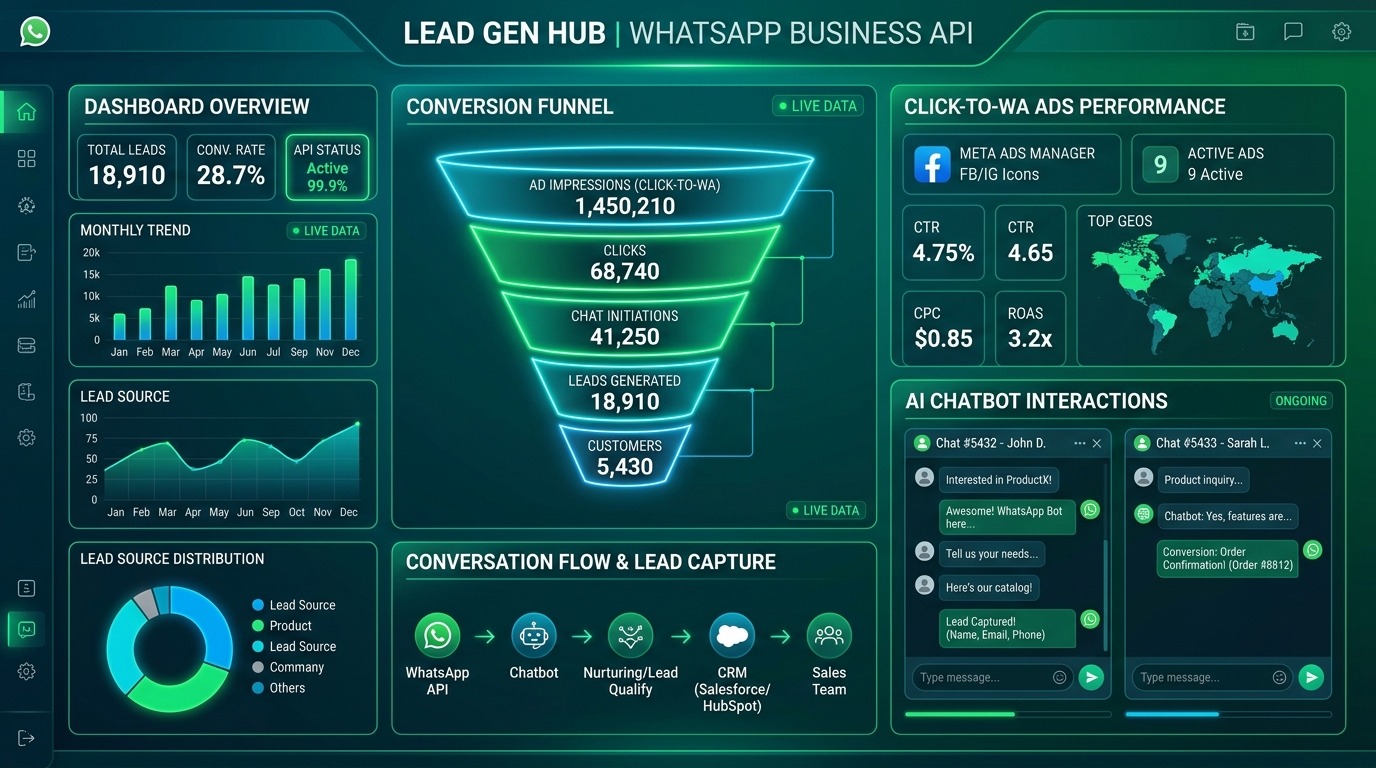
Traditional mobile lead capture suffers from landing page latency and form abandonment rates that routinely exceed 80%. Click-to-WhatsApp advertising bypasses landing pages entirely, routing prospective buyers directly into interactive conversational flows. Pairing Meta ad inventory with WhatsApp Business API automation accelerates lead qualification from days to seconds. In this tactical guide, explore automated chat flows, ad campaign architecture, and conversion mathematics to maximize qualified lead volume.
Table of Contents
- 1. The Economics of CTWA vs. Static Landing Page Forms
- 2. Step-by-Step CTWA Setup in Meta Ads Manager
- 3. WhatsApp Business API Automation & Chatbot Flows
- 4. Industry Use-Cases: D2C, Real Estate, Education & Services
- 5. Compliance, Opt-In Rules, and Message Template Approvals
- 6. WhatsApp Lead Generation KPI & Benchmark Matrix
- 7. Frequently Asked Questions
1. The Economics of CTWA vs. Static Landing Page Forms
Traditional digital advertising relies on a linear funnel: an ad impression triggers a click to an external landing page, where a visitor must fill out a contact form. In mobile-first markets, this funnel suffers from severe friction. Page load latency, intrusive pop-ups, and lengthy form fields result in an average 60% to 75% landing page drop-off rate. Furthermore, even when a user submits a form, sales teams face a low connect rate—often calling 24 hours later only to find that the prospect has forgotten their inquiry.
Click-to-WhatsApp (CTWA) ads eliminate the landing page entirely. When a user clicks your Facebook or Instagram ad, Meta instantly opens the native WhatsApp application on their phone with a pre-filled greeting message. This eliminates web loading times and friction, yielding dramatic improvements across core unit economics:
$$ ext{CPQL} = rac{ ext{Ad Spend}}{ ext{Total Conversations Initiated} imes ext{Qualification Rate}}$$
For example, if you spend $1,000 on a traditional lead gen campaign generating 200 clicks, a 10% landing page conversion rate yields 20 leads at a Cost Per Lead (CPL) of $50.00. However, if only 30% of those leads answer the phone, your true Cost Per Contacted Lead is $166.67. With CTWA ads, spending $1,000 might generate 180 started chats (an 90% conversation initiation rate). If your automated chatbot qualifies 50% of those chats, you secure 90 pre-qualified, instantly connected leads at a true CPQL of $11.11. This 15x reduction in contact costs makes CTWA ads the dominant format for regional markets like whatsapp ads india campaigns.
Additionally, Meta offers an important financial incentive: the 72-Hour Free Conversation Window. When a user initiates a WhatsApp chat by clicking a CTWA ad, Meta waives all WhatsApp Business API conversation charges for the next 72 hours. This allows your business to send automated follow-up messages, product catalogs, and qualifying questionnaires without incurring per-message messaging fees.
2. Step-by-Step CTWA Setup in Meta Ads Manager
Executing a flawless ctwa campaign setup requires specific configurations inside Meta Business Manager. Follow this step-by-step procedure to launch your first campaign:
- Link WhatsApp Business Profile: Open Meta Business Settings, navigate to Accounts > WhatsApp Accounts, and click Add. Enter your verified WhatsApp Business phone number or your WhatsApp Business API provider credentials. Complete the OTP verification to connect the number to your Meta Business Manager.
- Connect Facebook Page: Go to your Facebook Business Page settings, select Linked Accounts, choose WhatsApp, and associate the verified number with your primary page.
- Initiate Campaign Creation: Open Meta Ads Manager and click the ‘+ Create’ button. Select either the Engagement objective (ideal for maximizing total chat volume) or the Leads objective (ideal if you want Meta’s machine learning to optimize for qualified lead submissions).
- Configure Conversion Location: In the Ad Set settings under the Conversion section, select ‘Messaging Apps’ as your conversion location. Set the ad type to ‘Click to Message.’
- Isolate Messaging Destinations: Under the Messaging Apps selection list, select **WhatsApp only**. Uncheck Messenger and Instagram Direct. Unchecking other channels ensures all incoming lead data consolidates into a single WhatsApp CRM pipeline.
- Audience & Budget Allocation: Define your geographic and interest targeting. For broad lead generation in competitive regions, maintain an audience size between 2 Million and 8 Million. Set a daily budget that allows for at least 20 to 30 completed conversations per day to accelerate the machine learning phase.
- Ad Creative & CTA Button: Upload high-converting visual assets (square 1:1 or vertical 9:16 video/images). In the Call-to-Action dropdown, select ‘Send WhatsApp Message.’ Ensure your ad copy clearly explains why the user should message you (e.g., ‘Click Send Message to download our 2026 pricing brochure instantly on WhatsApp’).
- Configure Automated Welcome Message: In the Message Template section, click Edit. Create a welcoming opening prompt (e.g., ‘Hi! Thanks for reaching out. How can we assist your project today?’). Add 3 interactive Quick Reply buttons (e.g., ‘Request Quote,’ ‘Book Consultation,’ ‘Speak to Agent’).
Mapping Offline Conversions via CAPI & Webhooks
To train Meta’s machine learning algorithm to deliver higher-quality chat initiations, you must feed sales status updates back to Meta Ads Manager using the Conversions API (CAPI) or Offline Event Sets. When a lead qualified by your WhatsApp chatbot completes an offline purchase or books a paid consultation, your API platform sends a Webhook event back to Meta containing hashed user parameters (phone, email, fbclid). This closed-loop attribution allows Meta to optimize your click to whatsapp ads lead generation campaigns specifically for users with high lifetime customer value rather than generic chat starters.
Following this structured procedure guarantees that your campaign passes Meta’s ad review quickly while providing an interactive experience for incoming prospects.
3. WhatsApp Business API Automation & Chatbot Flows
While small businesses can run CTWA ads using the standard WhatsApp Business app, scaling requires integrating the WhatsApp Business API. Relying on manual human responses to handle hundreds of daily ad clicks leads to response delays, burnt-out agents, and lost revenue. By pairing CTWA ads with API automation tools (such as Wati, Interakt, Yellow.ai, or custom Webhook integrations), you create an automated 24/7 lead qualification engine.
When a prospect clicks your ad and taps ‘Send Message,’ your API chatbot initiates an automated conversation workflow. Here is the recommended 4-step automated lead scoring flow:
[User Clicks Ad] ➔ Opens WhatsApp with text: “Hi, I’d like to get a quote”
│
├── Step 1: Automated Greeting & Consent
│ └── Bot: “Welcome to Apex Construction! May we ask 2 quick questions to calculate your quote?” [Yes, let’s start] / [No thanks]
│
├── Step 2: Project Type Qualification (List Menu)
│ └── Bot: “What type of project are you planning?”
│ ├── Option A: Residential Renovation
│ ├── Option B: Commercial Build
│ └── Option C: Architectural Design
│
├── Step 3: Budget Range Qualification (Quick Buttons)
│ └── Bot: “What is your estimated budget?”
│ ├── Button 1: Under $25,000 (Low Priority Tag)
│ ├── Button 2: $25,000 – $100,000 (Medium Priority Tag)
│ └── Button 3: $100,000+ (High Priority Tag ➔ Instant Agent Alert)
│
└── Step 4: Live Agent Hand-off / Scheduling
└── Bot: “Thank you! A senior project manager is assigned. Click below to pick a time for your site inspection.” [Calendar Link]
CRM Integration Blueprints: HubSpot, Salesforce & Zoho
Connecting your whatsapp business api marketing pipeline directly into your central CRM ensures seamless sales pipeline synchronization. Modern API tools provide native integrations with enterprise CRMs:
- HubSpot Integration: When a new user initiates a chat, a contact record is automatically created in HubSpot. Chat transcripts are logged directly to the contact timeline, and property fields (such as ‘Project Budget’ or ‘Lead Score’) are updated based on automated bot answers.
- Salesforce Sales Cloud: High-priority lead tags inside WhatsApp trigger instant Lead object creation in Salesforce. Task assignments are auto-routed to regional account executives based on zip code attributes collected during the chat flow.
- Zoho CRM Automation: Outbound WhatsApp messaging templates are triggered automatically whenever a deal stage changes in Zoho CRM (e.g., sending a payment confirmation template when a deal moves to ‘Closed Won’).
Establishing these automated data pipelines removes manual data entry, eliminating sales delay and maintaining clean lead attribution metrics across your organization.
This automated flow ensures that prospects are pre-screened within 45 seconds of clicking your ad. High-value leads tagged as ‘$100,000+’ trigger instant desktop notifications or SMS alerts to your live sales team, allowing agents to step into the WhatsApp chat directly and close the deal while intent is fresh. For a deeper understanding of how modern CRM automation integrates with performance marketing campaigns, see our comprehensive B2B lead generation guide.
4. Industry Use-Cases: D2C, Real Estate, Education & Services
The versatility of click to whatsapp ads lead generation makes it applicable across diverse business verticals. Below are proven implementation frameworks for major industries:
1. Indian D2C E-Commerce & Retail
In the competitive Indian D2C market, CTWA ads are transforming customer acquisition. Rather than sending shoppers to a website product page, D2C brands run CTWA video ads featuring product demonstrations. When shoppers click, the WhatsApp bot presents an interactive Multi-Product Catalog. Users can browse items, select sizes, and complete Cash-on-Delivery (COD) or UPI payment links natively within the chat. This workflow increases purchase conversion rates by up to 35% compared to web checkouts.
2. Real Estate & Construction
Real estate buyers demand immediate information but rarely answer unknown phone calls. By running CTWA ads featuring floor plans and virtual tours, property developers invite buyers to ‘Request PDF Brochure on WhatsApp.’ Once the chat initiates, the bot delivers the PDF instantly, collects the buyer’s timeline and budget, and books a site visit directly on the sales calendar.
3. Education & Online Courses
Higher education institutions and EdTech platforms use CTWA ads to replace traditional landing page inquiry forms. Students clicking an ad for a professional certification program receive an automated syllabus document and can instantly chat with an academic advisor. This conversational channel increases course enrollment rates while cutting cost-per-enrolled-student by over 40%.
4. B2B Services & Consultancies
For B2B service providers, CTWA ads serve as a fast audit intake portal. Ads offering a ‘Free 15-Minute Ad Account Audit’ lead directly into a WhatsApp intake chat, where prospects answer 3 diagnostic questions before scheduling a Zoom strategy session. For insights on structuring high-converting landing pages and CTAs across digital campaigns, read our master CRO guide.
5. Compliance, Opt-In Rules, and Message Template Approvals
To maintain your WhatsApp Business API account in good standing, you must comply with strict privacy policies and message template regulations enforced by Meta and WhatsApp. Failing to follow compliance rules can lead to phone number quality downgrades or account suspensions.
1. User Opt-in Guidelines
When a user initiates a conversation by clicking a CTWA ad, they provide implicit consent for your business to respond to that specific inquiry within the 72-hour window. However, if you plan to send future promotional broadcasts, product updates, or newsletters beyond the immediate conversation window, you must secure explicit opt-in consent during the chatbot flow (e.g., ‘Check this box to receive weekly special offers on WhatsApp’).
2. Message Template Approval Rules
Any outbound message sent by your business outside the active 24-hour customer service window must utilize a pre-approved Message Template. Meta categorizes message templates into three tiers:
- Utility Templates: Messages confirming transactions, order updates, or appointment reminders.
- Authentication Templates: One-time passcodes (OTPs) for account login and security verification.
- Marketing Templates: Promotional offers, product announcements, or re-engagement broadcasts.
Ensure that your marketing templates do not contain misleading claims, prohibited items (such as weapons, pharmaceuticals, or adult content), or aggressive language. Submitting well-formatted templates with clear variable placeholders (e.g., {{1}} for customer name) ensures rapid approval by Meta’s automated compliance scanners.
6. WhatsApp Lead Generation KPI & Benchmark Matrix
To help you benchmark your CTWA ad campaigns against industry standards, review the performance matrix below:
| Performance Metric | Traditional Form Landing Page | Click-to-WhatsApp (CTWA) Funnel |
|---|---|---|
| Click-to-Conversation Rate | 10% – 20% (Form fill rate). | 80% – 92% (Native chat initiation). |
| Average Lead Connect Rate | 25% – 40% (Phone call reach rate). | 100% (Instant active messaging window). |
| Average Lead Response Time | 4 to 24 Hours. | Instant (< 45 seconds via API bot). |
| Messaging API Fee Waiver | N/A (Standard SMS/Email costs). | 72-Hour Free Conversation Window. |
| Cost Per Contacted Lead | High (Expensive call wastage). | Low (60% – 80% reduction vs forms). |
50 Marketing Calculators Hub
Calculate Break-Even ROAS, Target CPA, Blended MER, and CAC Payback periods with our deterministic growth engineering tools.
WhatsApp Business API + Click-to-WhatsApp Ads: Frequently Asked Questions
What are Click-to-WhatsApp (CTWA) ads?
Click-to-WhatsApp ads are Facebook and Instagram ad formats featuring a ‘Send WhatsApp Message’ call-to-action button. When clicked, the ad opens a native WhatsApp chat directly on the user’s phone, initiating a direct conversation with your business.
How do I set up click to whatsapp ads lead generation in Meta Ads Manager?
To set up CTWA ads, open Meta Ads Manager, select the Engagement or Leads objective, set your conversion location to ‘Messaging Apps,’ choose WhatsApp as your destination, connect your verified WhatsApp Business API number, and configure your welcome message template.
What is the benefit of WhatsApp Business API over regular WhatsApp?
The WhatsApp Business API allows businesses to automate response flows with AI chatbots, integrate multi-agent team inboxes, connect CRM databases, send automated broadcast campaigns, and scale to thousands of daily conversations without account bans.
What is Meta’s 72-Hour Free Conversation Window for CTWA ads?
When a user initiates a WhatsApp chat by clicking a CTWA ad, Meta waives all WhatsApp Business API messaging fees for the next 72 hours, allowing your business to follow up and qualify the prospect for free.
Can I track conversions from CTWA ads in Meta Ads Manager?
Yes. Meta tracks ‘Messaging Conversations Started’ and ‘Qualified Conversations’ automatically. By sending offline conversion events or CAPI updates back to Meta when a lead converts, you train Meta’s machine learning algorithm to optimize for high-value purchasers.
Which industries perform best with Click-to-WhatsApp ads?
CTWA ads perform exceptionally well for Indian D2C e-commerce brands, real estate developers, education and EdTech course providers, financial services, healthcare clinics, and B2B consultancies.
How do I automate lead qualification inside WhatsApp?
Connect your WhatsApp Business API number to a chatbot platform like Wati or Interakt. Build a multi-step flow using interactive list menus and quick reply buttons to collect the prospect’s budget, project timeline, and specific service interest before alerting live agents.
Are Click-to-WhatsApp ads cheaper than website lead form ads?
While the initial cost-per-click may be similar, CTWA ads deliver a significantly lower Cost Per Contacted Lead because over 80% of clickers initiate a conversation, compared to a 10-15% form fill rate on traditional landing pages.
What call-to-action (CTA) button should I use for CTWA ads?
Use the native ‘Send WhatsApp Message’ or ‘Chat with Us’ CTA button in Meta Ads Manager, and reinforce this in your ad copy by stating clearly what content or offer the user will receive inside the chat.
How do I prevent spam inquiries on WhatsApp ads?
Implement an automated qualification bot as your welcome message flow. Force prospects to answer 2 qualifying questions before displaying phone numbers or connecting a live sales agent. Unqualified users can be routed to automated FAQ resources.
Can I send product catalogs directly inside a WhatsApp ad chat?
Yes. By uploading your product feed to Meta Commerce Manager and linking it to your WhatsApp Business API account, your chatbot can showcase interactive product catalogs and collect direct orders inside the conversation window.
Is user consent required for WhatsApp marketing messages?
For the initial 72-hour conversation started by a CTWA ad, consent is implicit for that inquiry. However, for ongoing broadcast campaigns or newsletters, explicit opt-in consent must be collected within the chat flow.
How do I integrate Meta Conversions API (CAPI) with WhatsApp ads?
To integrate CAPI, connect your WhatsApp Business API provider (like Wati or Interakt) to Meta Events Manager via Zapier, Make, or custom Server-Side Webhooks. Configure events to send a ‘Lead’ or ‘Purchase’ event to Meta whenever a chat lead transitions to a qualified opportunity in your CRM.
Can I target specific geographic regions with CTWA ads?
Yes. In Meta Ads Manager, you can target specific countries, states, cities, or zip codes. For localized campaigns in markets like India, CTWA ads can be targeted down to specific metro areas, ensuring incoming chats route to regional sales desks fluent in local languages.
How does WhatsApp Business API handle multi-agent customer support?
The WhatsApp Business API supports multi-agent customer support by providing a shared team inbox. Once an ad click lead is qualified by the chatbot, the conversation is automatically assigned to an active sales agent based on availability, language, or territory attributes. Managers can track agent response times, resolution rates, and conversation logs within a centralized dashboard.
Can I run Click-to-WhatsApp ads without a website?
Yes! One of the primary advantages of CTWA ads is that they do not require a landing page or website. Ads run directly on Instagram or Facebook feeds, and clicks open native WhatsApp chats, making CTWA ideal for local service businesses and regional brands that want to bypass web development costs entirely.
What is the recommended audience size for Click-to-WhatsApp ads?
The recommended broad audience size for Click-to-WhatsApp ad campaigns in Meta Ads Manager is between 2 Million and 8 Million users. Maintaining a broad audience allows Meta’s machine learning algorithm to optimize ad delivery across high-converting segments while avoiding rapid ad fatigue.
WhatsApp Business API Lead Generation for Education & University Enrollments
For educational institutions, edtech platforms, and universities, Click-to-WhatsApp ads integrated with the WhatsApp Business API deliver 4x higher lead conversion rates compared to traditional website landing page forms.
Automated WhatsApp chatbots qualify prospective students instantly by asking curriculum preferences, entrance exam scores, and budget parameters before routing qualified candidates to admissions counselors in real time.
WhatsApp Business API + Click-to-WhatsApp Ads: Strategic Summary & Conclusion
Switching your mobile acquisition funnel to click to whatsapp ads lead generation is one of the most effective strategies for cutting lead acquisition costs and boosting sales response speeds in 2026. By linking your WhatsApp Business API, configuring clean campaign objectives in Meta Ads Manager, and deploying automated lead-scoring chatbots, you transform paid ad clicks into revenue-generating conversations. Audit your ad funnels today to replace friction-filled forms with seamless WhatsApp interactions.
Need a professional paid media audit to optimize your ad setup and increase your ad revenues? Connect with our performance specialists today. We provide detailed, data-backed monetization audits and technical optimizations to ensure your digital properties grow profitably.