
In an era dominated by Apple’s App Tracking Transparency (ATT), Safari Intelligent Tracking Prevention (ITP), Chrome third-party cookie restrictions, and fragmented multi-device buyer journeys, relying on standard single-touch attribution is the quickest way to misallocate hundreds of thousands of dollars in ad spend.
When media buyers evaluate campaigns using Last-Click attribution, they systematically starve top-of-funnel discovery channels—such as YouTube Ads, Meta prospecting, TikTok, and programmatic display—while over-crediting branded search and bottom-of-funnel retargeting.
Implementing fractional attribution and modern marketing attribution modeling is no longer an academic luxury for enterprise data science teams; it is the fundamental operational framework required to unlock true incrementality, optimize capital allocation, and prove marketing revenue contribution.
- The Fallacy of Last-Click: Last-touch attribution credits 100% of revenue to the final converting touchpoint, blinding advertisers to the 4 to 12 preceding impressions that originally created the demand.
- Fractional Attribution Mechanics: Divides conversion credit proportionally across the user journey using rule-based (Linear, Time-Decay, U-Shaped 40-20-40, W-Shaped) or statistical game-theory algorithms (Shapley Value and Markov Chain Transition Models).
- The Triangulated Measurement Stack: The gold standard in 2026 combines three complementary methodologies: Multi-Touch Fractional Attribution (MTA) for tactical digital touchpoint optimization, Marketing Mix Modeling (MMM via Meta Robyn or Google Meridian) for macro cross-channel budget pacing, and Geo-Holdout Incrementality Lift Tests for scientific ground-truth calibration.
- Offline Conversions Tracking (OCT): Passing click identifiers (
GCLID,GBRAID,WBRAID, Metafbclid) through hidden form fields to CRM systems (HubSpot/Salesforce) and syncing qualified offline lifecycle stages (MQL → SQL → Closed-Won) back to ad platform APIs.
Marketing Attribution Modeling: MTA, MMM and: Table of Contents
- 1. The Collapse of Single-Touch Attribution & The Need for Fractional Credit
- 2. The Taxonomy of Marketing Attribution Models: Rule-Based vs. Algorithmic
- 3. Deep Dive: Shapley Value & Markov Chain Fractional Attribution
- 4. Multi-Touch Attribution (MTA) vs. Marketing Mix Modeling (MMM)
- 5. Offline Conversion Tracking (OCT) Architecture: Connecting CRM to Ad APIs
- 6. Building Custom Fractional Attribution in BigQuery & GA4 (SQL Blueprint)
- 7. Frequently Asked Questions (Attribution Modeling FAQ)
1. The Collapse of Single-Touch Attribution & The Need for Fractional Credit
For over two decades, digital marketing operated on the naive assumption that whoever got the last click deserved 100% of the financial credit.
If a potential enterprise software customer watches a YouTube brand video on mobile, reads a LinkedIn thought leadership teardown on desktop, visits the website via non-brand organic search, and finally converts two weeks later by typing your company name into Google and clicking a Branded Search ad, Last-Click attribution awards 100% of that $50,000 deal to Branded Search.
This creates an insidious feedback loop:
- The marketing team sees astronomical ROAS on Branded Search and bottom-of-funnel retargeting.
- Budget is diverted away from YouTube, Meta prospecting, and top-of-funnel content distribution to fund more bottom-funnel ads.
- Over the subsequent 3 to 6 months, overall organic search demand dries up, branded search volume stagnates, and customer acquisition costs spike because no new prospects are entering the consideration funnel.
Fractional attribution solves this systemic distortion by breaking a single conversion into mathematical fractional values ($0.15 to YouTube, $0.35 to LinkedIn, $0.20 to Organic Search, $0.30 to Retargeting), rewarding channels based on their true contribution to driving user progression across the buying continuum.
2. The Taxonomy of Marketing Attribution Models: Rule-Based vs. Algorithmic
| Attribution Model | Model Type | Weight Distribution Logic | Best Use Case | Primary Blind Spot |
|---|---|---|---|---|
| First-Click | Single-Touch | 100% to first recorded touchpoint. | Pure brand awareness & new customer discovery. | Ignores all nurturing, sales enablement, and closing touchpoints. |
| Last-Click | Single-Touch | 100% to final recorded touchpoint. | Short, single-session impulse eCommerce purchases. | Massively over-weights brand search and retargeting channels. |
| Linear Fractional | Rule-Based Multi-Touch | Equal split (e.g., 25% each across 4 touchpoints). | General baseline multi-touch overview across balanced campaigns. | Assumes an accidental blog banner click is as valuable as a 45-min demo. |
| Time-Decay | Rule-Based Multi-Touch | Exponential half-life (e.g., 7-day half-life favoring recent touches). | B2B consideration cycles where recent momentum indicates buying readiness. | Deprecates original discovery channels on long 90-day sales cycles. |
| U-Shaped (Position-Based) | Rule-Based Multi-Touch | 40% First-Touch, 40% Lead-Creation, 20% distributed equally to middle touches. | Lead generation & SaaS where acquiring the contact info is the core milestone. | Arbitrary fixed percentage weights that do not adapt to individual journey variances. |
| W-Shaped Model | Rule-Based Multi-Touch | 30% First-Touch, 30% Lead-Creation, 30% Opportunity-Creation, 10% middle. | Enterprise B2B SaaS with dedicated Sales Qualified Opportunity milestones. | Still relies on subjective heuristics rather than algorithmic probability. |
| Data-Driven / Algorithmic | Statistical / Game Theory | Shapley Value & Markov Chains calculate true marginal lift per channel. | Enterprise high-spend portfolios ($100k+/mo) seeking mathematical accuracy. | Requires high volume of conversion paths and clean warehouse tracking. |
3. Deep Dive: Shapley Value & Markov Chain Fractional Attribution
Modern data-driven attribution models move beyond fixed percentages by using statistical algorithms to calculate the exact incremental contribution of every channel:
1. Shapley Value Attribution (Cooperative Game Theory)
Originally developed by Nobel laureate Lloyd Shapley, the Shapley Value model treats all marketing channels as "players" in a cooperative game where the "payoff" is the completed customer conversion.
The algorithm evaluates every possible permutation of channel combinations (e.g., Paid Search alone, Paid Search + Meta, Paid Search + LinkedIn + Meta, etc.) and compares conversion rates when a channel is present versus when it is omitted.
The difference represents that channel’s marginal contribution, ensuring that total credit distributed across channels equals exactly 100% of conversion revenue without double-counting.
2. Markov Chain Transition Modeling (The Removal Effect)
A Markov Chain models the user journey as a directed probabilistic graph, where each marketing interaction is a "state" and the edges represent the probability of moving from one state to the next (e.g., from YouTube Ad → Blog Post → Demo Request → Won Deal).
To measure a channel’s impact, the algorithm applies the Removal Effect: it simulates what would happen if that channel were completely removed from the ecosystem.
If removing YouTube Ads causes overall pipeline conversions to drop by 32%, YouTube receives 32% of the total attribution credit, regardless of whether it appeared as the first click or fifth click.
4. Multi-Touch Attribution (MTA) vs. Marketing Mix Modeling (MMM)
Marketers often mistakenly view Multi-Touch Attribution (MTA) and Marketing Mix Modeling (MMM) as competing methodologies. In reality, they operate at completely different analytical altitudes:
Multi-Touch Attribution (MTA)
- Data Source: User-level click logs, cookies, CRM identifiers, and UTM query parameters.
- Speed: Real-time or daily reporting.
- Strengths: Keyword-level, creative-level, and ad-set level optimization; granular path-to-purchase visualization.
- Weaknesses: Vulnerable to browser privacy blocks (Safari ITP, ad-blockers); cannot measure offline channels (podcasts, billboards, TV, word-of-mouth).
Marketing Mix Modeling (MMM)
- Data Source: Aggregated time-series spend by channel, revenue, seasonality, pricing changes, and macroeconomic indices.
- Speed: Weekly or monthly cadence.
- Strengths: 100% privacy-safe (zero cookies/user tracking); accounts for channel adstock decay, saturation diminishing returns, and offline media.
- Weaknesses: Requires 12–24 months of historical data; incapable of micro-optimizing individual ad creatives or search keywords.
The Modern Triangulated Stack: Use open-source MMM (such as Meta Robyn or Google Meridian) to set monthly budget allocations across high-level channels (e.g., $80k Google, $60k LinkedIn, $30k YouTube). Use MTA to optimize individual campaign assets and keywords within those channel allocations, and run periodic Geo-Holdout Lift Tests (turning off paid ads in 10% of designated market areas) to calibrate the models against actual ground truth.
5. Offline Conversion Tracking (OCT) Architecture: Connecting CRM to Ad APIs
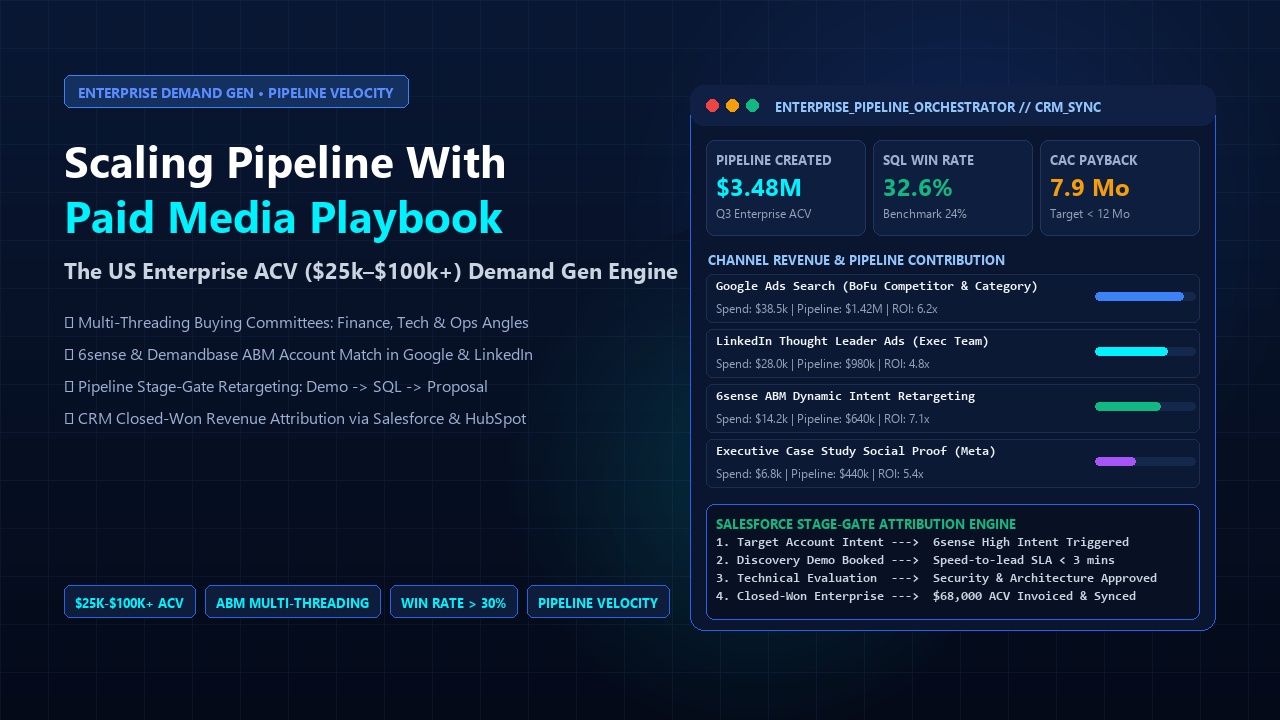
High-value conversions in lead generation and B2B SaaS rarely occur in the initial browser session. Contracts close weeks later inside a CRM. Without offline conversions tracking, ad platform bidding algorithms remain completely blind to which clicks generated profitable customers.
The 4-Step Technical Implementation Workflow
- Capture Click Identifiers: Configure Google Tag Manager (GTM) or lightweight JavaScript to extract the
gclid,gbraid,wbraid(Google), andfbclid(Meta) from URL query parameters on initial page load and store them inlocalStorageor first-party cookies for 90 days. - Pass to Hidden Form Fields: On every demo form, contact form, or sign-up modal, populate hidden HTML inputs (e.g.,
<input type="hidden" name="gclid">) with the stored click IDs alongside UTM parameters. - Sync with CRM Contact & Deal Records: When the form is submitted, your CRM (HubSpot, Salesforce, Pipedrive) maps these hidden values directly to custom properties on both the Contact and the Deal object.
- Automated Server-to-Server Webhook Upload: When a deal status advances to a key milestone (e.g.,
SQL,Opportunity, orClosed-Won), trigger a webhook to Google Ads Enhanced Conversions for Leads API and Meta Conversions API (CAPI), passing the original Click ID, conversion timestamp, and verified deal contract value.
6. Building Custom Fractional Attribution in BigQuery & GA4 (SQL Blueprint)
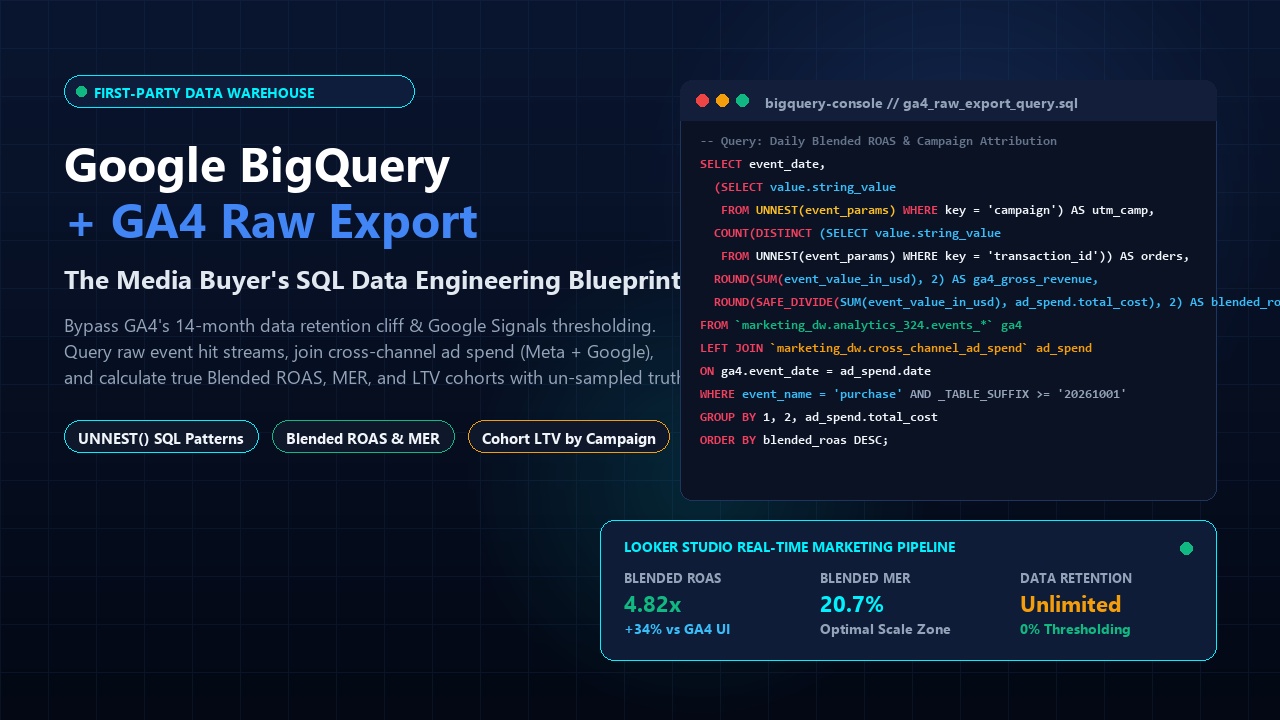
By leveraging the raw daily event export from Google Analytics 4 (GA4) into Google BigQuery, media buyers can build proprietary U-Shaped (40-20-40) fractional attribution models without paying tens of thousands of dollars for third-party black-box software:
WITH Touchpoints AS (
    SELECT
        user_pseudo_id,
        event_timestamp,
        traffic_source.source AS source,
        traffic_source.medium AS medium,
        ROW_NUMBER() OVER(PARTITION BY user_pseudo_id ORDER BY event_timestamp ASC) AS touch_rank,
        COUNT(*) OVER(PARTITION BY user_pseudo_id) AS total_touches
    FROM
        `your_project.analytics_123456789.events_*`
    WHERE
        event_name = 'session_start'
),
Conversions AS (
    SELECT
        user_pseudo_id,
        event_value_in_usd AS revenue,
        event_timestamp AS conversion_time
    FROM
        `your_project.analytics_123456789.events_*`
    WHERE
        event_name IN ('demo_booked', 'purchase')
)
SELECT
    t.source,
    t.medium,
    SUM(
        CASE
            WHEN t.total_touches = 1 THEN c.revenue
            WHEN t.total_touches = 2 THEN c.revenue * 0.50
            WHEN t.touch_rank = 1 THEN c.revenue * 0.40
            WHEN t.touch_rank = t.total_touches THEN c.revenue * 0.40
            ELSE c.revenue * (0.20 / (t.total_touches - 2))
        END
    ) AS attributed_fractional_revenue
FROM
    Touchpoints t
JOIN
    Conversions c ON t.user_pseudo_id = c.user_pseudo_id
GROUP BY
    1, 2
ORDER BY
    attributed_fractional_revenue DESC;
50 Marketing Calculators Hub
Calculate Break-Even ROAS, Target CPA, Blended MER, and CAC Payback periods with our deterministic growth engineering tools.
7. Frequently Asked Questions (Attribution Modeling FAQ)
What is fractional attribution in digital marketing?
Fractional attribution is a measurement methodology that assigns proportional financial credit to multiple touchpoints along a customer’s journey, rather than giving 100% of the credit to the first or last interaction. This prevents over-investing in bottom-funnel channels and provides accurate ROI on top-of-funnel discovery campaigns.
How does Shapley Value attribution differ from rule-based models?
Rule-based models (such as Linear or U-Shaped) rely on arbitrary human assumptions (e.g., "first touch gets 40%"). Shapley Value uses game theory algorithms to calculate the actual mathematical incrementality of each channel by comparing conversion rates across all historical touchpoint permutations where that channel was present versus absent.
Can small or mid-sized businesses use Marketing Mix Modeling (MMM)?
Traditionally, MMM required expensive consulting firms and $1M+ annual media spend. Today, open-source Bayesian frameworks like Meta Robyn and Google Meridian allow growth teams spending as little as $25,000 to $50,000 per month across multiple channels to run robust econometric models using Python or R.
Why is Offline Conversion Tracking (OCT) essential for B2B SaaS?
In B2B, a web form fill is merely an initial lead, not revenue. By uploading CRM deal stages (SQL, Opportunity, Closed-Won) back to Google Ads and Meta APIs via GCLID and hashed customer data, ad algorithms train on actual closed revenue rather than optimizing for cheap, unqualified lead volume.
Mathematical Attribution Breakdown: Shapley Value vs. Markov Chains
Rule-based attribution models (First Touch, Last Touch, Linear, Time Decay) are fundamentally flawed because they assign arbitrary weights to touchpoints regardless of actual conversion causality. Modern data-driven attribution (DDA) relies on game-theoretic and probabilistic algorithms:
Shapley Value (Cooperative Game Theory)
Treats every marketing channel as a "player" in a cooperative coalition. The marginal contribution of channel i is calculated across all possible subsets S:
phi_i = Sum [|S|!(n - |S| - 1)! / n!] * [v(S U {i}) - v(S)]
Used natively by Google Ads Data-Driven Attribution (DDA) to calculate incremental conversion lift.
Markov Chain (Removal Effect Model)
Models the customer journey as a state transition graph. The attribution credit for channel k is determined by calculating how total conversions drop when channel k is removed:
Removal Effect = 1 - [P(Conversion without k) / P(Conversion with k)]
Ideal for multi-channel B2B customer journeys with 10+ touchpoints across search, social, and webinars.
Syncing Offline CRM Revenue into Ad Networks
Attribution models that only measure online lead form submissions optimize toward volume rather than revenue. For high-ticket B2B SaaS and service businesses, upload offline conversion stages (Qualified Lead, Opportunity, Closed-Won Deal) back into Google Ads and Meta CAPI:
- Capture Google Click ID (
GCLID), Meta Click ID (FBCLID), and client IDs in hidden form fields upon submission. - Store click identifiers alongside CRM contact records in HubSpot or Salesforce.
- Deploy scheduled Google Ads Offline Conversion Imports (OCI) or use Google Tag Manager to push closed revenue values back into your ad accounts.
Reconcile blended customer acquisition costs with in-platform metrics using our complete guide to Media Buyer Marketing Formulas (ROAS, CAC, MER) and calculate break-even thresholds in our free Marketing Calculators Hub.