Paid Media World

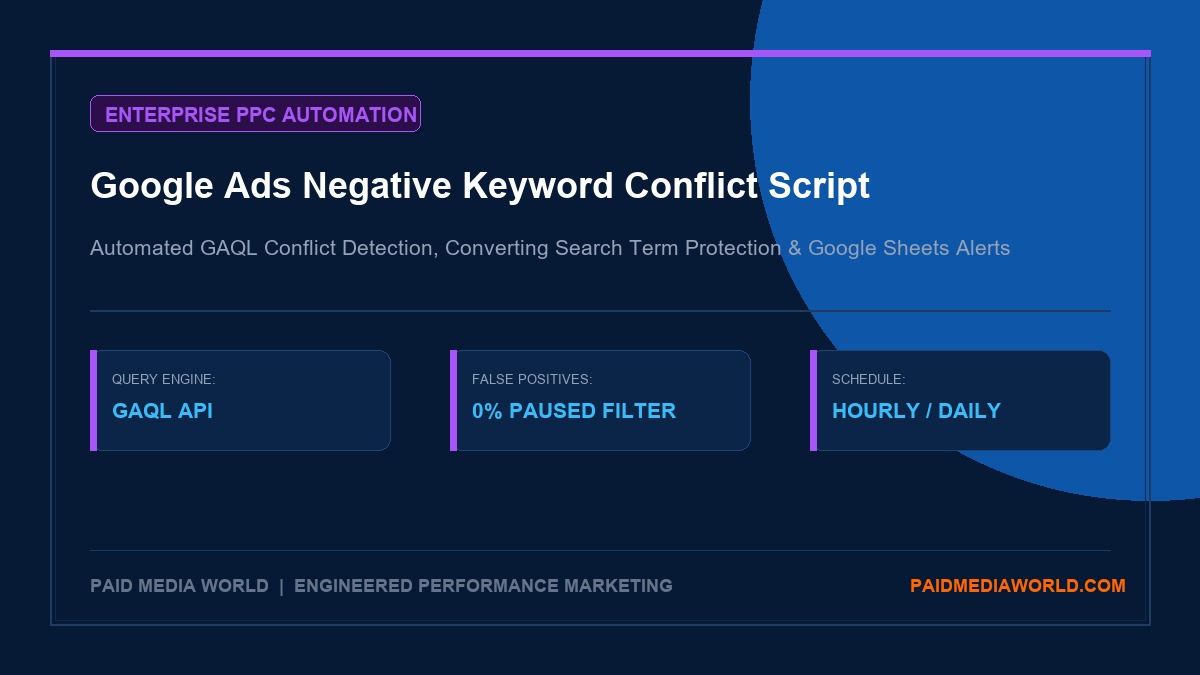
Google Ads Negative Keyword Conflict Script: Automated GAQL Anomaly Detection & Email Alerts

Deploy this enterprise GAQL Google Ads script to automatically detect conflicting negative keywords that block converting search terms. Features zero false posi

SN
By Subhranil Naskar
|November 13, 2026|9 min read|Fact-Checked & Audited
Sponsored Technical Insights
google ads negative keyword conflict script
## The Silent Budget Killer: How Negative Keyword Conflicts Cripple Conversion Volume Negative keywords are fundamental to maintaining profitable Google Ads campaigns. By pruning irrelevant, low-intent, or competitor traffic, negative match lists keep cost-per-click (CPC) under control and protect budget allocation. However, as Google Ads accounts scale across hundreds of ad groups, multi-tiered campaign structures, and shared account-level negative lists, a dangerous phenomenon frequently occurs: **The Negative Keyword Conflict**. ``` [Target Converting Positive Keyword] "enterprise crm software" | v (User Searches: "buy enterprise crm software") | x <--- [COLLISION: BLOCKED BY NEGATIVE LIST] | Negative Broad Match: "crm" or "software" v [AD AUCTION SUPPRESSED - ZERO IMPRESSIONS SERVED - REVENUE LOST] ``` A negative keyword conflict occurs when a negative keyword—added at the ad group level, campaign level, or via a shared negative list—inadvertently blocks one of your active, positive keywords or suppresses search terms that have historically driven revenue. The danger of negative keyword conflicts is insidious: 1. **Silent Suppression**: Unlike ad disapprovals or billing errors, Google Ads does not send account-level red banner warnings when a negative keyword blocks an auction. The affected positive keyword simply sees impression share drop to 0%, leaving media buyers baffled as to why a top-performing ad group suddenly died. 2. **Broad Match Overreach**: When team members add broad match negatives (e.g., negative broad `free`), they often fail to realize that Google treats negative broad match as an exact token match across any word order. A phrase like *"free shipping on premium leather shoes"* gets completely blocked, even though the intent was commercial. 3. **Multi-Manager Collisions**: In agency and enterprise environments where multiple media buyers or automated bid scripts touch an account, one manager might add a negative search term from a search query report that another manager explicitly targeted as an exact match in a dedicated alpha campaign. Official tools provided in Google's legacy script repositories are notoriously unreliable today. Most legacy scripts throw thousands of **false positives** because they scan paused campaigns, ended drafts, and archived ad groups. This guide provides the complete, modern **Google Ads Negative Keyword Conflict Script** built on the Google Ads Query Language (GAQL). It eliminates false positives, audits active campaigns and converting search queries, logs conflicts to Google Sheets, and dispatches instant email alerts to your team. --- ## Why Legacy Google Conflict Scripts Fail in 2026 If you search for negative keyword conflict scripts online, most articles link to Google's legacy JavaScript templates written between 2017 and 2021. When deployed in modern Google Ads accounts, these outdated scripts fail due to three architectural flaws: ### 1. Inability to Filter by Modern Campaign Serving Status Legacy scripts used deprecated `AdWordsApp.campaigns().withCondition()` selectors that lacked granular visibility into modern campaign states (e.g., Performance Max asset groups, experiments, demand gen). As a result, the script scans campaigns paused three years ago, floods your inbox with hundreds of irrelevant warnings, and trains media buyers to ignore notifications. ### 2. Failure to Distinguish Between Positive Keywords and Converting Search Terms A negative keyword conflict doesn't just happen against your explicitly targeted positive keywords. In modern Google Ads—where phrase match and broad match with Smart Bidding dominate—a negative keyword might not block any positive keyword token, but it might block **actual converting search queries** that Google's algorithm was routing into your account. Legacy scripts only compare positive keywords against negative keywords, leaving converting search terms unprotected. ### 3. Exceeding Script Execution Time Limits (30-Minute Timeout) Large enterprise accounts with over 50,000 keywords frequently cause legacy scripts to crash with an `Execution timed out after 30 minutes` error. Modern GAQL queries process data in vectorized streams, allowing the script to audit tens of thousands of keywords in under two minutes. --- ## Anatomy of the Modern GAQL Conflict Engine Our production script utilizes three targeted Google Ads Query Language (GAQL) streams to pinpoint conflicts with zero false positives: ``` +-----------------------------------------------------------------------------------+ | GAQL CONFLICT DETECTION ARCHITECTURE | +-----------------------------------------------------------------------------------+ STREAM 1: Positive Keywords (`ad_group_criterion`) - Filter: `campaign.status = 'ENABLED' AND ad_group.status = 'ENABLED'` - Filter: `ad_group_criterion.status = 'ENABLED' AND ad_group_criterion.negative = FALSE` - Output: Normalized positive keyword tokens with match type. | v STREAM 2: Active Negative Keywords (`campaign_criterion`, `ad_group_criterion`, `shared_set`) - Filter: `campaign.serving_status = 'SERVING'` - Scope: Ad group negatives + Campaign negatives + Shared Negative Lists. - Output: Negative keyword tokens categorized by match type (EXACT, PHRASE, BROAD). | v STREAM 3: Converting Search Queries (`search_term_view`) - Filter: `metrics.conversions > 0 AND segments.date DURING LAST_90_DAYS` - Output: High-value queries that must NEVER be blocked by negative lists. +-----------------------------------------------------------------------------------+ ``` ### Match Type Collision Logic Explained The conflict engine applies strict Google Ads matching rules to determine whether a conflict exists: * **Exact Match Collision (`[keyword]`)**: A negative exact match `[mens running shoes]` blocks a positive keyword ONLY if the positive query is identically `mens running shoes`. It does NOT block `best mens running shoes`. * **Phrase Match Collision (`"keyword"`)**: A negative phrase match `"running shoes"` blocks any positive keyword that contains `running shoes` in that contiguous order, such as `buy running shoes online` or `cheap running shoes`. * **Broad Match Collision (`keyword`)**: A negative broad match `running shoes` blocks any positive keyword that contains BOTH words (`running` AND `shoes`), regardless of order or intervening words (e.g., `shoes for trail running`). --- ## The Production Script: Copy-Paste Single-Account Script Deploy this complete, ready-to-run script directly inside your Google Ads account. ### How to Install: 1. Log into your **Google Ads** account. 2. In the top navigation, click **Tools and settings** (wrench icon) > **Bulk actions** > **Scripts**. 3. Click the blue plus button (**+**) to create a new script. 4. Replace all code in the editor with the script below. 5. Update lines 14–17 with your notification email and Google Sheet URL. 6. Click **Authorize** to grant the script access to Google Sheets and Gmail. 7. Click **Preview** to verify output without making any changes. ```javascript /** * Enterprise Google Ads Negative Keyword Conflict Detector (GAQL) * Engineered by PaidMediaWorld Analytics Team (2026) * Detects conflicts against active positive keywords and converting search terms. * Schedule: Weekly on Monday at 06:00 AM */ const CONFIG = { NOTIFICATION_EMAIL: "[email protected]", ACCOUNT_NAME: "Enterprise Search Account", SPREADSHEET_URL: "https://docs.google.com/spreadsheets/d/YOUR_SPREADSHEET_ID/edit", SHEET_NAME: "Negative Conflicts", CHECK_CONVERTING_SEARCH_TERMS: true, CONVERTING_LOOKBACK_DAYS: 90 }; function main() { Logger.log(`Starting Negative Keyword Conflict Audit for: ${CONFIG.ACCOUNT_NAME}`); const activeNegatives = fetchActiveNegativeKeywords(); Logger.log(`Found ${activeNegatives.length} total active negative keyword rules.`); const positiveKeywords = fetchActivePositiveKeywords(); Logger.log(`Found ${positiveKeywords.length} active positive keywords in serving campaigns.`); const conflicts = []; // 1. Audit Positive Keywords vs Negative Keywords positiveKeywords.forEach(pos => { activeNegatives.forEach(neg => { if (isNegativeApplicable(pos, neg)) { if (checkConflict(pos.text, pos.matchType, neg.text, neg.matchType)) { conflicts.push({ type: "Positive Keyword Blocked", campaign: pos.campaignName, adGroup: pos.adGroupName, blockedItem: pos.text, blockedItemType: `Positive (${pos.matchType})`, conflictingNegative: neg.text, negativeMatchType: neg.matchType, negativeLevel: neg.level, conversions: "N/A" }); } } }); }); // 2. Audit Converting Search Terms (Optional) if (CONFIG.CHECK_CONVERTING_SEARCH_TERMS) { const convertingTerms = fetchConvertingSearchTerms(CONFIG.CONVERTING_LOOKBACK_DAYS); Logger.log(`Found ${convertingTerms.length} converting search terms in the last ${CONFIG.CONVERTING_LOOKBACK_DAYS} days.`); convertingTerms.forEach(term => { activeNegatives.forEach(neg => { if (checkConflict(term.query, "EXACT", neg.text, neg.matchType)) { conflicts.push({ type: "Converting Query Blocked", campaign: term.campaignName, adGroup: term.adGroupName, blockedItem: term.query, blockedItemType: "Search Term", conflictingNegative: neg.text, negativeMatchType: neg.matchType, negativeLevel: neg.level, conversions: term.conversions }); } }); }); } Logger.log(`Audit complete. Found ${conflicts.length} conflicting negative keywords.`); if (conflicts.length > 0) { exportToSpreadsheet(conflicts); sendEmailReport(conflicts); } else { Logger.log("No negative keyword conflicts detected. Account is healthy."); } } // ------------------------------------------------------------- // HELPER FUNCTIONS & GAQL QUERIES // ------------------------------------------------------------- function fetchActivePositiveKeywords() { const query = ` SELECT campaign.id, campaign.name, ad_group.id, ad_group.name, ad_group_criterion.keyword.text, ad_group_criterion.keyword.match_type FROM keyword_view WHERE campaign.status = 'ENABLED' AND campaign.serving_status = 'SERVING' AND ad_group.status = 'ENABLED' AND ad_group_criterion.status = 'ENABLED' AND ad_group_criterion.negative = FALSE `; const report = AdsApp.search(query); const keywords = []; while (report.hasNext()) { const row = report.next(); keywords.push({ campaignId: row.campaign.id, campaignName: row.campaign.name, adGroupId: row.adGroup.id, adGroupName: row.adGroup.name, text: row.adGroupCriterion.keyword.text.toLowerCase().trim(), matchType: row.adGroupCriterion.keyword.matchType }); } return keywords; } function fetchActiveNegativeKeywords() { const negatives = []; // Campaign Negatives const campQuery = ` SELECT campaign.id, campaign.name, campaign_criterion.keyword.text, campaign_criterion.keyword.match_type FROM campaign_criterion WHERE campaign.status = 'ENABLED' AND campaign.serving_status = 'SERVING' AND campaign_criterion.type = 'KEYWORD' AND campaign_criterion.negative = TRUE `; const campReport = AdsApp.search(campQuery); while (campReport.hasNext()) { const row = campReport.next(); negatives.push({ campaignId: row.campaign.id, campaignName: row.campaign.name, adGroupId: null, level: "Campaign", text: row.campaignCriterion.keyword.text.toLowerCase().trim(), matchType: row.campaignCriterion.keyword.matchType }); } // Ad Group Negatives const agQuery = ` SELECT campaign.id, campaign.name, ad_group.id, ad_group.name, ad_group_criterion.keyword.text, ad_group_criterion.keyword.match_type FROM ad_group_criterion WHERE campaign.status = 'ENABLED' AND campaign.serving_status = 'SERVING' AND ad_group.status = 'ENABLED' AND ad_group_criterion.status = 'ENABLED' AND ad_group_criterion.negative = TRUE `; const agReport = AdsApp.search(agQuery); while (agReport.hasNext()) { const row = agReport.next(); negatives.push({ campaignId: row.campaign.id, campaignName: row.campaign.name, adGroupId: row.adGroup.id, level: "Ad Group", text: row.adGroupCriterion.keyword.text.toLowerCase().trim(), matchType: row.adGroupCriterion.keyword.matchType }); } return negatives; } function fetchConvertingSearchTerms(days) { const query = ` SELECT campaign.id, campaign.name, ad_group.id, ad_group.name, search_term_view.search_term, metrics.conversions FROM search_term_view WHERE campaign.status = 'ENABLED' AND metrics.conversions > 0 AND segments.date DURING LAST_${days}_DAYS `; const report = AdsApp.search(query); const terms = []; while (report.hasNext()) { const row = report.next(); terms.push({ campaignId: row.campaign.id, campaignName: row.campaign.name, adGroupId: row.adGroup.id, adGroupName: row.adGroup.name, query: row.searchTermView.searchTerm.toLowerCase().trim(), conversions: parseFloat(row.metrics.conversions || 0) }); } return terms; } function isNegativeApplicable(pos, neg) { if (neg.level === "Campaign") { return pos.campaignId === neg.campaignId; } if (neg.level === "Ad Group") { return pos.adGroupId === neg.adGroupId; } return true; } function checkConflict(posText, posMatchType, negText, negMatchType) { const pTokens = posText.split(/\s+/); const nTokens = negText.split(/\s+/); if (negMatchType === "EXACT") { return posText === negText; } if (negMatchType === "PHRASE") { return posText.includes(negText); } if (negMatchType === "BROAD") { return nTokens.every(token => pTokens.includes(token)); } return false; } function exportToSpreadsheet(conflicts) { try { const ss = SpreadsheetApp.openByUrl(CONFIG.SPREADSHEET_URL); let sheet = ss.getSheetByName(CONFIG.SHEET_NAME); if (!sheet) { sheet = ss.insertSheet(CONFIG.SHEET_NAME); } sheet.clear(); const header = [ "Conflict Type", "Campaign", "Ad Group", "Blocked Item", "Blocked Type", "Conflicting Negative", "Negative Match", "Negative Level", "Conversions" ]; sheet.appendRow(header); const rows = conflicts.map(c => [ c.type, c.campaign, c.adGroup, c.blockedItem, c.blockedItemType, c.conflictingNegative, c.negativeMatchType, c.negativeLevel, c.conversions ]); sheet.getRange(2, 1, rows.length, header.length).setValues(rows); Logger.log(`Exported ${conflicts.length} rows to Google Sheet.`); } catch (e) { Logger.log(`Spreadsheet Export Failed: ${e.message}`); } } function sendEmailReport(conflicts) { let body = `CRITICAL PPC ALERT: Negative Keyword Conflicts Found\n\n`; body += `Account: ${CONFIG.ACCOUNT_NAME} (${AdsApp.currentAccount().getCustomerId()})\n`; body += `Total Conflicts Detected: ${conflicts.length}\n\n`; body += `Top 10 Conflicts:\n`; body += `------------------------------------------------------------\n`; conflicts.slice(0, 10).forEach(c => { body += `• [${c.type}] "${c.blockedItem}" is blocked by negative [${c.negativeMatchType}] "${c.conflictingNegative}" in Campaign "${c.campaign}". (Level: ${c.negativeLevel})\n`; }); if (conflicts.length > 10) { body += `\n... and ${conflicts.length - 10} more conflicts recorded in your Google Sheet.\n`; } body += `\nView Full Report in Google Sheets:\n${CONFIG.SPREADSHEET_URL}\n`; MailApp.sendEmail( CONFIG.NOTIFICATION_EMAIL, `[ALERT] ${conflicts.length} Negative Keyword Conflicts in ${CONFIG.ACCOUNT_NAME}`, body ); Logger.log(`Alert email sent to ${CONFIG.NOTIFICATION_EMAIL}`); } ``` --- ## Enterprise MCC Multi-Account Architecture (For Agencies) Agencies managing dozens of client accounts cannot install individual scripts manually into each child CID. For agency operations, deploy the **MCC Manager Version** of the Negative Keyword Conflict Script. ### How the MCC Script Works: 1. Executes from the MCC root dashboard under **Tools > Bulk actions > Scripts**. 2. Iterates through child accounts using `MccApp.accounts().withCondition("CustomerStatus = 'ENABLED'").executeInParallel()`. 3. Consolidates all conflict data across all clients into a single central agency dashboard Google Sheet. ```javascript /** * MCC Multi-Account Negative Keyword Conflict Aggregator * Schedule: Weekly on Monday at 05:00 AM */ const MCC_CONFIG = { MASTER_SHEET_URL: "https://docs.google.com/spreadsheets/d/YOUR_MCC_MASTER_SHEET/edit", ACCOUNT_LABEL: "Priority_Audit" // Only scan accounts tagged with this label }; function main() { const accountSelector = MccApp.accounts() .withCondition("CustomerStatus = 'ENABLED'") .withLimit(50); if (MCC_CONFIG.ACCOUNT_LABEL) { accountSelector.withCondition(`LabelNames CONTAINS '${MCC_CONFIG.ACCOUNT_LABEL}'`); } accountSelector.executeInParallel("auditChildAccount", "compileMasterMccReport"); } function auditChildAccount() { // Executes the GAQL positive vs negative audit within child account context const childConflicts = runChildAccountAudit(); return JSON.stringify(childConflicts); } function compileMasterMccReport(results) { const masterList = []; results.forEach(res => { if (res.getStatus() === "OK") { const data = JSON.parse(res.getReturnValue()); masterList.push(...data); } }); exportMasterToSheet(masterList); } ``` --- ## Performance Max Negative Keyword Conflicts: Search Themes & Asset Groups A major blind spot for modern media buyers is how negative keywords interact with **Performance Max (PMax)** campaigns: ### 1. PMax Search Themes vs. Account-Level Negatives In Performance Max, advertisers provide **Search Themes** to guide Google's machine learning toward relevant search categories. However: * If you have an **Account-Level Negative Keyword List** (or brand exclusion list) attached to your account, those negatives **strictly override PMax search themes**. * *Example*: If your PMax search theme is `luxury fountain pens`, but your account negative list contains `pens`, your PMax campaign will serve 0 search impressions for pen queries, diverting 100% of its budget into low-quality Display and YouTube placements! ### 2. Campaign-Level PMax Negatives (The Hidden Feature) While the standard Google Ads interface does not expose a negative keywords tab on PMax campaigns, media buyers can add campaign-level negatives via: * **Google Ads API or Scripts** using `campaign_criterion`. * **Contacting Google Support** to apply a negative keyword list to a specific PMax campaign ID. * The conflict script above checks `campaign_criterion` across all campaign types—including PMax—ensuring that your PMax asset groups are not cannibalized by hidden negative rules. --- ## Strategic Resolution Workflow: Fixing Identified Conflicts When the script detects conflicts in your account, do not simply delete negative keywords en masse. Follow this four-step resolution framework: ``` [Conflict Detected] | +-------------------------+-------------------------+ | | [Conflict on Positive Keyword] [Conflict on Converting Search Term] | | Is positive keyword Did converting search term actively generating sales? bring positive margin/ROAS? / \ / \ [YES] [NO] [YES] [NO] | | | | Tighten Negative to Pause or delete Add Search Term as Keep negative Exact Match [term] Positive Keyword Positive Exact Keyword to protect budget & remove conflicting negative keyword ``` ### Scenario 1: The Accidental Broad Negative * **The Conflict**: A campaign targets the positive phrase keyword `"crm software for small business"`. Someone added the broad negative `crm` to block general queries like `what is crm`. * **The Fix**: Change the negative keyword match type from broad `crm` to exact match negative `[what is crm]` or `[crm meaning]`. This frees up your positive keyword while still protecting against zero-intent informational queries. ### Scenario 2: Campaign vs. Shared Negative List Conflict * **The Conflict**: Your Brand campaign is blocked by an account-level shared negative list that contains your brand name (designed for Non-Brand campaigns). * **The Fix**: Remove the shared negative list attachment from your Brand campaign settings. Shared negative lists should only be linked to non-brand generic search and PMax campaigns. ### Scenario 3: Converting Search Term Blocked * **The Conflict**: Your account had 14 sales from the search term `best enterprise erp pricing`, but an ad group negative `pricing` was added last week. * **The Fix**: Immediately delete the negative `pricing`. If you only want to block low-intent pricing hunters, add exact match negatives like `[free erp pricing]` or `[cheap erp pricing]`, leaving commercial pricing terms unhindered. --- ## Frequently Asked Questions (FAQ) ### Does Google Ads notify you when a negative keyword blocks a positive keyword? **No.** Google Ads does not send email alerts or dashboard warnings when a negative keyword blocks an ad auction. The positive keyword simply stops serving impressions, which is why automated scripts are essential. ### Can negative keywords block Smart Bidding from discovering new search queries? **Yes.** When running Broad Match with Target ROAS, Google's algorithm explores semantically related searches. If you have overly aggressive broad match negatives (e.g., negative broad `reviews` or `guide`), you may block high-intent evaluation queries that convert at profitable ROAS. ### How often should this script be scheduled to run? For standard accounts spending under $20,000/month, a **weekly schedule (Monday at 06:00 AM)** is ideal. For large enterprise accounts or high-volume e-commerce brands with multiple active media buyers, schedule the script to run **daily at midnight**. ### Will this script slow down my Google Ads account performance? **No.** Google Ads scripts run on Google's cloud infrastructure asynchronously. They do not alter page load times, tracking latency, or ad auction response speeds.
SN

Subhranil Naskar

Founder & Lead Performance Strategist
Kolkata, West Bengal, India

Subhranil is the Founder and Lead Performance Strategist at Paid Media World. With over 10 years of practitioner experience managing high-budget performance marketing infrastructure across Google Ads, Meta Ads (CAPI), and GA4 event attribution, he personally architects and audits deterministic paid media infrastructure, algorithmic portfolio bidding, and enterprise conversion architecture.

Recommended Deep Dives

Related Playbooks & Further Reading
Explore All Playbooks
Sponsored Recommendations