
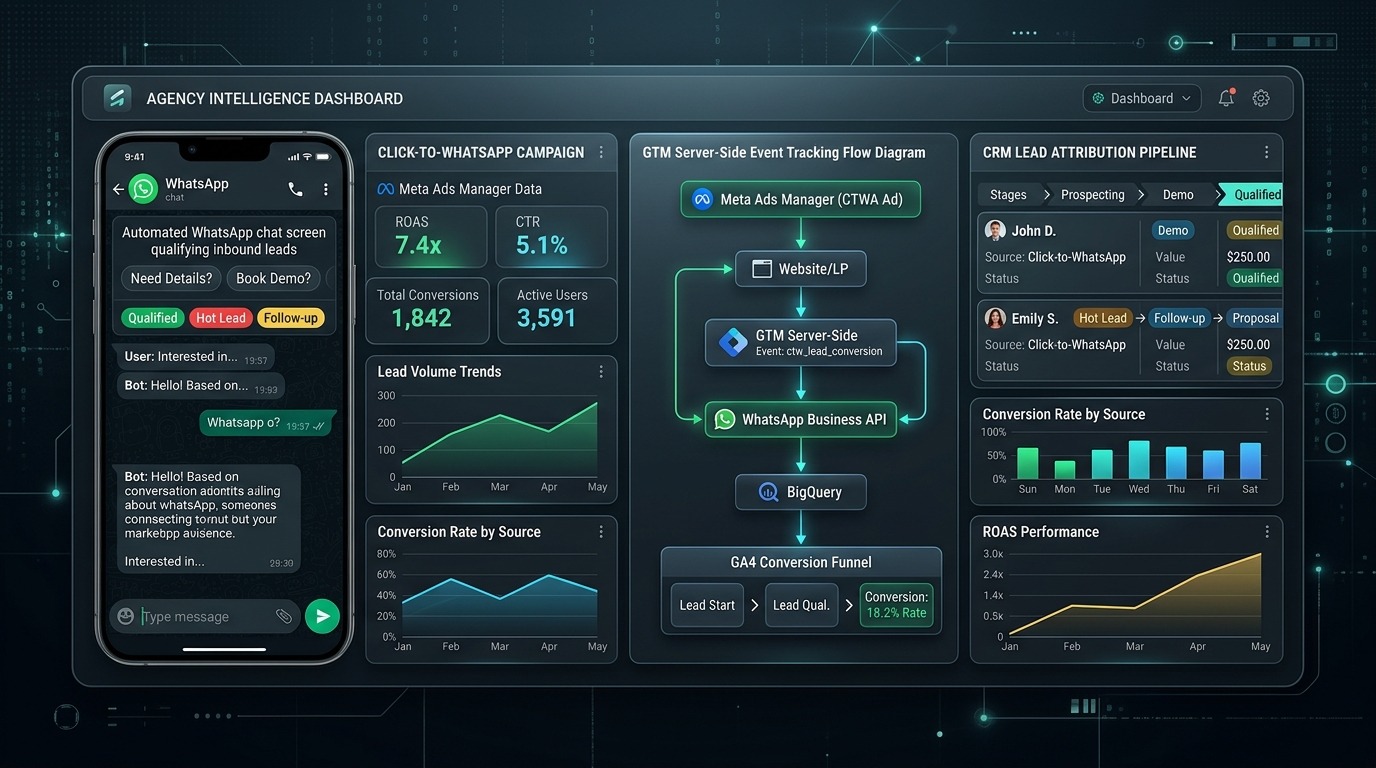
Click-to-WhatsApp (CTWA) ads represent one of the fastest-growing lead generation formats across Latin America, Southeast Asia, India, and the Middle East. With open rates exceeding 90% and response times measured in minutes rather than hours, routing paid traffic into direct messaging channels consistently yields 3x higher initial engagement than traditional web lead forms.
However, 70% of performance marketing agencies fail when attempting to scale CTWA campaigns. Why? Because Meta’s default delivery algorithm optimizes for “Conversations Started”. When you reward the algorithm for simply getting someone to tap “Send”, Meta’s machine learning seeks out the cheapest, lowest-intent users on Instagram and Facebook—filling your sales reps’ inboxes with “Hi”, emoji spam, and unqualified tire-kickers.
To scale WhatsApp acquisition profitably, you must build an end-to-end Tracking & Qualification Engine. This guide breaks down the full architectural framework: from GTM client-side click listeners and dynamic URL parameter parsing to automated WhatsApp Business API triage and feeding offline qualified conversions back into Meta CAPI.
1. The WhatsApp Attribution Conundrum: On-Site vs. Direct CTWA
Before launching ad campaigns, media buyers must select between two distinct routing architectures:
| Architectural Factor | Direct Meta CTWA Ads | Landing Page → WhatsApp Deep-Link |
|---|---|---|
| User Journey | Ad click opens WhatsApp chat application directly | Ad click opens mobile landing page → clicks WhatsApp floating button |
| Friction Level | Ultra-low (1 click to initiate chat) | Medium (pre-qualifying copy, testimonials, and video proof first) |
| Pixel & GA4 Tracking | Limited to Meta in-app reporting; zero native GA4 session tracking | Full client-side GTM tracking, GA4 session recording, Heatmaps & Hotjar |
| Lead Intent Quality | High volume / Lower average qualification intent | Lower initial volume / 3.4x higher sales qualification rate |
| Best Application | Impulse purchases, quick real estate inquiries, low-ticket services | High-ticket B2B, legal consultations, luxury medical, custom manufacturing |
For high-ticket lead generation ($2,000+ customer values), routing traffic through a dedicated mobile-optimized bridge landing page with a tracked WhatsApp action button filters out 60% of unqualified spam before it reaches your sales team.
2. GTM Architecture: Capturing Outbound WhatsApp Clicks & UTM Strings
When deploying on-site WhatsApp buttons (e.g., https://wa.me/14155552671?text=...), Google Analytics 4 will not track these outbound clicks as conversions by default. You must configure Google Tag Manager to capture the click, extract URL parameters, and pass a structured custom event to GA4.
Step 1: The Dynamic WhatsApp Link Formula
Never place a static WhatsApp link on your landing page. Dynamically append UTM source, campaign ID, and page location so your sales reps and CRM know exactly which ad spawned the conversation:
// Dynamic WhatsApp URL with UTM Context Injection
function buildDynamicWhatsAppUrl(phoneNumber, baseMessage) {
  var urlParams = new URLSearchParams(window.location.search);
  var utmSource = urlParams.get('utm_source') || 'direct';
  var utmCampaign = urlParams.get('utm_campaign') || 'none';
  var gclid = urlParams.get('gclid') || urlParams.get('fbclid') || 'organic';

  var prefilledText = baseMessage +
    ' [Ref: ' + utmSource + ' | ' + utmCampaign + ' | ID: ' + gclid.substring(0, 10) + ']';

  return 'https://wa.me/' + phoneNumber + '?text=' + encodeURIComponent(prefilledText);
}
Step 2: Google Tag Manager Click Trigger & GA4 Event Tag
- In GTM, create a Trigger: Click – Just Links.
- Set condition:
Click URL contains "wa.me" OR Click URL contains "api.whatsapp.com". - Create a GA4 Event Tag named
whatsapp_click_lead. - Set Event Parameters:
event_category:lead_generationlead_type:whatsapp_directpage_location:{{Page URL}}traffic_source:{{Query - utm_source}}
- Attach the link click trigger and publish the GTM container.
3. Automated Triage: The 3-Question WhatsApp Business API Bot
When an ad click triggers an inbound conversation, an automated WhatsApp Business API triage bot (via platforms like Wati, ManyChat, Respond.io, or Interakt) must immediately engage the prospect within 5 seconds. The bot’s job is not to sell—it is to qualify and triage.
To qualify as an SQL (Sales Qualified Lead), the user must answer three mandatory questions via interactive quick-reply buttons:
- Budget Range: “What is your target monthly project investment?” (<$1k | $1k–$5k | $5k+)
- Timeline Urgency: “When do you need implementation completed?” (Immediately | 30 Days | Researching)
- Decision Authority: “Are you the sole decision maker for this account?” (Yes | Part of a Committee)
If the user selects <$1k, the automated bot tags the contact as Unqualified - Nurture and provides an automated PDF resource link, keeping your sales team focused exclusively on leads meeting the minimum economic threshold.
4. Closing the Loop: Offline Conversions Feedback to Meta CAPI
This is where performance media buyers outmaneuver amateur agencies. When a prospect passes the triage bot or pays an initial invoice in your CRM (HubSpot, Salesforce, Zoho), you must send that conversion event back to Meta Ads Manager via the Conversions API.
Meta’s optimization engine does not have to remain trapped at the “Conversation Started” level. By sending back a Lead_Qualified or Purchase event matched against the user’s telephone number (hashed SHA-256) and the Meta Click ID (ctwa_clid), you shift campaign optimization from volume to value.
import hashlib, requests, time

def hash_data(val):
    return hashlib.sha256(val.strip().lower().encode('utf-8')).hexdigest()

def push_whatsapp_conversion(phone_number, lead_id, deal_value):
    url = "https://graph.facebook.com/v19.0/{PIXEL_ID}/events"
    payload = {
        "data": [{
            "event_name": "Lead_Qualified",
            "event_time": int(time.time()),
            "event_id": f"wa_qual_{lead_id}",
            "action_source": "system_generated",
            "user_data": {
                "ph": [hash_data(phone_number)],
                "country": [hash_data("us")]
            },
            "custom_data": {
                "currency": "USD",
                "value": float(deal_value),
                "qualification_status": "SQL_Approved"
            }
        }],
        "access_token": "{SYSTEM_USER_ACCESS_TOKEN}"
    }
    r = requests.post(url, json=payload)
    return r.json()
Once Meta receives 30 to 50 Lead_Qualified offline events per week, switch your campaign optimization goal from Conversations to Custom Conversion: Lead_Qualified. Meta’s auction will stop hunting for cheap chatterboxes and aggressively target high-net-worth buyers who complete your qualification funnel.
5. Building GA4 Custom Funnel Exploration Reports
To measure the true blended cost of acquisition, configure a custom Funnel Exploration in Google Analytics 4:
- Open GA4 > Explore > Funnel Exploration.
- Step 1 (Landing Page Impression):
page_viewwherepage_path contains "/lp/". - Step 2 (WhatsApp CTA Click):
whatsapp_click_leadevent. - Step 3 (Chat Triage Initiated):
chat_session_start(pushed via CRM webhook to GA4 Measurement Protocol). - Step 4 (Sales Qualified Lead):
lead_qualifiedevent.
This reveals the precise conversion drop-off rate between clicking the WhatsApp button and completing the triage questions, allowing CRO teams to test button positioning, micro-copy guarantees, and pre-filled message hooks.
For more strategies on high-velocity paid conversion funnels, explore our breakdown of Performance Max Campaign Deconstruction and audit your budget with our Meta Ad Budget Calculator.
Frequently Asked Questions
Can I track WhatsApp conversations if users click on desktop?
Yes. If a user clicks on desktop, the wa.me link prompts them to open WhatsApp Web or the WhatsApp Desktop client. Your GTM click trigger fires identically, logging the outbound event before redirection.
What is ctwa_clid in Meta Ads?
The ctwa_clid is Meta’s Click-to-WhatsApp Click Identifier. It is a cryptographic token passed when an ad click initiates a WhatsApp session, allowing Meta to deterministically link subsequent offline sales back to the specific ad creative.
Do I need a WhatsApp Business API account for automated tracking?
While basic click tracking can be done with standard WhatsApp Business numbers, automated CRM triage bots and server-side offline CAPI feedback require an official WhatsApp Business API (WABA) provider (e.g., Twilio, Wati, MessageBird).