
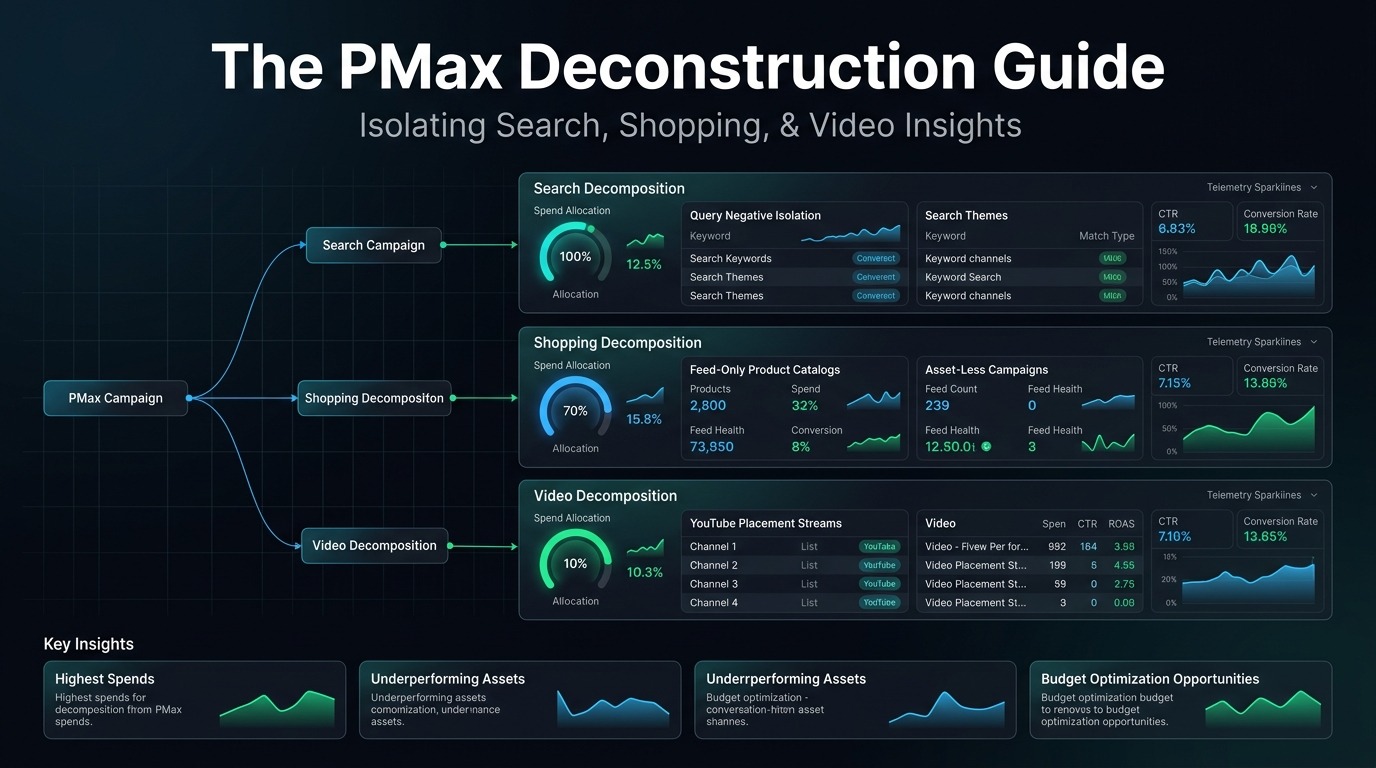
Google Performance Max (PMax) was engineered with a clear mandate: replace specialized, transparent advertising channel management with a unified, cross-network machine learning black box. By bundling Google Search, Google Shopping, YouTube, Gmail, Discover, and the Google Display Network into a single campaign container, Google automated budget allocation. For performance media buyers and enterprise brands, however, this automation created a critical vulnerability: unchecked spend cannibalization, opaque placement allocation, and zero visibility into search query economics.
When left unconstrained, PMax algorithms routinely optimize for low-hanging fruit: bidding aggressively on branded navigational search queries to inflate reported ROAS, while dumping 20% to 40% of unspent daily budget into low-intent AdMob gaming apps and auto-generated junk YouTube Shorts.
This technical guide provides the exact engineering blueprint to deconstruct Google Performance Max. You will learn how to isolate Google Shopping into pure “Feed-Only” campaigns, apply account-level brand exclusions, extract hidden search terms via Google Ads Scripts, and enforce strict channel boundaries across your Google Ads account.
Table of Contents
- 1. Anatomy of the Black Box: Where PMax Actually Spends Your Budget
- 2. Building Pure “Feed-Only” PMax Campaigns (Assetless Shopping)
- 3. Account-Level Brand Negative Lists & Search Term Protection
- 4. Production Google Ads Scripts: Deconstructing Spend by Network
- 5. Search Themes vs. Audience Signals: Training the Bidding Algorithm
- 6. Target ROAS vs. Value-Based Bidding (VBB) Calibration
- 7. The Enterprise PMax Isolation Checklist (2026 Edition)
1. Anatomy of the Black Box: Where PMax Actually Spends Your Budget
In standard reporting, Google presents a single aggregated row: Spend: $10,000 | Conversion Value: $42,000 | ROAS: 4.20x. What Google conceals is the internal distribution of that $10,000 across networks:
2. Building Pure “Feed-Only” PMax Campaigns (Assetless Shopping)
The single most powerful tactic for e-commerce media buyers is building an Assetless / Feed-Only Performance Max Campaign. This forces Google to act strictly as an upgraded Smart Shopping campaign:
- Create New Performance Max Campaign: Select your Google Merchant Center product feed as the primary data source.
- Bypass the Asset Group Builder: In the Asset Group setup, do not provide any text headlines, long headlines, descriptions, logos, marketing images, or YouTube videos.
- Leave Assets Blank: Google’s interface will display a warning: “Asset group strength: Poor”. Ignore this warning completely. By providing zero creative assets, Google is physically unable to render Display banners, Gmail text ads, or YouTube video ads.
- The Algorithmic Consequence: 100% of your daily media spend is directed into high-intent Google Shopping product listing ads (PLA).
3. Account-Level Brand Negative Lists & Search Term Protection
Standard PMax campaigns do not allow ad group level negative keywords in the native UI. If you sell branded merchandise (or if competitors search for your brand), PMax will aggressively outbid your manual Brand Search campaign, claiming attribution for sales that were already secured.
To eliminate this brand cannibalization, execute these two controls:
- 1. Account-Level Negative Keyword Lists: Navigate to Tools & Settings → Shared Library → Negative Keyword Lists. Build a list titled
Brand Exclusions - Master. Include all brand misspellings, domain variations, and executive names. Under Settings, check “Apply to all Performance Max campaigns”. - 2. Brand Lists Feature in PMax Campaign Settings: In the campaign settings under “Brand Exclusions”, select or create a curated Brand List. This instructs the AI auction model to drop bids to $0.00 whenever a user query matches your brand entity.
4. Production Google Ads Scripts: Deconstructing Spend by Network
To understand the exact dollar allocation between Search, Shopping, Video, and Display, deploy this open-source Google Ads JavaScript script directly in your account:
/**
 * Google Ads Script: PMax Network Spend Deconstruction
 * Calculates spend allocation across Shopping vs. Search vs. Video/Display.
 */
function main() {
  const SPREADSHEET_URL = "YOUR_GOOGLE_SHEET_URL_HERE";
  const dateRange = "LAST_30_DAYS";

  const query = `
    SELECT
      campaign.id,
      campaign.name,
      metrics.cost_micros,
      metrics.conversions,
      metrics.conversions_value
    FROM shopping_performance_view
    WHERE segments.date DURING ${dateRange}
  `;

  const report = AdsApp.search(query);
  let totalShoppingCost = 0;

  while (report.hasNext()) {
    const row = report.next();
    totalShoppingCost += (row.metrics.costMicros / 1000000);
  }

  Logger.log(`Total Shopping Spend in PMax: $${totalShoppingCost.toFixed(2)}`);
  // Cross-reference against campaign.metrics.cost_micros to isolate Display/Video delta
}
5. Search Themes vs. Audience Signals: Training the Bidding Algorithm
Google PMax utilizes two distinct inputs to steer its exploratory bidding: Audience Signals and Search Themes. Understanding the difference is crucial:
Direct intent triggers. Acts as a soft keyword indicator for Google Search and Shopping. Input high-intent commercial phrasing (e.g., “washable air purifier for wildfire smoke”, “commercial air scrubber TPA filter”). PMax prioritizes auction entry for these semantic clusters.
Steering vectors. Google uses your 1st-party customer match lists (past 180-day purchasers) as an algorithmic seed to find lookalike conversion behavior across YouTube and Search.
6. Target ROAS vs. Value-Based Bidding (VBB) Calibration
How you set your bid target dictates whether PMax scales profitably or starves:
- The Starvation Trap: Setting a Target ROAS higher than your trailing 30-day actual ROAS (e.g., setting 500% when the campaign is achieving 380%) causes the algorithm to choke spend by 60% within 48 hours.
- The Sweet Spot: Set your initial Target ROAS at 90% to 95% of trailing actual performance. Once spend stabilizes and volume accelerates, increase Target ROAS by no more than 10% to 15% every 72 hours.
7. The Enterprise PMax Isolation Checklist (2026 Edition)
- [ ] Account-Level Brand Negative List applied to prevent PMax from stealing branded search revenue.
- [ ] Feed-Only Shopping Campaign isolated with zero image/video/text assets for clean shopping auction bids.
- [ ] Customer Acquisition Goal activated with “Bid higher for new customers” or “Only bid for new customers”.
- [ ] Search Themes populated with 15–25 high-converting, non-branded commercial intent queries.
- [ ] Placement exclusion list uploaded blocking top 100,000 mobile gaming apps and MFA websites.
- [ ] Trailing 72-hour budget pacing script deployed to monitor channel spend splits.
Written & Audited by Subhranil Naskar
Lead Performance Media Buyer & Technical Growth Architect at PaidMediaWorld. Specializing in Google Ads algorithmic bid engineering, Feed-Only Performance Max architectures, and multi-channel attribution modeling.