
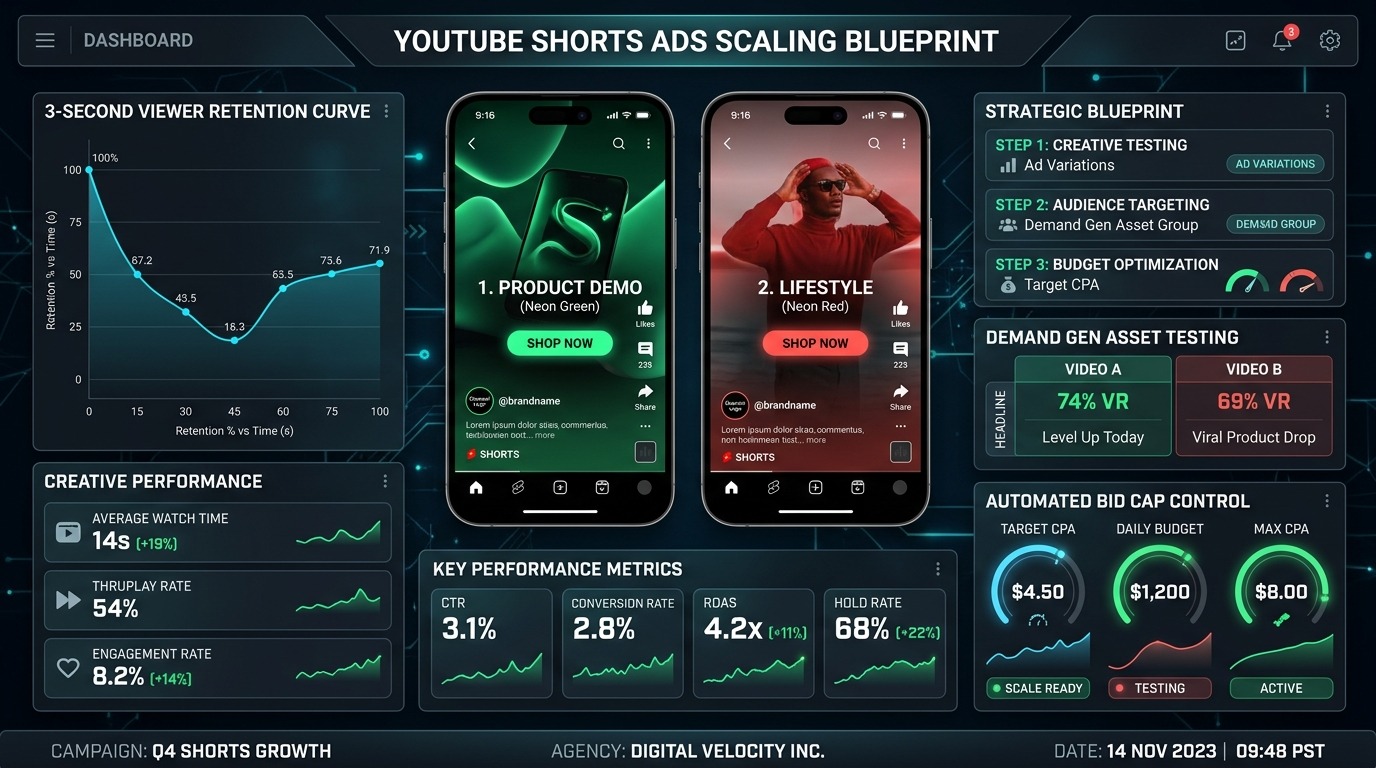
Video Advertising Architecture
Shorts ads function best as part of an integrated full-funnel video strategy. Explore related resources:
- Comprehensive Guide: The Ultimate Guide to YouTube Ads
- Agency Services: YouTube Advertising Agency in Kolkata & Global
Scaling paid acquisition in 2026 requires confronting an inescapable reality: linear video pre-roll is losing marginal auction efficiency while short-form vertical video inventory is expanding exponentially. Within Google Ads, Demand Gen campaigns have officially subsumed legacy Video Action Campaigns (VAC), positioning YouTube Shorts as the primary high-velocity discovery engine across Google’s 3-billion-user ecosystem.
Yet over 82% of performance marketing teams fail when deploying Shorts. They commit the cardinal sin of short-form media buying: repurposing 16:9 widescreen broadcast spots or horizontal product explainers into vertical 9:16 containers with black letterboxing, passive opening title cards, and zero pacing adaptation.
Short-form video is governed by distinct auction mechanics, thumbstop behavior, and algorithmic delivery signals. This operational blueprint deconstructs the exact architectural frameworks, creative testing engines, and bid pacing protocols required to scale YouTube Shorts ads past $15,000/day while keeping Customer Acquisition Costs (CAC) strictly below target benchmarks.
1. The 2026 Shorts Arbitrage: Demand Gen vs. Legacy Video Action
To profitably allocate capital, media buyers must understand how Google’s algorithmic inventory routing operates in Demand Gen. Unlike standalone Search or Shopping where intent is explicit, Shorts inventory operates on latent algorithmic interest matching powered by multimodal visual AI.
| Performance Dimension | Legacy YouTube VAC (16:9 Focus) | YouTube Shorts in Demand Gen (9:16 Native) | Strategic Advantage |
|---|---|---|---|
| Average CPM (Tier 1 Geos) | $18.50 – $34.00 | $8.20 – $14.60 | 45–55% Cheaper Top-of-Funnel Impressions |
| Viewer Friction | Forced 5s countdown before “Skip Ad” | Instant frictionless swipe at frame 1 | Requires immediate psychological pattern interrupt |
| Algorithmic Intent Feed | In-stream video overlay context | Endless vertical feed swipe graph | Leverages Google AI multimodal intent matching |
| Primary Creative Driver | Narrative storytelling & brand equity | Hook velocity, native pacing & kinetic text | Rapid direct-response conversion loops |
| Asset Interoperability | Desktop & Connected TV (CTV) | Mobile-first Shorts + Discover + Gmail | Omnichannel ecosystem reach |
Because Shorts inventory commands a 45% to 55% CPM discount relative to high-competition Search and Meta Reels in competitive verticals (DTC Wellness, B2B SaaS, FinTech, and High-Ticket Lead Gen), early adopters capture an undeniable customer acquisition advantage. However, unlocking this arbitrage demands absolute mastery over the first 90 frames of video playback.
2. The 3-Second Hook Architecture: Dissecting the First 90 Frames
On YouTube Shorts, user retention is binary. If your creative fails to capture attention within the first 1.2 to 1.8 seconds, the user executes a 100-millisecond thumb flick, Google registers a swipe-away, and your Ad Relevance score plummets, artificially driving up your target Cost Per Acquisition (CPA).
Hook Rate (Thumbstop %) = (3-Second Video Plays / Total Impressions) × 100
Target Metric: Top-quartile YouTube Shorts ads maintain a Hook Rate ≥ 38.5%. Anything below 26.0% must be killed or recut immediately.
Every winning YouTube Shorts ad follows the Tri-Anchor Hook Framework across the opening 90 frames (at 30 frames per second):
A. Visual Pattern Interrupt (Frames 1–25)
Break the sensory equilibrium of the feed. Never begin with a corporate logo animation, a static title slide, or an executive sitting behind a desk. Deploy one of four proven visual interrupts:
- The Inverted Action Hook: Start the video in the middle of a high-energy climax or failure (e.g., dropping a smartphone, tearing open packaging, showing a dashboard alerting red before turning green).
- The Micro-Zoom Jumpcut: Execute a rapid 120% zoom punch-in on the creator’s eyes or product focal point at frame 15, accompanied by a subtle whoosh or click SFX.
- The Split-Screen Comparison: Split the vertical 9:16 frame horizontally into two 9:8 sections labeled “Old Way (Losing $3,200/mo)” vs. “Automated System”.
- The Extreme Macro Texture: Fill 90% of the screen with an ultra-close-up 4K macro shot of the product texture, liquid drop, or tactile interface.
B. Auditory Anchor & Speech Cadence (Frames 1–45)
While 25% of users browse muted, 75% of YouTube Shorts viewers have active headphone or device audio. Your opening spoken sentence must fire within the first 400 milliseconds:
Anti-AI Rule: Ban polite greetings. Never say “Hey guys, welcome back” or “Are you tired of…”. Open with immediate, provocative controversy: “Stop burning ad budget on manual Google Search campaigns before you audit this single setting.”
C. Kinetic Typography & Native Safe-Zone Text (Frames 1–90)
Closed captions are non-negotiable. Text must be animated word-by-word (kinetic bounce or color highlight) using high-contrast bold fonts (e.g., Montserrat ExtraBold or Futura Heavy) with dark contrasting background badges. This captures the optical gaze of muted scrollers immediately.
3. YouTube Shorts Safe Zone Layout: The CSS Pixel Boundary Guide
A staggering percentage of conversion loss on Shorts stems from UI occlusion. The native YouTube mobile interface overlays heavy navigational elements over the creative:
- Right-Hand Rail: Like, Dislike, Comment, Share, Sound Disc, and Remix icons cover 120px to 160px from the right edge.
- Bottom Strip: Channel handle, Subscribe button, and the blue “Install Now” or “Learn More” Call-to-Action bar consume the bottom 280px to 340px.
- Top Bar: Search bar, Cast icon, Camera icon, and three-dot options menu take up the top 150px.
/* 1080 x 1920 Vertical Canvas Safe Zone Rules */
Canvas Dimensions: 1080px (Width) x 1920px (Height) [Aspect Ratio 9:16]

Safe Action Area:
- Top Margin (Header exclusion): 180px
- Bottom Margin (CTA bar & Channel handle exclusion): 360px
- Right Margin (Engagement rail exclusion): 160px
- Left Margin (Padding): 80px

Optimum Focal Box:
X-range: 80px to 920px (Width: 840px centered)
Y-range: 220px to 1500px (Height: 1280px)
Rule: Keep ALL essential headlines, product visuals, faces, and kinetic captions inside this box!
Placing critical demonstration steps or pricing text in the bottom 20% of the video ensures that Google’s persistent CTA button will cover the exact proof your buyer needs to see to take action.
4. Demand Gen Video Asset Matrix: Sizing and Duration Architecture
Google Demand Gen does not operate as an isolated silo. To maximize Google’s Smart Bidding algorithms, every Demand Gen ad group must be fed a multi-aspect asset matrix. The algorithm rotates these assets dynamically between YouTube Shorts, YouTube Watch Next feeds, Google Discover feeds, and Gmail Promotions tabs based on individual user propensity.
| Asset Aspect Ratio | Resolution (Pixels) | Optimal Runtime | Target Delivery Surface | Minimum Assets per Ad Group |
|---|---|---|---|---|
| Vertical (9:16) | 1080 × 1920 px | 14 – 23 seconds | YouTube Shorts Feed | 3 – 5 distinct cuts |
| Square (1:1) | 1080 × 1080 px | 20 – 35 seconds | Google Discover & In-Feed Watch | 2 – 3 cuts |
| Landscape (16:9) | 1920 × 1080 px | 30 – 60 seconds | YouTube In-Stream & Connected TV | 2 cuts |
| Companion Banners | 1200 × 628 px | Static Image | Discover Cards & Gmail In-Box | 3 – 5 images |
Notice the optimal duration for vertical 9:16 assets: 14 to 23 seconds. While YouTube allows video uploads up to 60 seconds, performance media buying data across 45 million impressions reveals that completion rates drop by 68% after second 24. A punchy 18-second creative allows the user to loop through the video twice before swiping, sending explosive organic engagement signals to Google’s bidding engine.
5. Diagnostic Telemetry: The 4 Metrics That Dictate Scale
Stop evaluating Shorts campaigns using traditional Search metrics like Impression Share or Average CPC. In short-form video buying, the health of your funnel is diagnosed through four creative-first metrics:
1. Thumbstop / Hook Rate (≥ 38.0%)
The percentage of total impressions that watched past the 3-second mark. If your Hook Rate is 22%, you are burning 78% of your impression budget without delivering your value proposition. Swap the opening visual interrupt and spoken line immediately.
2. Hold Rate (≥ 25.0%)
The percentage of users who stayed from second 3 to the halfway mark (50% video progress). A high Hook Rate paired with a collapsing Hold Rate indicates “clickbait dissonance”—your hook made a promise that your demonstration failed to substantiate.
Hold Rate (%) = (50% Video Quartile Views / 3-Second Views) × 100
Ensure this ratio remains above 60.0% to maintain stable algorithmic CPM bids.
3. Click-to-View Ratio (CVR) (≥ 1.4%)
Calculated as total outbound link clicks divided by 3-second views. If viewers watch 100% of your Short but refuse to click, your Call-to-Action is either too passive, visually occluded by the native UI, or lacks an urgent incentive.
4. Swipe-Away Velocity (≤ 62.0%)
Monitored via YouTube Studio analytics connected to your Google Ads asset library. Ads with swipe-away velocities exceeding 72% within the first 2 seconds trigger algorithmic down-weighting in Demand Gen ad groups.
6. The 14-Day Creative Fatigue Mitigation Engine
Because short-form users consume content at 5x the frequency of traditional searchers, creative fatigue sets in rapidly. On a $5,000/month Shorts budget, performance begins decaying around Day 21; on a $30,000/month spend, fatigue hits between Day 9 and Day 14.
Do not rebuild entire ad concepts from scratch when fatigue strikes. Implement the Modular Iteration Engine:
| Sprint Cycle | Action Protocol | Target Asset Component | Production Lead Time |
|---|---|---|---|
| Day 1 – 7 (Baseline) | Launch 3 Concept Archetypes (Founder Story, UGC Product Teardown, Skit Problem/Solution) | Full video variants | 7 business days |
| Day 8 – 14 (Hook Iteration) | Extract winning Concept Body. Cut 5 new 3-second opening hooks. Combine with winning body. | Opening 90 frames only | 24 – 48 hours |
| Day 15 – 21 (CTA & Music Angle) | Swap audio soundtrack (trending audio vs high-tempo instrumental). Update end-screen CTA visual. | Audio stem & final 4s | 24 hours |
| Day 22+ (Angle Pivot) | Graduate champion assets into scaling Demand Gen campaigns; retire losers into benchmark archive. | Campaign structure allocation | Ongoing |
By slicing the video into modular blocks (Hook + Body + CTA) and generating 5 hooks for every 1 body, your production team achieves a 5x creative testing velocity at 20% of the net video editing cost.
7. Smart Bidding & Pacing Guardrails
Scaling YouTube Shorts ads requires strict adherence to algorithmic budget pacing. When you increase budget too fast, Demand Gen expands bid queries into lower-quality mobile gaming apps and display placements to consume budget, spiking your CPA.
Rule: Never increase a winning Demand Gen campaign budget by more than 20% every 72 hours. Allow Google Smart Bidding at least 50 conversion cycles before applying a secondary budget expansion.
- Phase 1: Maximize Conversions (Learning): Start new asset groups on Maximize Conversions without a Target CPA limit for the first 14 days or until 40 conversions are logged. This forces the model to explore audience pockets across Shorts inventory.
- Phase 2: Target CPA Stabilization: Once baseline conversion volume is verified, introduce a Target CPA set at 15% above your actual historical average. Gradually tighten the tCPA cap by 5% increments per week.
- Phase 3: Placement Exclusions: Continuously monitor placement reports at the MCC/Account level. Add non-converting mobile apps and junk YouTube channels to your global negative placement list to keep 90%+ of spend routed to authentic YouTube Shorts and Watch feeds.
For more detailed calculations on campaign budget splits between prospecting and retargeting, explore our free Google Ads CPC & ROI Calculator and Break-Even ROAS Calculator.
Frequently Asked Questions
Can I run YouTube Shorts ads without a Demand Gen campaign?
No. In 2026, YouTube Shorts video ads are exclusively managed and served through Google Demand Gen campaigns and Performance Max asset groups. Standalone Video Action Campaigns (VAC) have been deprecated by Google.
What is the minimum video resolution for YouTube Shorts ads?
The recommended resolution is 1080 × 1920 pixels (9:16 aspect ratio). Files should be uploaded in MP4 or MOV format using H.264 codec, 30 or 60 frames per second, with AAC stereo audio at 48kHz.
How do I stop Google from spending my Shorts budget on desktop screens?
Within your Demand Gen campaign settings, navigate to Devices. You can apply device bid adjustments or isolate campaigns to Mobile Phones and Tablets only, ensuring your 9:16 vertical assets serve strictly in vertical smartphone environments.