
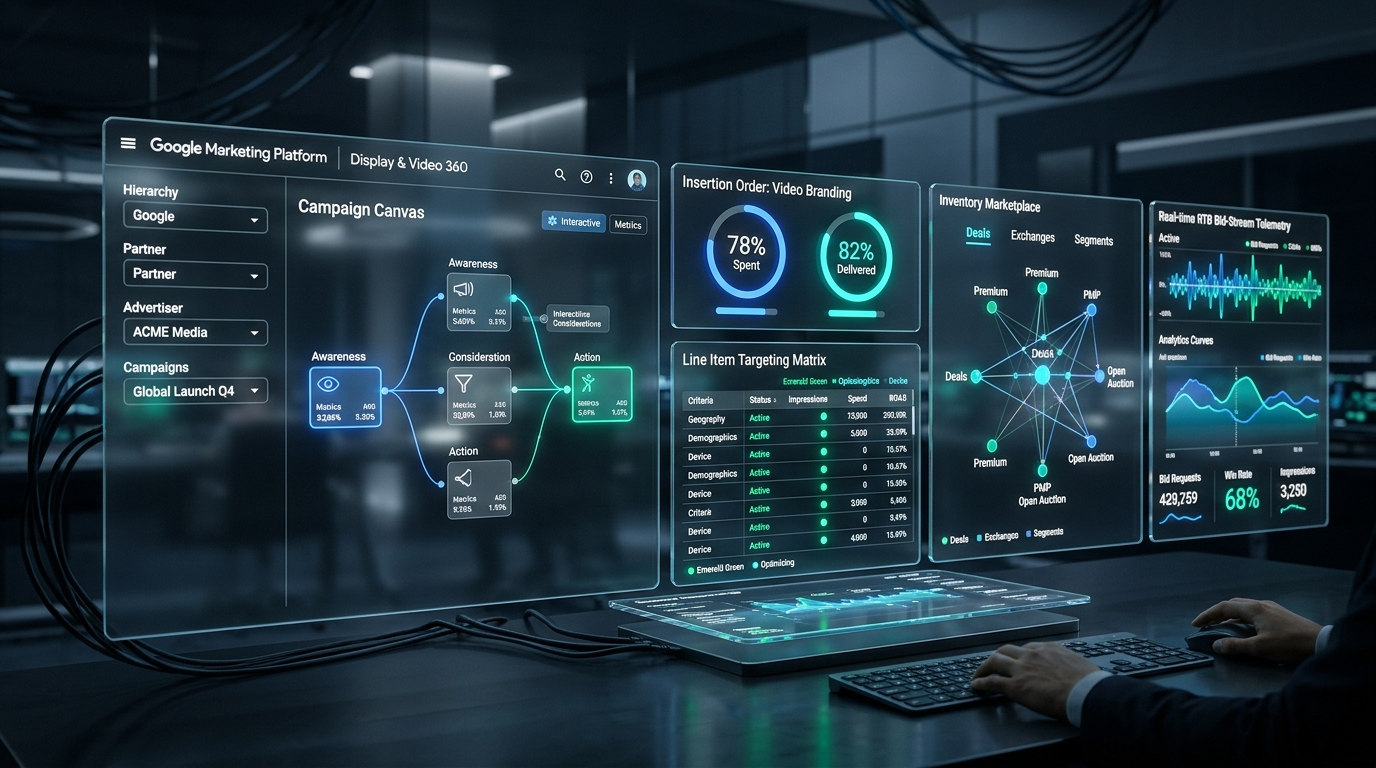
Google Display & Video 360 (DV360) is the flagship Demand-Side Platform (DSP) of the Google Marketing Platform (GMP). While standard Google Ads confines advertisers primarily to Google-owned properties and the Google Display Network (GDN), DV360 provides programmatic access to over 90 ad exchanges, Connected TV (CTV) streaming giants, audio platforms, and private publisher marketplaces. For media buyers transitioning from Google Ads into programmatic buying, this guide provides an exhaustive option-by-option navigation walkthrough, hierarchy breakdown, and campaign setup blueprint.
Quick Answer: Google DV360 Core Navigation & Hierarchy
DV360 operates on a strict 5-tier structural hierarchy: Partner → Advertiser → Campaign → Insertion Order (IO) → Line Item (LI). All inventory buying, frequency capping, and audience matching occur through 5 dedicated modules in the left navigation panel:
1. What Is Google DV360 and How Does It Differ From Google Ads?
Many enterprise media buyers ask: "We already spend heavily on Google Ads Display and YouTube; why do we need Display & Video 360?"
While Google Ads is a self-serve platform built for small-to-medium businesses and single-channel operations, DV360 is an enterprise-grade Demand-Side Platform (DSP) engineered for programmatic scale:
- Exchange Access Beyond Google: Google Ads buys exclusively through the Google Display Network (GDN) and YouTube. DV360 bids in real-time across 90+ major global ad exchanges (Supply-Side Platforms / SSPs) including Google Ad Manager (GAM), Magnite, OpenX, PubMatic, Index Exchange, and FreeWheel.
- Unified Cross-Device Frequency Capping: In Google Ads, if you run YouTube ads, Display banners, and Discovery campaigns, frequency caps operate in silos—a user can easily see your ad 15 times a day across different formats. In DV360, you enforce a single cross-channel frequency cap (e.g., maximum 3 impressions per 24 hours across YouTube, Connected TV, and programmatic display combined).
- Programmatic Deal Management: DV360 provides direct access to the Inventory Marketplace, enabling direct negotiation and automated execution of Programmatic Guaranteed (PG) and Private Marketplace (PMP) deals with premium publishers like Disney+, Netflix, Hulu, The New York Times, and Spotify.
- Native Ad Server Integration: Seamless, zero-latency creative syncing with Campaign Manager 360 (CM360) using Internal Redirect tags, eliminating third-party ad serving fees.
2. DV360 Account Hierarchy Explained (Partner to Line Item)
To navigate DV360 with confidence, you must master the 5 structural levels that govern permissions, billing, and campaign delivery:
Tier 1: Partner Level
The top-level container in DV360, typically owned by a media holding company, independent programmatic agency, or large enterprise conglomerate. Partner settings govern master invoicing, partner-level user access permissions, default exchange access agreements, and shared custom bidding scripts.
Tier 2: Advertiser Level
Created under a Partner container, each Advertiser represents a distinct brand, subsidiary, or client (e.g., Nike India or Shopify EMEA). At the Advertiser level, you configure:
- Linked Accounts: Syncing with Campaign Manager 360 (CM360), Google Analytics 4 (GA4), YouTube channels, and Google Merchant Center.
- Floodlight Configuration: Connecting conversion tracking activities and custom $u$-variable data streams.
- Brand Safety Controls: Account-wide Digital Content Labels (e.g., excluding DL-MA Mature audiences), Sensitive Categories, and domain blocklists.
Tier 3: Campaign Level
Sitting directly beneath the Advertiser, Campaigns group multiple Insertion Orders toward a unified marketing objective (e.g., Q4 D2C Holiday Scaling or US Enterprise SaaS Pipeline). Campaigns control shared frequency capping across all child Insertion Orders.
Tier 4: Insertion Order (IO) Level
The Insertion Order mirrors your contractual media plan. The IO dictates:
- Budget Segments: Dividing total spend across specific calendar windows (e.g., Week 1 Awareness: $15,000; Week 2 Retargeting: $35,000).
- Pacing Algorithms: Choosing between Even (distributes budget evenly across flight hours), Ahead (front-loads spend by 20% to prevent underdelivery), and ASAP (spends budget as fast as auctions allow—use with extreme caution).
- IO Goal & Optimization: Setting automated performance targets (Target CPA, Target ROAS, or Maximize Clicks).
Tier 5: Line Item (LI) Level
The Line Item is the fundamental tactical engine of DV360. This is where actual auction bidding takes place. You define the media channel (Display, Video, Audio, Connected TV), assign specific creative assets, select target exchanges, and layer granular audience segments.
3. The Left Navigation Menu: Option-by-Option Walkthrough
When you enter an Advertiser in DV360, the dark left-hand navigation sidebar organizes all platform capabilities into 5 operational modules:
1. Campaigns Module
The primary daily workspace for traders. Offers two distinct views:
- Combined View: A dense spreadsheet-style interface showing real-time spend, pacing status, impression share, and win rate. Allows bulk editing of bids and flight dates.
- Campaign Canvas: A visual flowchart diagram showing the relationship between Campaigns, Insertion Orders, Line Items, and assigned creatives.
- Search & Filter Bar: Filter by Line Item type, Pacing status (On Track, Behind, Ahead), Deal ID, or Error State.
2. Audiences Module
Centralized audience hub where first-party, third-party, and algorithmic segments are created and organized:
- First-Party Audiences: Captured via Floodlight tags from CM360, Customer Match CSV lists, and GA4 audience exports.
- Google Audiences: Google In-Market, Affinity, and Life Event segments based on search, browser, and YouTube behavior.
- Combined Audiences: Constructing complex Boolean logic (e.g., In-Market for Luxury Cars AND Visited Website in Past 30 Days NOT Converted).
- Pair (Publisher Advertiser Identity Reconciliation): Google's privacy-safe clean-room protocol allowing direct first-party data matching between advertisers and premium publishers without cookies.
3. Creatives Module
Where creative assets are uploaded, reviewed, and managed:
- Format Gallery: Interactive templates for responsive display, flipbooks, parallax scroll, audio, and YouTube bumper ads.
- Creative Studio (DCO): Building Dynamic Creative Optimization feeds where copy, imagery, and CTAs change in real time based on user geography, weather, or browsing history.
- Asset Library: Cloud asset storage shared across the Advertiser for logos, fonts, and video files.
4. Inventory Module
The direct pipeline to global programmatic supply:
- Marketplace: Browse inventory catalogs from thousands of publishers and TV streaming networks. Send Requests for Proposals (RFPs) and negotiate custom deals directly in the UI.
- My Inventory: Active contractual deals (Programmatic Guaranteed, Preferred Deals, Private Auctions). Displays live delivery health, bid requests, and floor prices.
- Negotiations: Real-time negotiation chat and contract signing interface with publisher ad-sales teams.
5. Insights & Reporting Module
Analytics and export engine:
- Instant Reporting: Interactive drag-and-drop pivot tables inside the browser. Pull spend, impressions, CTR, conversions, and viewability in seconds without waiting for offline files.
- Offline Reporting: Standard scheduled reports (CSV / Excel) with custom delivery to SFTP or Google Cloud Storage.
- Verification Reporting: Active View viewability percentages, invalid traffic (IVT) deduction rates, and brand safety compliance.
4. Step-by-Step DV360 Campaign Setup Workflow
Here is the exact senior practitioner sequence for launching a programmatic campaign in DV360:
- Verify Advertiser Brand Safety Perimeters: Navigate to Advertiser Settings → Brand Safety. Enforce exclusions for Digital Content Labels
DL-MA(Mature) and sensitive themes (Derogatory, Tragedy, Military conflict). Add your master domain blocklist. - Create Campaign & Set Cross-Channel Frequency: In Campaigns, click New Campaign. Choose your business goal (e.g., Drive Sales). Under Frequency Capping, configure your shared cap: 3 impressions per 24 hours across all Line Items.
- Construct the Insertion Order (IO): Under the Campaign, click New Insertion Order. Select Real-Time Bidding. Set your Flight Dates (e.g., 30-day window). Input your budget segment. Under Pacing, select Ahead to buffer against auction delivery dips.
- Build the Line Item (LI): Click New Line Item within the IO. Choose your channel: Standard Display or Video. Assign your flight budget.
- Configure the Targeting Matrix:
- Geography: Select target countries/metro areas; set to Presence Only to avoid out-of-market proxy traffic.
- Brand Safety: Verify Advertiser-level inheritance is active.
- Environment & Device: Select Web, App, or Connected TV depending on objective.
- Inventory Sources: Select Public Inventory (check Google Ad Manager, OpenX, Magnite, PubMatic) OR attach your negotiated Deal IDs.
- Audiences: Attach First-Party Floodlight retargeting or Google In-Market prospecting lists.
- Define the Bid Strategy: For direct response, select Automated Bidding → Maximize Conversions with a Target CPA. For upper-funnel branding, choose Target Viewable CPM (vCPM) to ensure you only pay for ads that achieve MRC viewability standards.
- Assign Creatives & Publish: Link approved creatives from your Creative Library or CM360 sync. Review QA status, verify click-through URLs, and toggle the Line Item status from Draft to Active.
5. 3 Critical DV360 Beginner Mistakes to Avoid
1. The Boolean "AND" Trap
Layering Geography + 3 Demographic Filters + 2 Specific In-Market Audiences + a Strict Site Whitelist creates an addressable audience under 5,000 cookies. DV360 line items will fail to spend because auctions cannot clear.
2. Pacing Panic on Open Exchange
Switching an unconstrained Line Item to ASAP Pacing on open exchange inventory can drain a $10,000 daily budget in 35 minutes across low-quality overnight app traffic.
3. Bidding Below SSP Floors
Setting an automated bid cap of $1.50 CPM on premium publisher PMP deals where the contractual floor is $2.80 CPM. The DSP will submit zero winning bids, resulting in zero impressions.
6. Frequently Asked Questions (FAQ)
Can a small business buy ads directly through DV360?
Google does not sell direct DV360 licenses to small businesses. Direct contracts require enterprise annual commitments exceeding $250k–$500k. However, growing brands access DV360 seats through certified Google Marketing Platform (GMP) Partner agencies like Paid Media World without minimum platform lock-in.
What is the difference between DV360 and CM360?
DV360 is a Demand-Side Platform (DSP) used to buy programmatic ad space across ad exchanges. CM360 (Campaign Manager 360) is an ad server used to store, traffic, verify, and measure creatives across all digital channels, including DV360, Meta, and direct publisher buys.
What is a Programmatic Guaranteed (PG) deal in DV360?
A Programmatic Guaranteed deal is a 1-to-1 direct media buy between an advertiser and publisher executed through DV360. The price (fixed CPM) and impression volume are contractually guaranteed, combining traditional direct buying certainty with programmatic automated trafficking.